内容
# Postman MCP Server
[](https://smithery.ai/server/mcp-postman)
An MCP (Model Context Protocol) server that enables running Postman collections using Newman. This server allows LLMs to execute API tests and get detailed results through a standardized interface.
[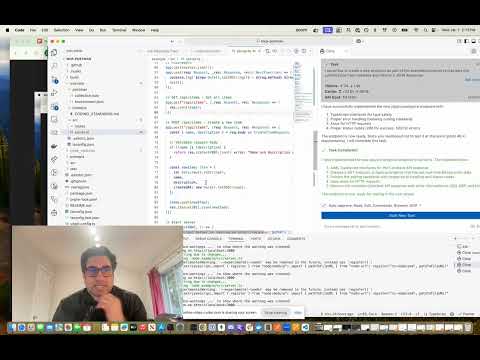](https://youtu.be/d1WgTqwMsog)
<a href="https://glama.ai/mcp/servers/qfx34b2s2v"><img width="380" height="200" src="https://glama.ai/mcp/servers/qfx34b2s2v/badge" alt="Postman Server MCP server" /></a>
## AI Agent Listing
[](https://aiagentslisting.com/mcp/postman-mcp-server-2)
## Features
- Run Postman collections using Newman
- Support for environment files
- Support for global variables
- Detailed test results including:
- Overall success/failure status
- Test summary (total, passed, failed)
- Detailed failure information
- Execution timings
## Installation
### Installing via Smithery
To install Postman Runner for Claude Desktop automatically via [Smithery](https://smithery.ai/server/mcp-postman):
```bash
npx -y @smithery/cli install mcp-postman --client claude
```
### Manual Installation
```bash
# Clone the repository
git clone <repository-url>
cd mcp-postman
# Install dependencies
pnpm install
# Build the project
pnpm build
```
## Usage
### Configuration
Add the server to your Claude desktop configuration file at `~/Library/Application Support/Claude/claude_desktop_config.json`:
```json
{
"mcpServers": {
"postman-runner": {
"command": "node",
"args": ["/absolute/path/to/mcp-postman/build/index.js"]
}
}
}
```
### Available Tools
#### run-collection
Runs a Postman collection and returns the test results.
**Parameters:**
- `collection` (required): Path or URL to the Postman collection
- `environment` (optional): Path or URL to environment file
- `globals` (optional): Path or URL to globals file
- `iterationCount` (optional): Number of iterations to run
**Example Response:**
```json
{
"success": true,
"summary": {
"total": 5,
"failed": 0,
"passed": 5
},
"failures": [],
"timings": {
"started": "2024-03-14T10:00:00.000Z",
"completed": "2024-03-14T10:00:01.000Z",
"duration": 1000
}
}
```
### Example Usage in Claude
You can use the server in Claude by asking it to run a Postman collection:
"Run the Postman collection at /path/to/collection.json and tell me if all tests passed"
Claude will:
1. Use the run-collection tool
2. Analyze the test results
3. Provide a human-friendly summary of the execution
## Development
### Project Structure
```
src/
├── index.ts # Entry point
├── server/
│ ├── server.ts # MCP Server implementation
│ └── types.ts # Type definitions
└── newman/
└── runner.ts # Newman runner implementation
test/
├── server.test.ts # Server tests
├── newman-runner.test.ts # Runner tests
└── fixtures/ # Test fixtures
└── sample-collection.json
```
### Running Tests
```bash
# Run tests
pnpm test
# Run tests with coverage
pnpm test:coverage
```
### Building
```bash
# Build the project
pnpm build
# Clean build artifacts
pnpm clean
```
## Contributing
1. Fork the repository
2. Create your feature branch (`git checkout -b feature/amazing-feature`)
3. Commit your changes (`git commit -m 'Add some amazing feature'`)
4. Push to the branch (`git push origin feature/amazing-feature`)
5. Open a Pull Request
## License
ISC

 MCP 市场