内容
# ZAP-MCP: Model Context Protocol for OWASP ZAP
A powerful integration between OWASP ZAP and AI models through the Model Context Protocol (MCP). This project enables AI-driven security testing by allowing AI models to directly interact with ZAP's scanning capabilities.
## Star History
[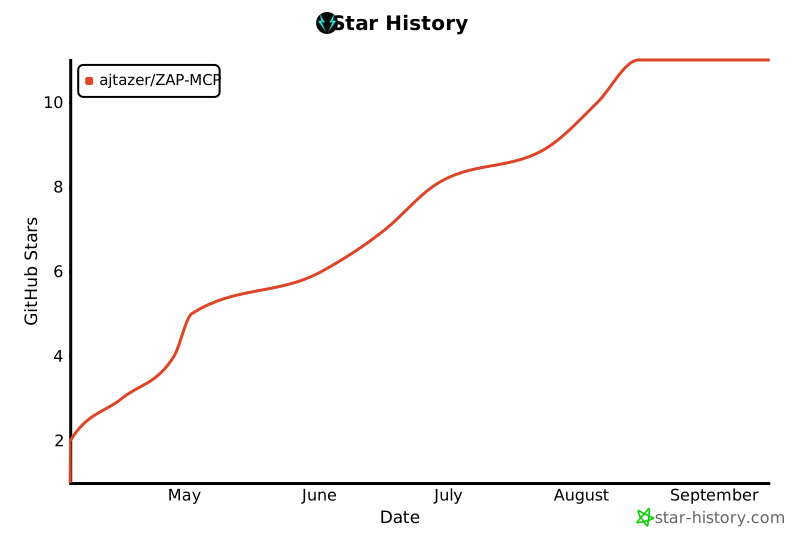](https://www.star-history.com/#ajtazer/ZAP-MCP&Date)
## Overview
ZAP-MCP provides a bridge between AI models (like Claude) and OWASP ZAP, enabling automated security testing and analysis. It uses a client-server architecture where ZAP-MCP acts as the server, exposing standardized functions that can be called by AI models through the MCP protocol.
## Features
- **AI-Driven Security Testing**: Enable AI models to perform security scans and analysis
- **Real-time Scan Monitoring**: Track scan progress and get instant alerts
- **Automated Analysis**: Generate security reports and recommendations
- **Flexible Integration**: Works with various AI models through the MCP protocol
- **WebSocket Communication**: Real-time updates and interactions
## Prerequisites
- Python 3.8+
- OWASP ZAP running locally or remotely
- Claude Desktop App (or other MCP-compatible client)
## Installation
1. Clone the repository:
```bash
git clone https://github.com/tazer/ZAP-MCP.git
cd ZAP-MCP
```
2. Install dependencies:
```bash
pip install -r requirements.txt
```
3. Set up the MCP server:
```bash
./setup_mcp.sh
```
4. Configure ZAP-MCP:
- Copy `claude_desktop_config.json` to your Claude app's config directory
- Update the ZAP API key and URL in the config file
## Usage
1. Start the MCP server:
```bash
mcp-server --config claude_desktop_config.json --model-dir ./models
```
2. Configure your Claude desktop app:
- Open Claude app settings
- Enable MCP server integration
- Set the WebSocket URL to: `ws://localhost:7456/ws`
3. Start using ZAP-MCP:
- The Claude app will now have access to ZAP scanning tools
- You can request security scans, get alerts, and generate reports
## Available Tools
The MCP server exposes these ZAP-specific tools:
- `start_scan`: Start a new ZAP scan on a target URL
- `get_scan_status`: Check the status of a running scan
- `get_alerts`: Get all alerts from the current scan
- `get_scan_summary`: Get a summary of the current scan
## Configuration
The `claude_desktop_config.json` file contains all necessary settings:
```json
{
"mcp_server": {
"host": "localhost",
"port": 7456,
"model": "claude-instant-v1",
"max_tokens": 1000,
"temperature": 0.7,
"zap_api_key": "your-zap-api-key",
"zap_url": "http://localhost:8080"
},
"local_models": {
"path": "./models",
"prefer_local": true
},
"zap_settings": {
"scan_timeout": 300,
"max_concurrent_scans": 5,
"alert_threshold": "HIGH",
"scan_policy": "default"
}
}
```
## Development
This project was developed using Cursor AI, an intelligent coding assistant that helped streamline the development process and ensure code quality.
## Author
- **TAZER** - Initial work and maintenance
## License
This project is licensed under the MIT License - see the LICENSE file for details.
## Acknowledgments
- OWASP ZAP team for their excellent security testing tool
- Anthropic for Claude AI
- Cursor AI for their assistance in development

 MCP 市场