Content
# Tool List
**MCP-SecurityTools is an open-source project focused on collecting and updating MCP (Model Context Protocol) tools in the field of network security. It aims to gather, organize, and optimize various security tools, technologies, and practical experiences related to MCP.**
| mcp name | Description |
| ------------------------------------------------------------ | ------------------------------------- |
| [uncover-MCP](#uncover-mcp) | Enables AI to query FOFA/SHODAN. |
| [ENScan_GO-MCP](#enscan_go-mcp) | Enables AI to perform one-click information collection. |
| [VirusTotal-MCP](#virustotal-mcp) | Enables AI to perform security analysis with VirusTotal. |
| [cloudsword-MCP](#cloudsword-mcp) | Enables AI to perform cloud security operations, with one-click penetration testing in the cloud environment. |
| [ZoomEye-MCP](#zoomeye-mcp) | Enables AI to query ZoomEye for network asset information |
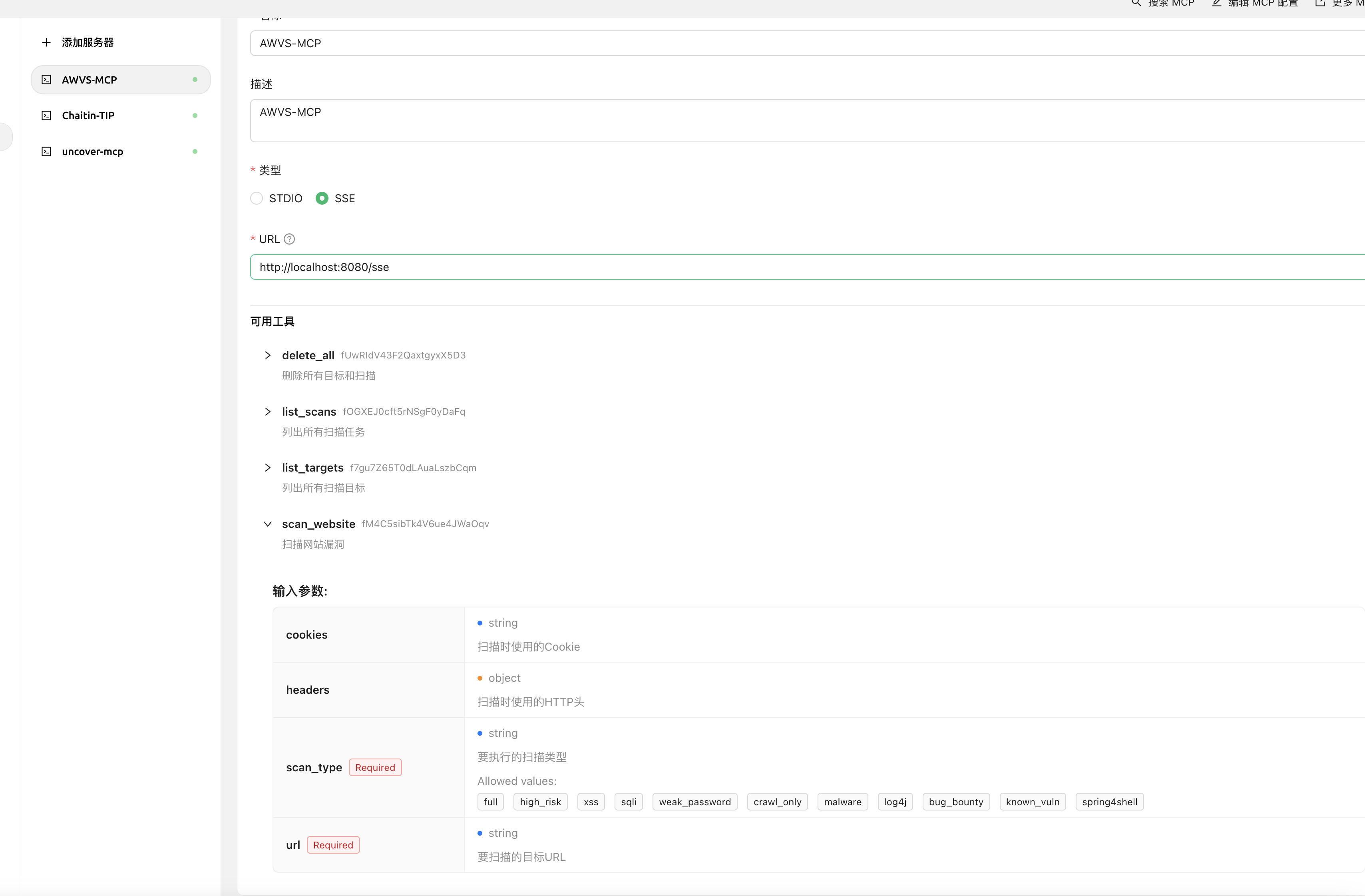
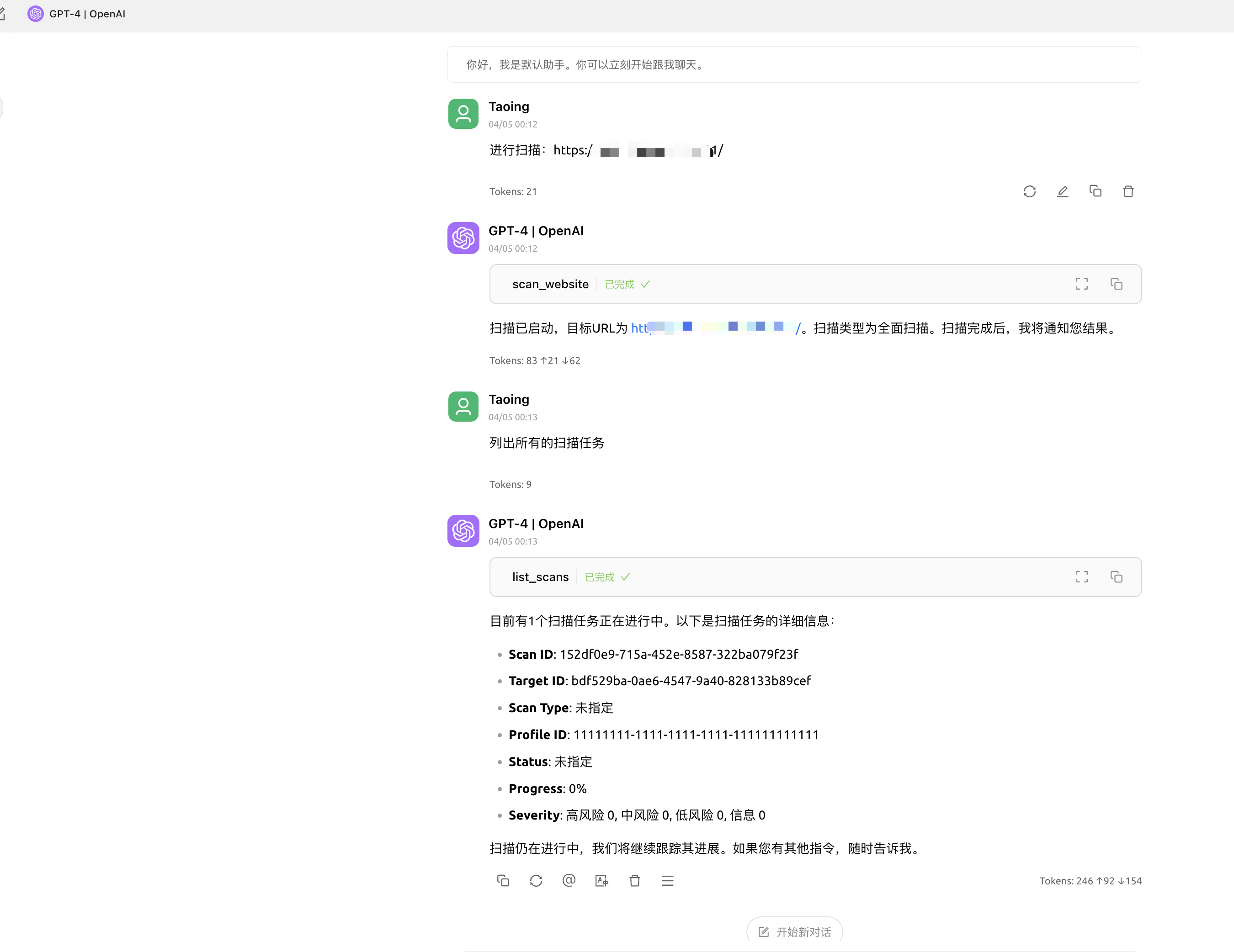
| [AWVS-MCP](#awvs-mcp) | Enables AI to perform vulnerability scanning with AWVS |
| GhidraMCP | To be updated, planned |
| IDA-MCP | To be updated, planned |
| Nmap-MCP | To be updated, planned |
## Introduction
MCP (Model Context Protocol) is an open protocol used to standardize how applications provide context to Large Language Models (LLMs). MCP can be thought of as a USB-C interface for AI applications. Just as USB-C provides a standardized way for devices to connect to various peripherals and accessories, MCP provides a standardized way for AI models to connect to different data sources and tools.
### Why Choose MCP?
MCP helps you build agents and complex workflows on top of LLMs. LLMs often need to integrate with data and tools, and MCP provides:
- A list of pre-built integrations that your LLM can access directly
- Flexibility to switch between different LLM providers and vendors
- Best practices for securing data in your infrastructure
### Overall Architecture
MCP essentially follows a client-server architecture, where a host application can connect to multiple servers:
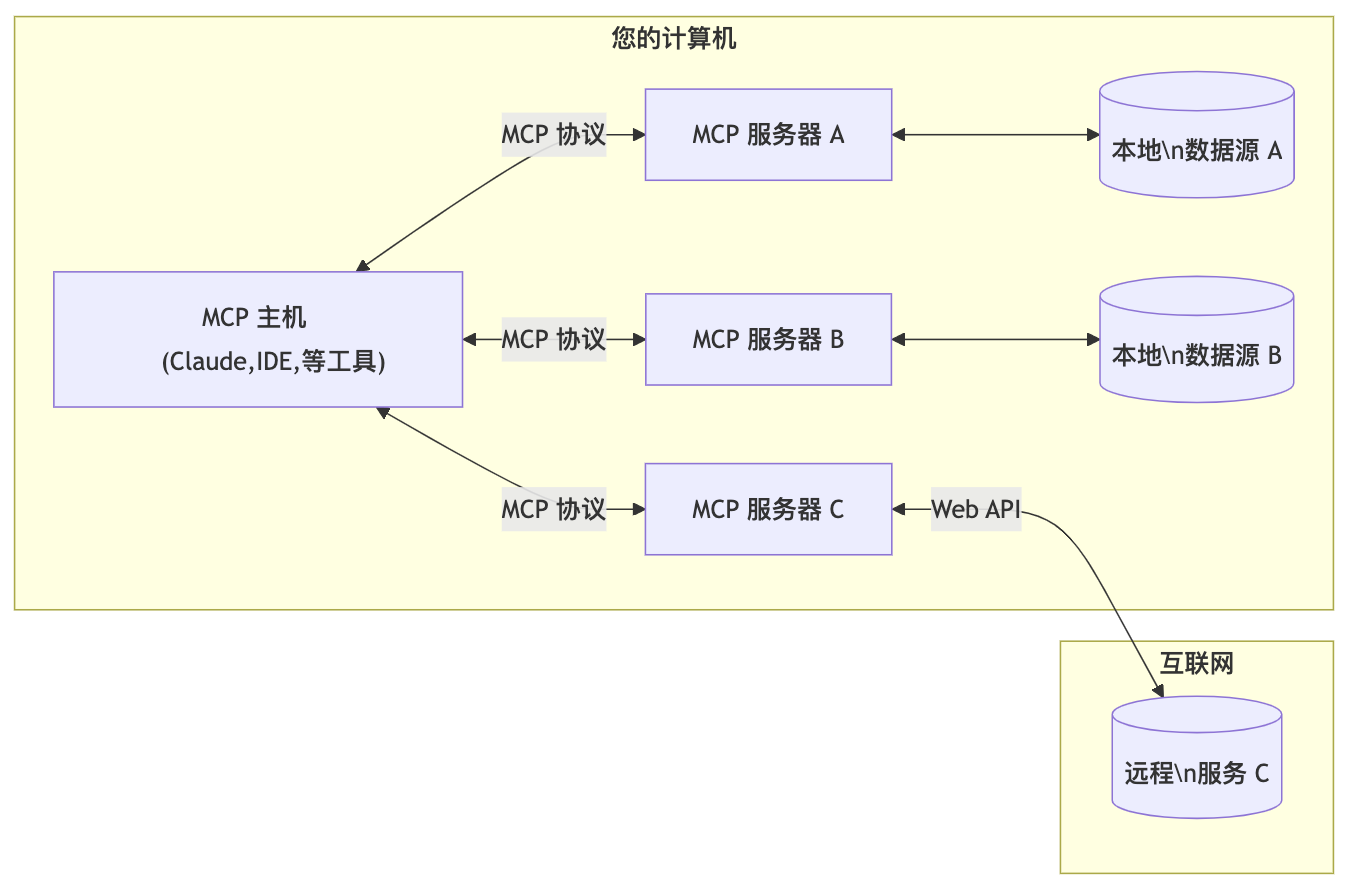
**MCP Host**: Programs like Claude, Cherry Studio client, IDE, or AI tools that want to access data through MCP.
- **MCP Client**: A protocol client that maintains a 1:1 connection with the server
- **MCP Server**: A lightweight program that exposes specific functionalities through the standardized Model Context Protocol
- **Local Data Sources**: Computer files, databases, and services that the MCP server can securely access
- **Remote Services**: External systems provided through the internet (e.g., via API) that the MCP server can connect to
## uncover-MCP
**Project Address:** `https://github.com/Co5mos/uncover-mcp`
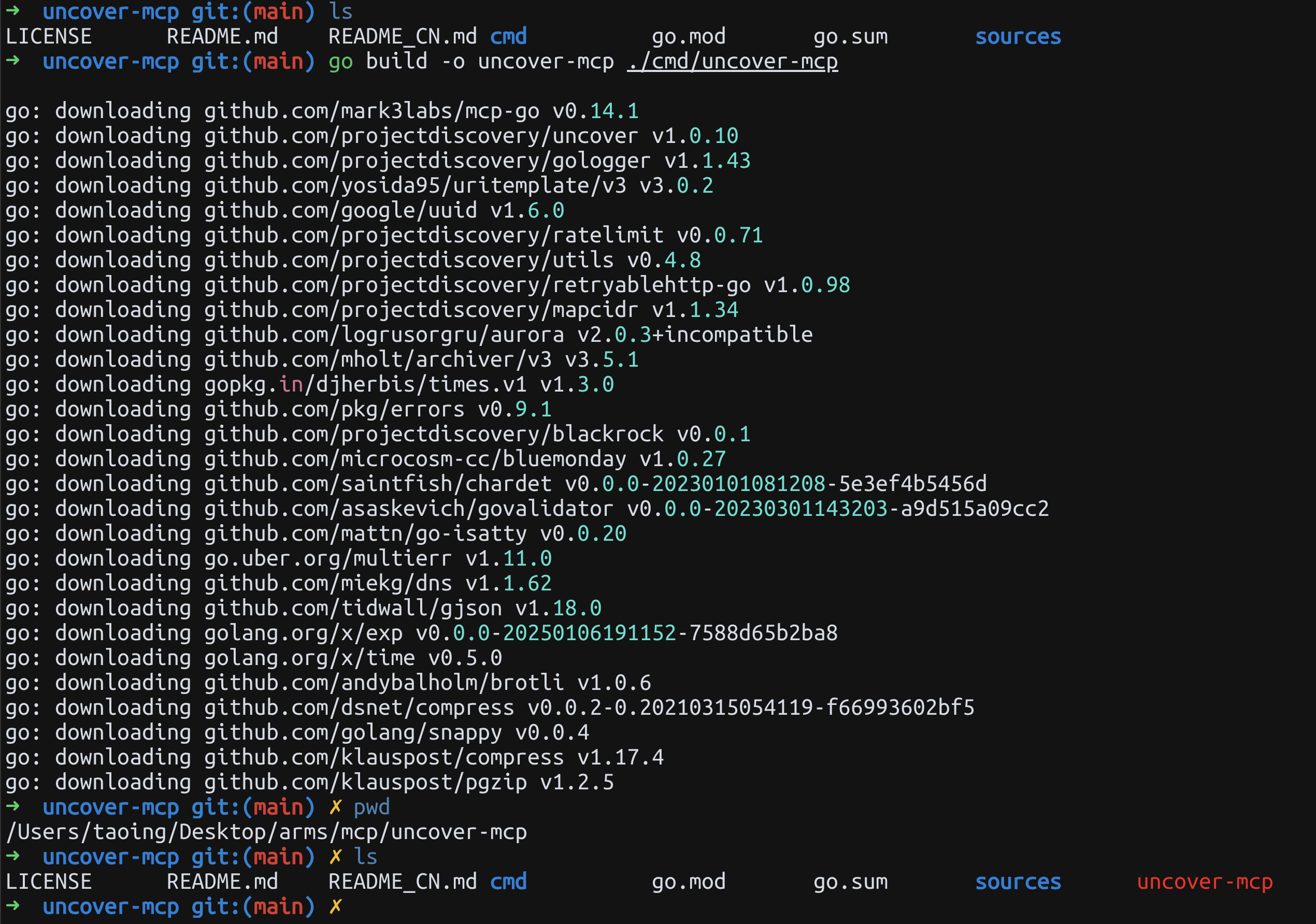
### 1.1 Compilation Instructions
```
# Clone the repository
git clone https://github.com/Co5mos/uncover-mcp
cd uncover-mcp
# Build the project (requires Go 1.21 or higher)
go build -o uncover-mcp ./cmd/uncover-mcp
# Recommended to use the author's build file: https://github.com/Co5mos/uncover-mcp/releases/tag/v0.0.1-beta
```
### 1.2 Usage
**Running as an MCP Service Instance:**
```json
{
"mcpServers": {
"uncover-mcp": {
"command": "./uncover-mcp",
"args": [],
"env": {
"SHODAN_API_KEY": "",
"FOFA_EMAIL": "",
"FOFA_KEY": ""
}
}
}
}
```
**Using in Cherry Studio:**
> Cherry Studio MCP usage tutorial: `https://docs.cherry-ai.com/advanced-basic/mcp`
```json
{
"mcpServers": {
"uncover-mcp": {
"name": "uncover-mcp",
"isActive": true,
"command": "You compile the uncover-mcp binary file",
"args": [
"uncover-mcp"
],
"env": {
"SHODAN_API_KEY": "xxxxxxxxxx",
"FOFA_EMAIL": "xxxxxxxxxx",
"FOFA_KEY": "xxxxxxxxxx"
}
}
}
}
```
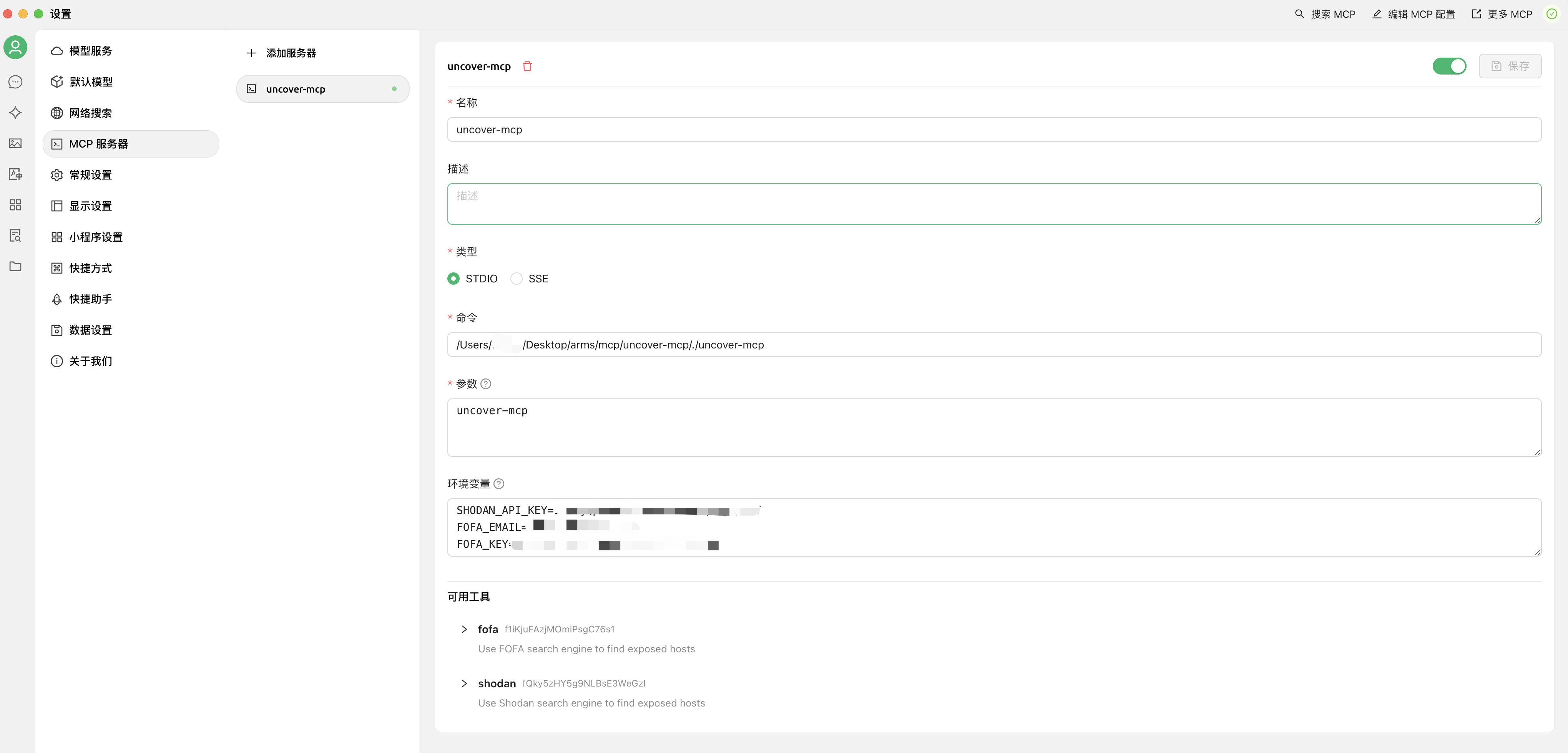
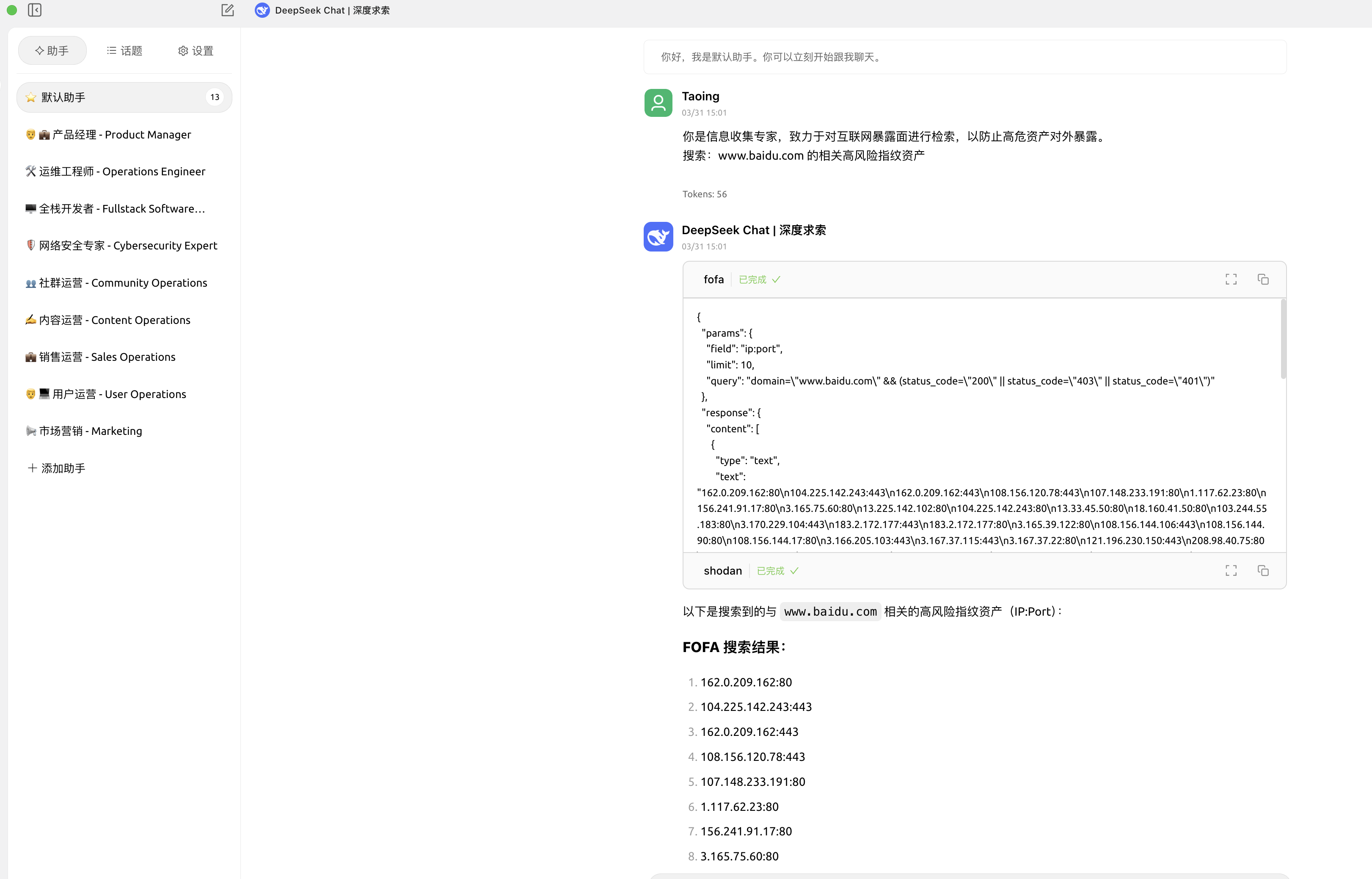
**Using in cline:**
```json
{
"mcpServers": {
"uncover-mcp": {
"command": "You compile the uncover-mcp binary file",
"args": [],
"env": {
"SHODAN_API_KEY": "xxxxxxxxxx",
"FOFA_EMAIL": "xxxxxxxxxx",
"FOFA_KEY": "xxxxxxxxxx"
},
"autoApprove": [
"fofa"
]
}
}
}
```
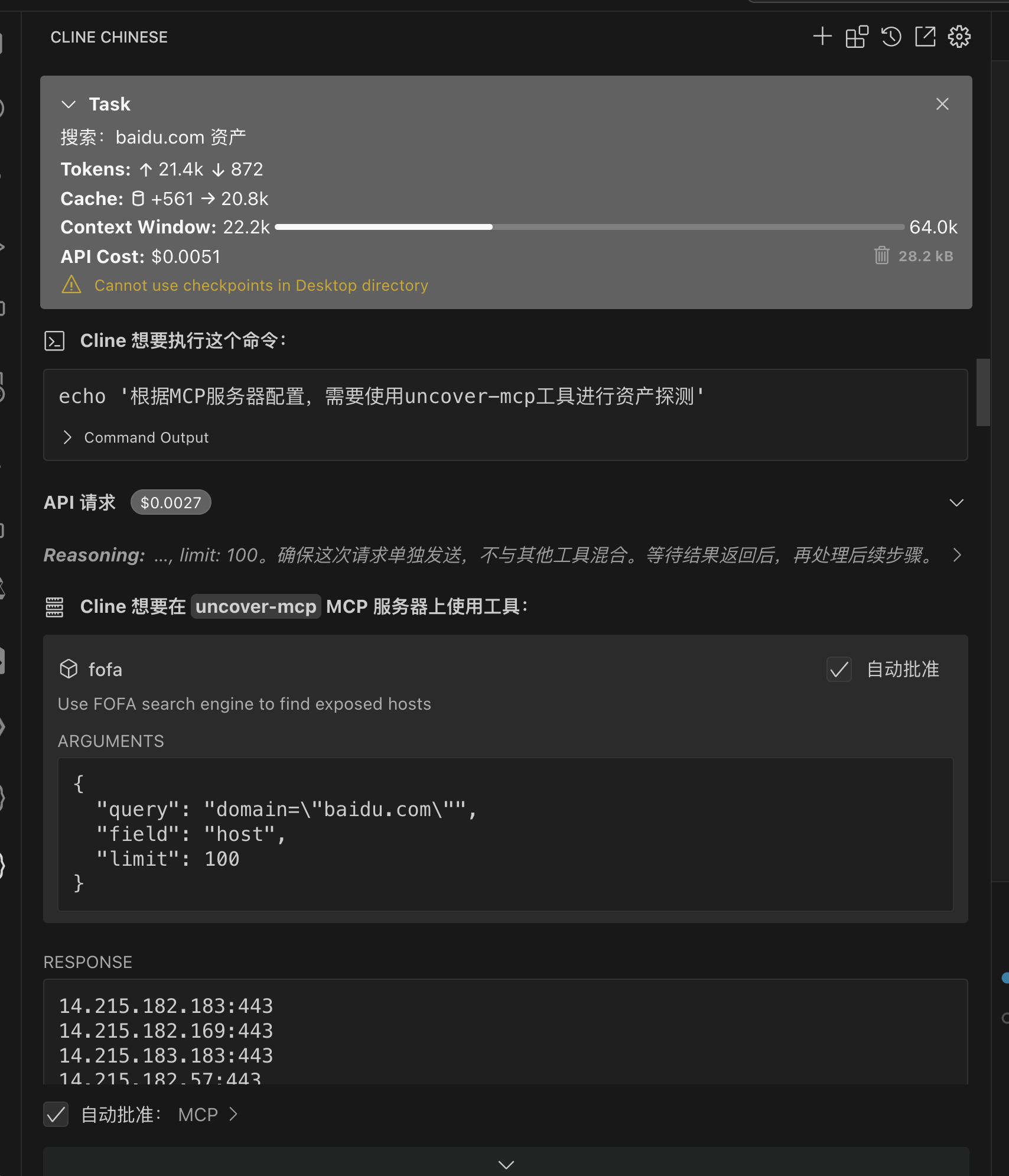
## ENScan_GO-MCP
**Project Address:** `https://github.com/wgpsec/ENScan_GO`
### 2.1 Using MCP
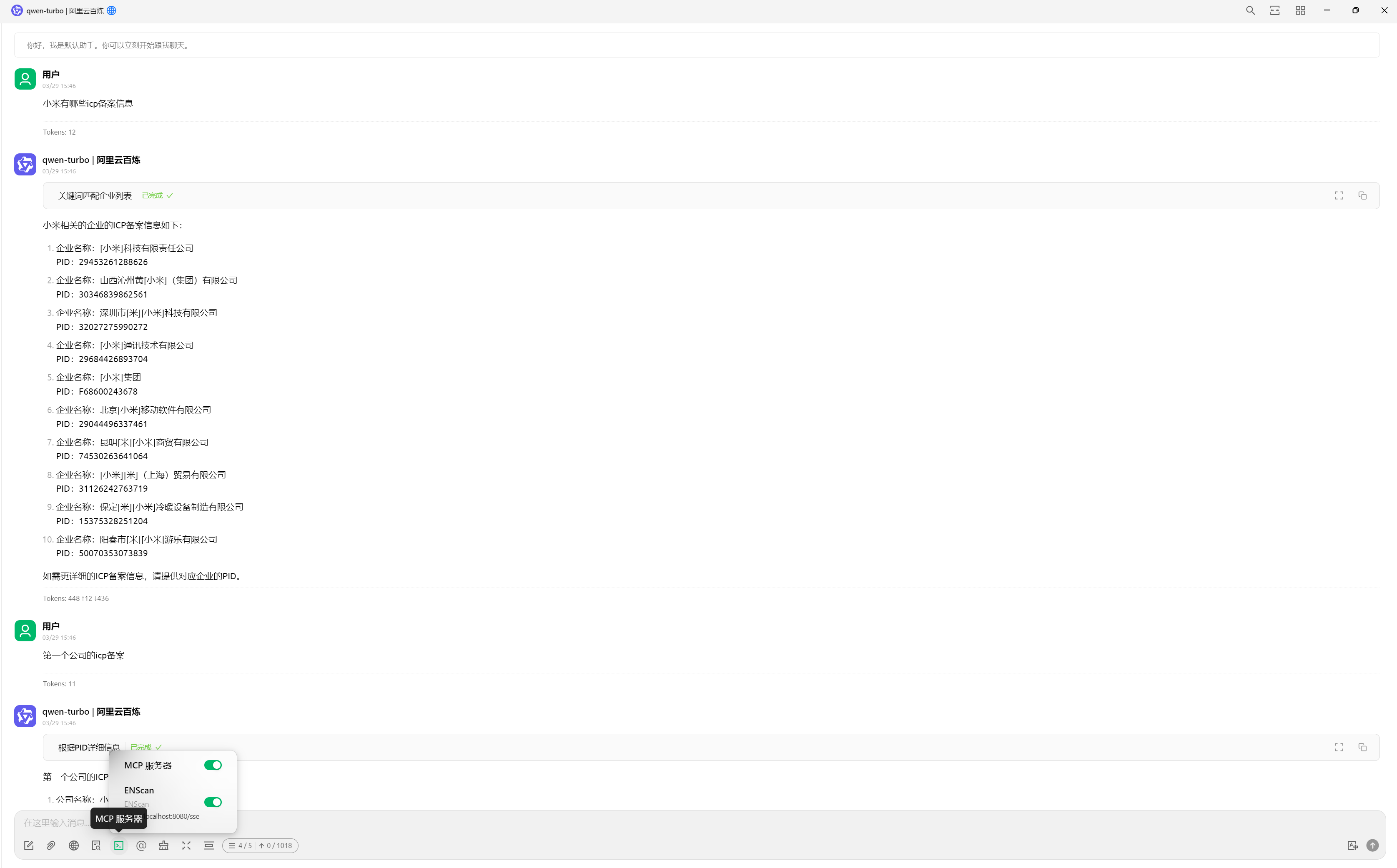
Start the MCP server and listen on local `http://localhost:8080`
```
./enscan --mcp
```
**Cherry Studio Configuration Example:**
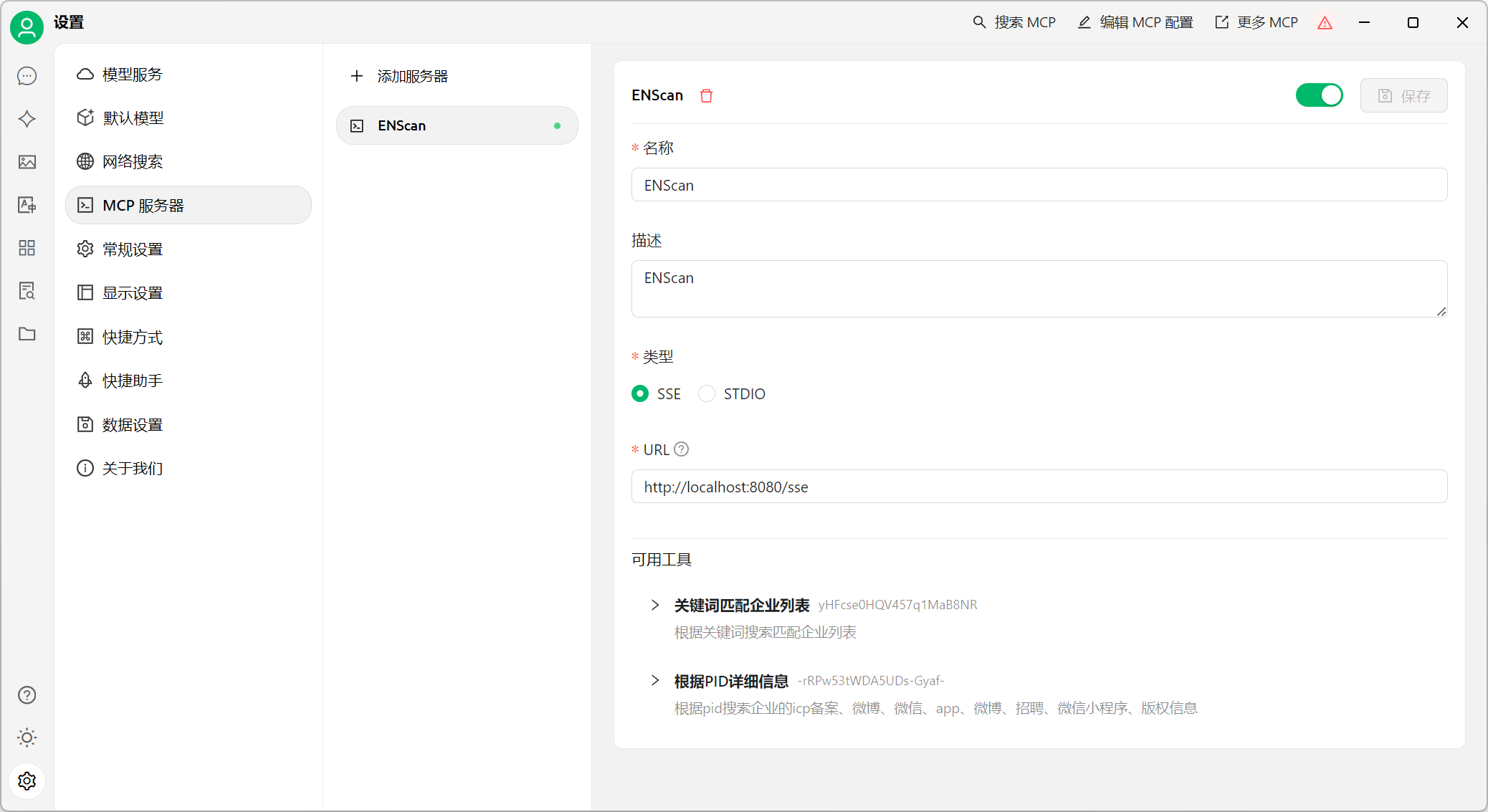
## VirusTotal-MCP
**Project Address:** ` https://github.com/BurtTheCoder/mcp-virustotal·`
### 3.1 Compilation Instructions
```txt
# Requires a Node.js environment
git clone https://github.com/BurtTheCoder/mcp-virustotal.git
cd mcp-virustotal
npm install
npm run build
```
### 3.2 Usage
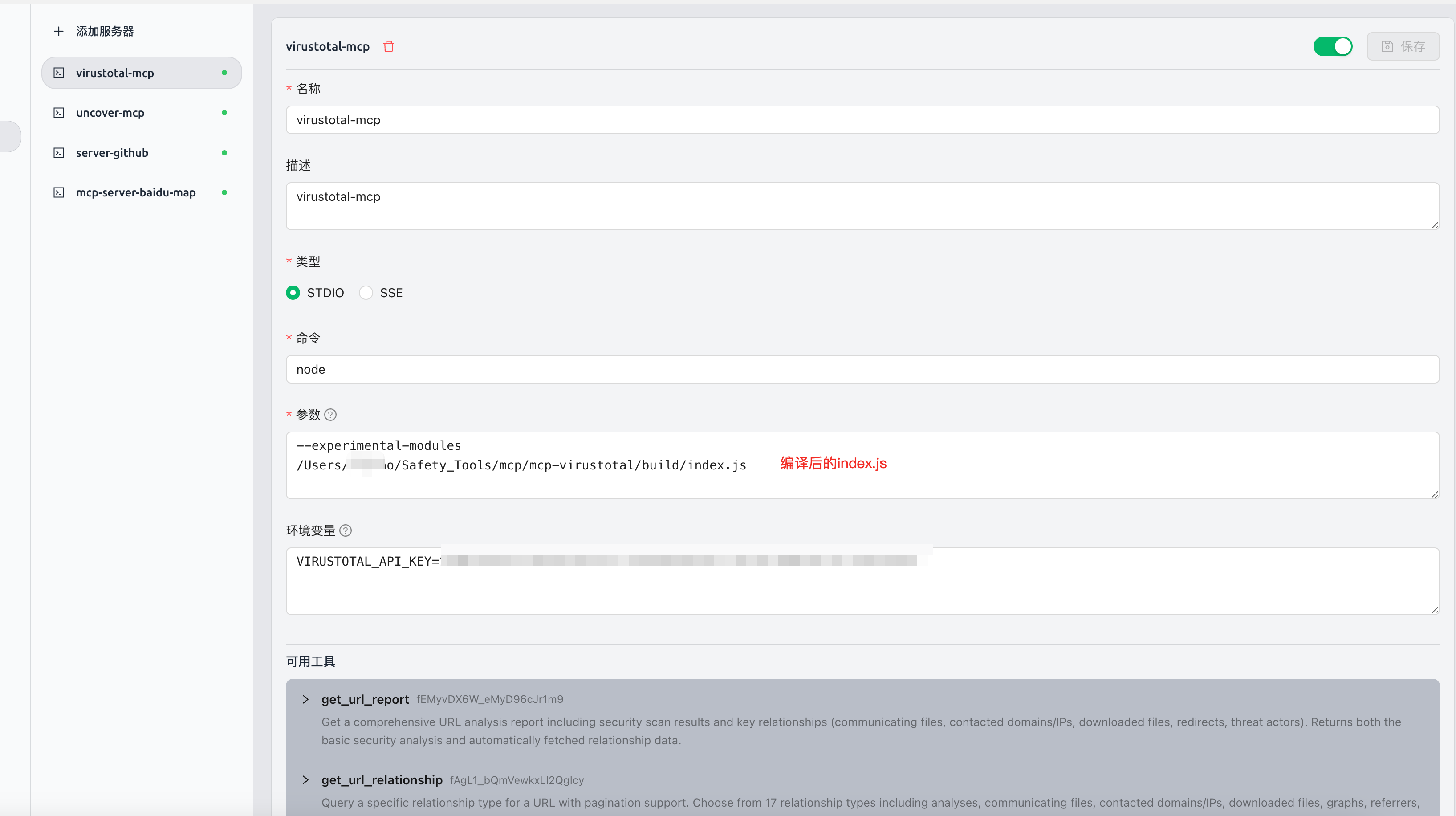
**Using in Cherry Studio:**
> Cherry Studio MCP usage tutorial: `https://docs.cherry-ai.com/advanced-basic/mcp`
```json
{
"mcpServers": {
"s4Q9KPP86Ec_MWVfGURLI": {
"isActive": true,
"name": "virustotal-mcp",
"description": "virustotal-mcp",
"command": "node",
"args": [
"--experimental-modules",
"You compile the uncover-mcp binary file"
],
"env": {
"VIRUSTOTAL_API_KEY": "xxxxxxxxxx"
}
}
}
}
```
**Using in cline:**
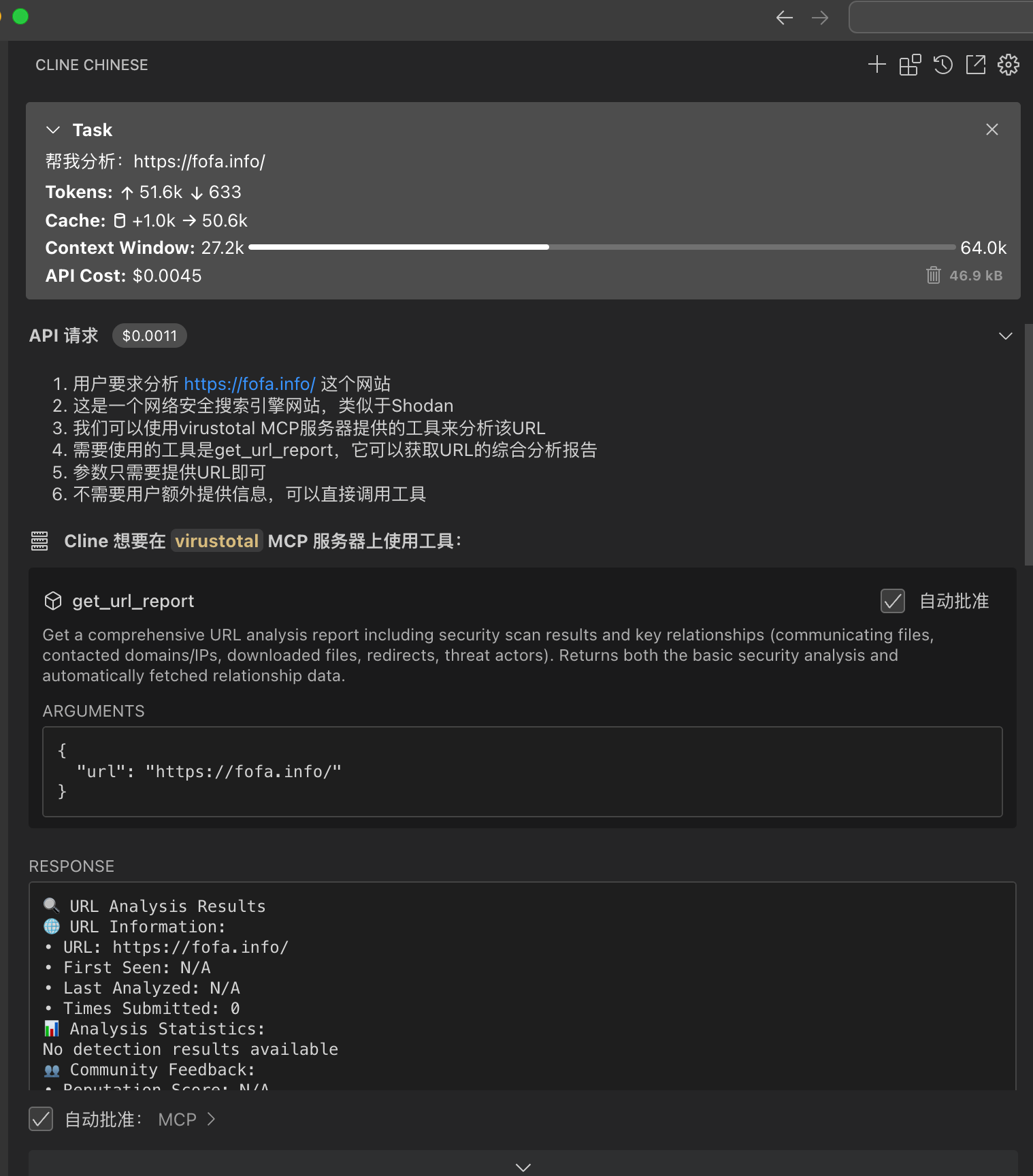
```json
{
"mcpServers": {
"virustotal": {
"command": "node",
"args": [
"--experimental-modules",
"You compile the uncover-mcp binary file"
],
"env": {
"VIRUSTOTAL_API_KEY": "xxxxxxxxxx"
},
"autoApprove": [
"get_url_report",
"get_file_report",
"get_url_relationship",
"get_ip_report",
"get_domain_report",
"get_url_relationship",
"get_file_relationship"
]
}
}
}
```
## cloudsword-MCP
**Project Address:** ` https://github.com/wgpsec/cloudsword`
> cloudsword supports MCP protocol from version v0.0.2, supporting SSE and STDIO modes
Use the command `./cloudsword sse http://localhost:8080` to listen on local port 8080
## 4.1 Usage
**Using in Cherry Studio:**
**Currently unable to use in cline, to be resolved**
**SSE Mode:**
Using Cherry stdio as an example, fill in `http://localhost:8080/sse` to obtain tool information
```json
{
"mcpServers": {
"iAcI362KsjDNFU_FqZEaO": {
"isActive": true,
"name": "cloudsword-MCP",
"description": "",
"baseUrl": "http://localhost:8080/sse"
}
}
}
```
[](https://github.com/wgpsec/cloudsword/blob/master/static/image-20250401193340509.png)
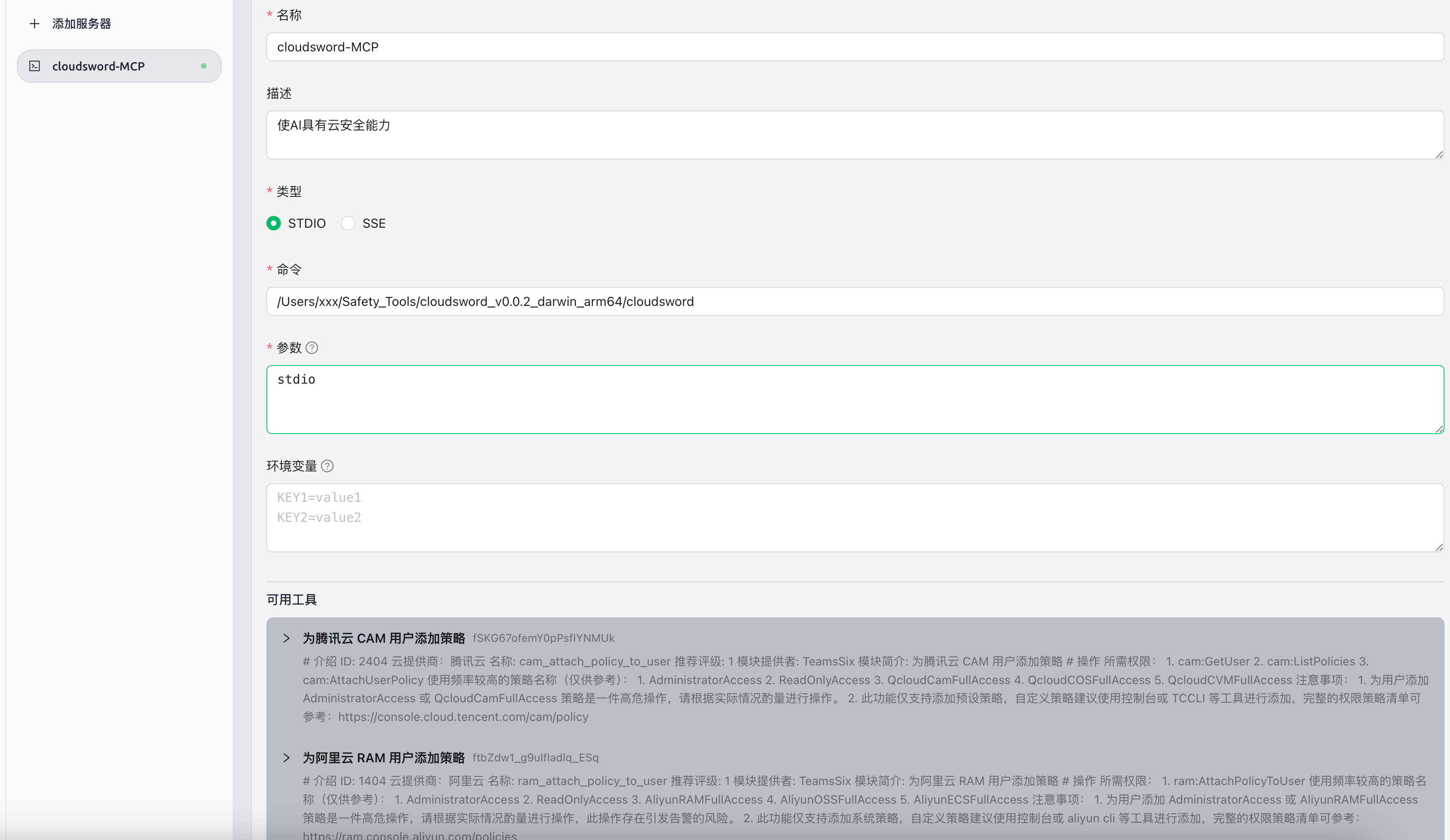
**STDIO Mode:**
```json
{
"mcpServers": {
"iAcI362KsjDNFU_FqZEaO": {
"name": "cloudsword-MCP",
"description": "Enables AI to perform cloud security operations",
"isActive": true,
"command": "You compile the uncover-mcp binary file",
"args": [
"stdio"
]
}
}
}
```
[](https://github.com/wgpsec/cloudsword/blob/master/static/image-20250401193444375.png)
**Usage Example:**
[](https://github.com/wgpsec/cloudsword/blob/master/static/image-20250401194214015.png)
## ZoomEye-MCP
**Project Address:** `https://github.com/zoomeye-ai/mcp_zoomeye`
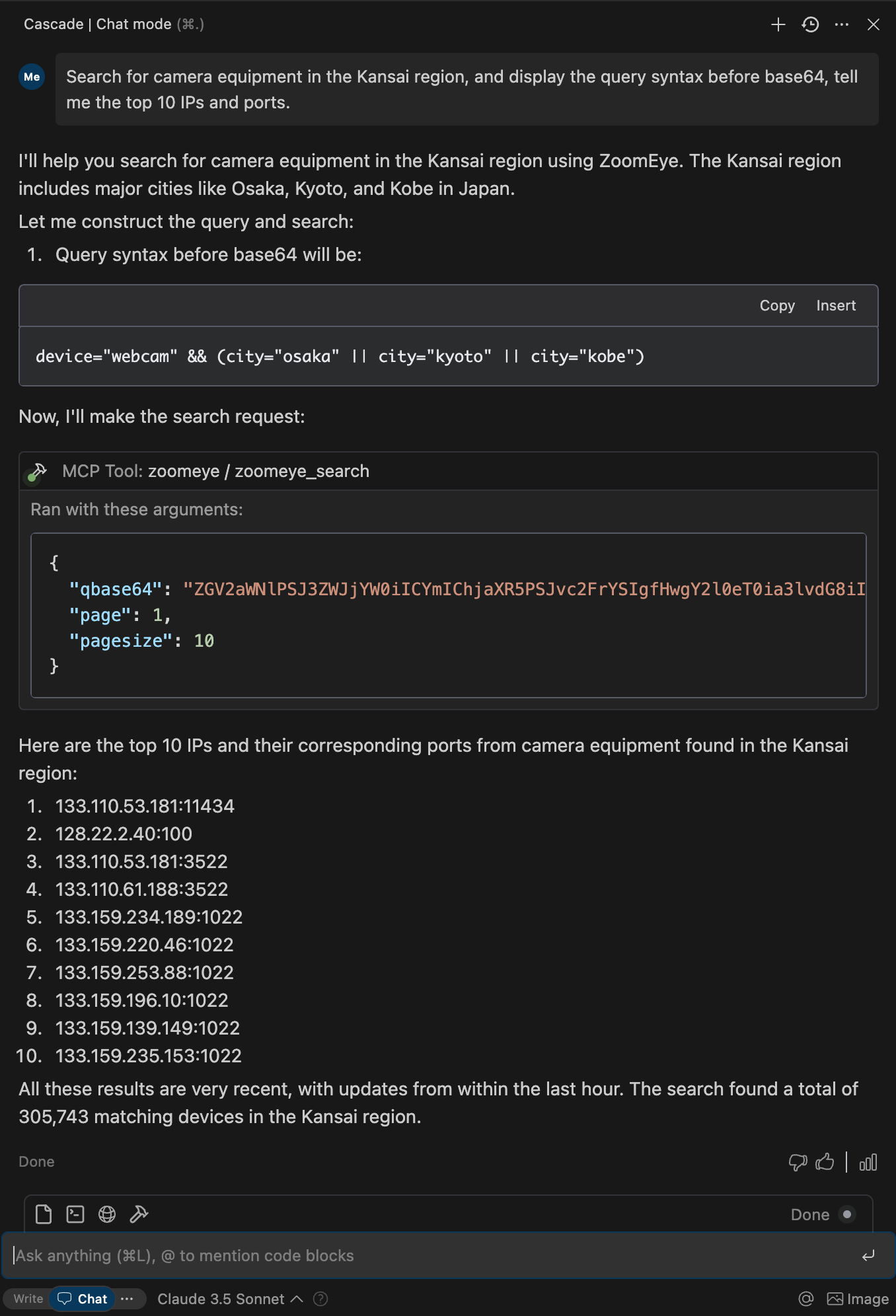
> Allows Large Language Models (LLMs) to query ZoomEye for network asset information using dork and other search parameters.
**Usage Tutorial:** Official tutorial: `https://github.com/zoomeye-ai/mcp_zoomeye`
## 5.1 Usage
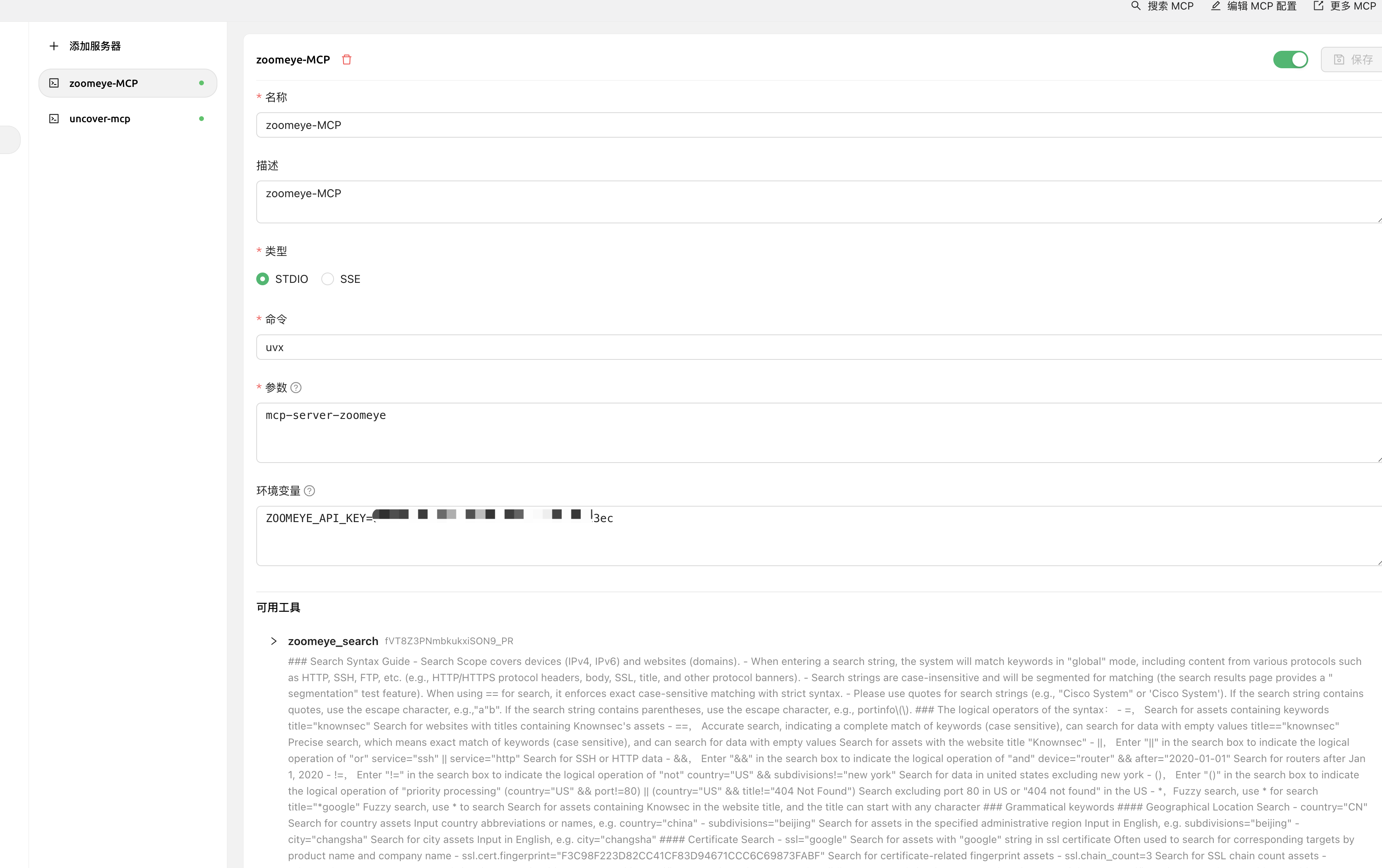
**Using in Cherry Studio:**
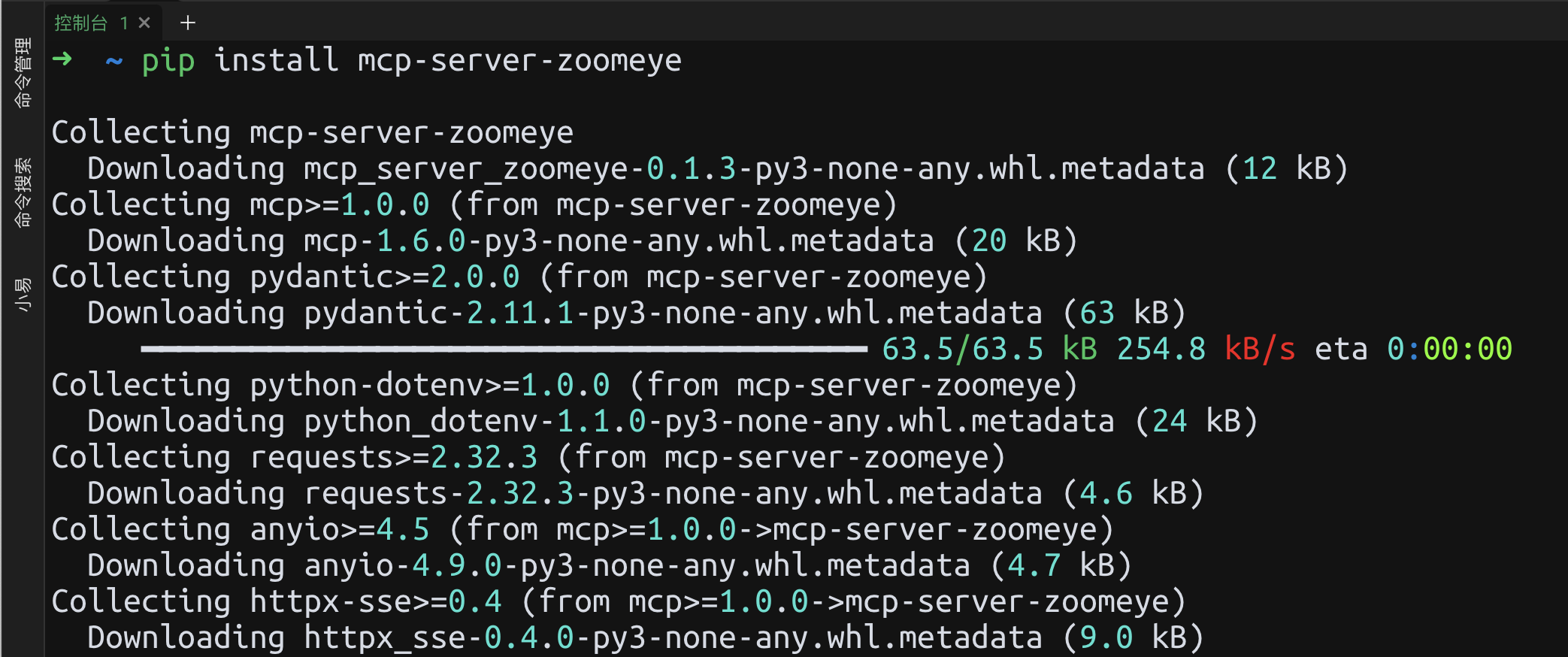
**Installation and Usage:**
```
# Install via pip
pip install mcp-server-zoomeye
```
```json
{
"mcpServers": {
"zoomeye": {
"isActive": true,
"name": "zoomeye-MCP",
"description": "zoomeye-MCP",
"command": "uvx",
"args": [
"mcp-server-zoomeye"
],
"env": {
"ZOOMEYE_API_KEY": "xxxxxxxxx"
}
}
}
}
```
## AWVS-MCP
**Project Address:** ` https://github.com/Ta0ing/MCP-SecurityTools/tree/main/awvs-mcp`
> Supports SSE and STDIO modes
Use the command `awvs-mcp sse --port 8080` to listen on local port 8080
## 6.1 Usage
**Using in Cherry Studio:**
**SSE Mode:**
Using Cherry stdio as an example, fill in `http://localhost:8080/sse` to obtain tool information