Content
# Xiaohongshu MCP Service
[](https://smithery.ai/server/@jobsonlook/xhs-mcp)
[](https://badge.fury.io/py/jobson-xhs-mcp)
An MCP (Model Context Protocol) server for the Xiaohongshu API, supporting features such as searching notes, retrieving content, viewing comments, and posting comments.
## Features
- [x] Uses JS reverse engineering to obtain x-s, x-t, directly requests HTTP interfaces, without the need for bulky playwright
- [x] Search notes
- [x] Retrieve note content
- [x] Get note comments
- [x] Post comments

## Quick Start
### Method 1: Using uvx (Recommended)
#### 1. Environment Requirements
- Python 3.12+
- uv (Installation method: `pip install uv`)
#### 2. Obtain Xiaohongshu Cookie
[Open the web version of Xiaohongshu](https://www.xiaohongshu.com/explore)
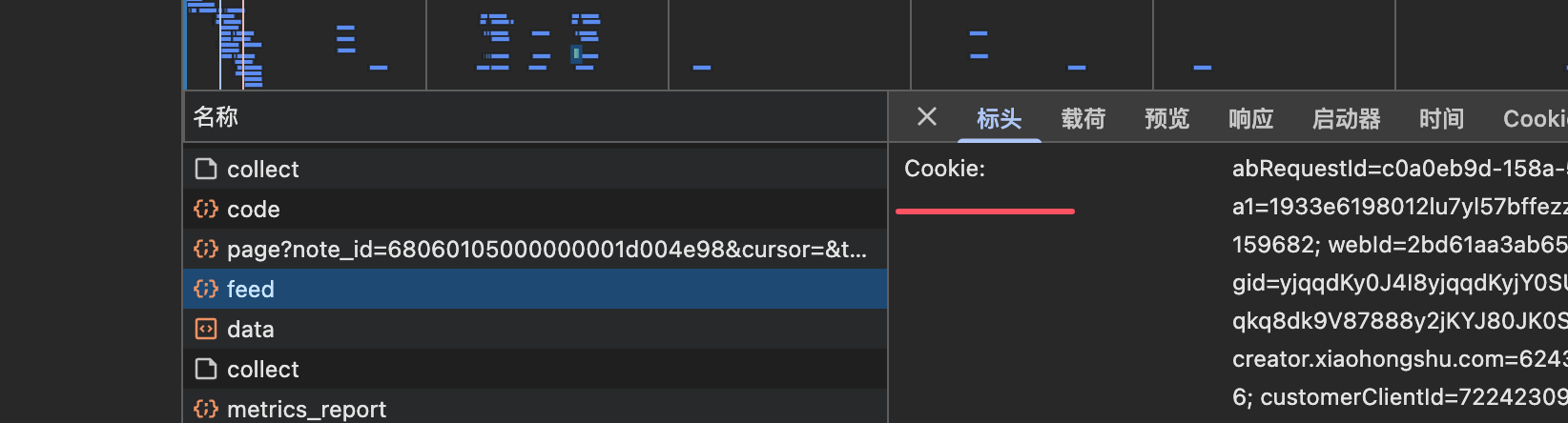
After logging in, obtain the cookie and configure it in the XHS_COOKIE environment variable for the next step.

#### 3. Configure MCP Server
Add the following configuration to your MCP client configuration file:
```json
{
"mcpServers": {
"xhs-mcp": {
"command": "uvx",
"args": [
"--from",
"jobson-xhs-mcp",
"xhs-mcp"
],
"env": {
"XHS_COOKIE": "your_xiaohongshu_cookie"
}
}
}
}
```
#### 4. Test Run
```bash
# Set environment variable
export XHS_COOKIE="your_xiaohongshu_cookie"
# Run the test directly
uvx --from jobson-xhs-mcp xhs-mcp --help
```
### Method 2: Install from Source
#### 1. Environment Requirements
- node
- Python 3.12
- uv (pip install uv)
#### 2. Clone and Install
```sh
git clone git@github.com:jobsonlook/xhs-mcp.git
cd xhs-mcp
uv sync
```
#### 3. Obtain Xiaohongshu Cookie
[Open the web version of Xiaohongshu](https://www.xiaohongshu.com/explore)
After logging in, obtain the cookie and configure it in the XHS_COOKIE environment variable for the next step.

#### 4. Configure MCP Server
```json
{
"mcpServers": {
"xhs-mcp": {
"command": "uv",
"args": [
"--directory",
"/path/to/xhs-mcp",
"run",
"xhs_mcp/__main__.py"
],
"env": {
"XHS_COOKIE": "your_xiaohongshu_cookie"
}
}
}
}
```
## Available Tools
This MCP server provides the following tools:
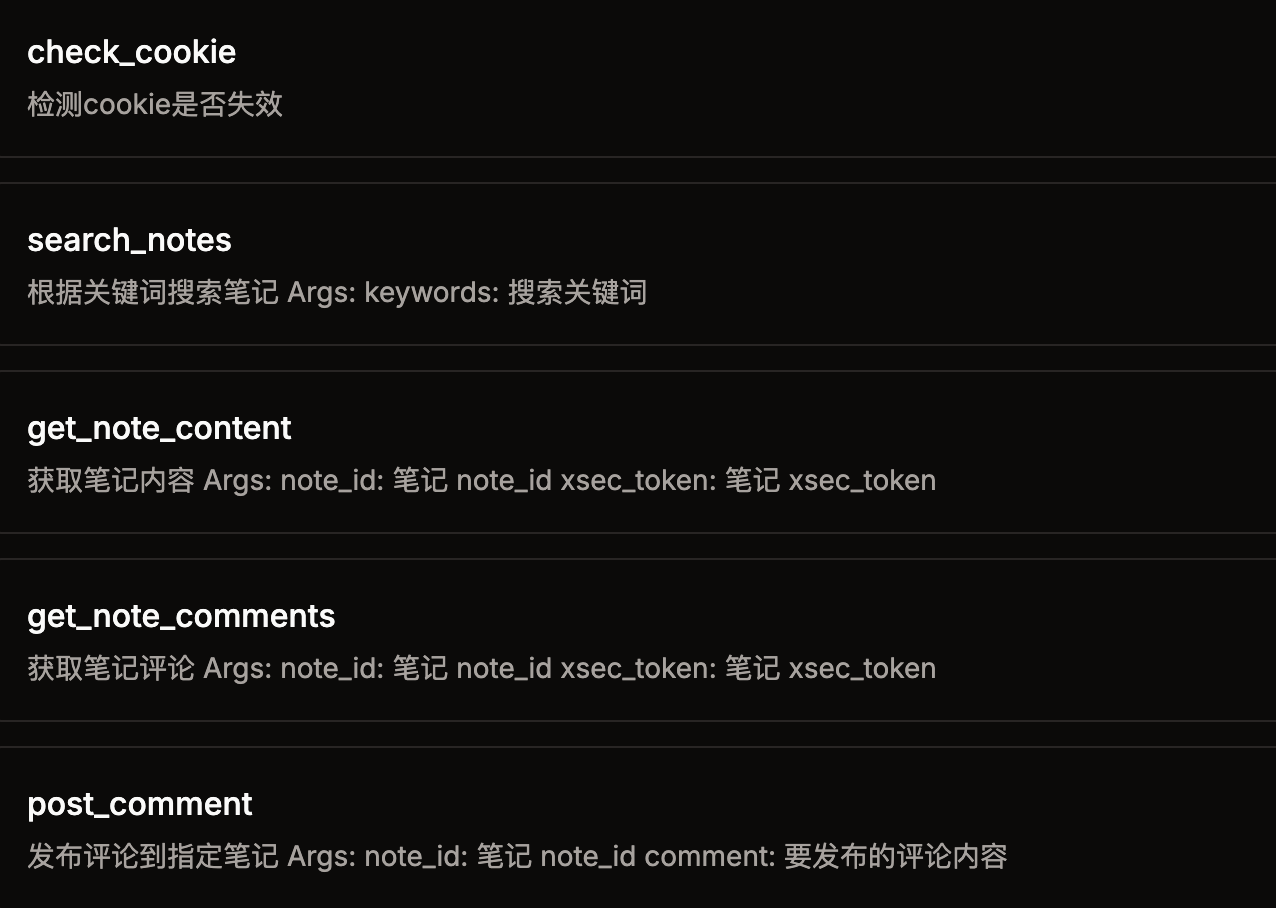
- `check_cookie()` - Check if the cookie is invalid
- `home_feed()` - Get recommended notes from the homepage
- `search_notes(keywords)` - Search notes based on keywords
- `get_note_content(url)` - Retrieve note content (requires a complete URL with xsec_token)
- `get_note_comments(url)` - Get note comments (requires a complete URL with xsec_token)
- `post_comment(comment, note_id)` - Post a comment to the specified note
## Usage Example
### Using in Claude Desktop
1. Open the settings in Claude Desktop
2. Find the MCP server configuration
3. Add the above JSON configuration
4. Restart Claude Desktop
5. Now you can use Xiaohongshu-related features in the conversation
### Frequently Asked Questions
**Q: How to obtain the cookie?**
A: Log in to the web version of Xiaohongshu in your browser, open the developer tools, find any request in the Network tab, and copy the value of the Cookie header.
**Q: Why does it say the cookie is invalid?**
A: Xiaohongshu's cookie has a validity period and needs to be updated regularly. Simply log in to the web version to obtain a new cookie.
**Q: uvx command not found?**
A: Please install uv first: `pip install uv`, and then ensure that the PATH environment variable includes the installation path of uv.
## Disclaimer
This project is for educational and communication purposes only and is prohibited for other uses. Any use for commercial profit is not allowed, and the risk is borne by the user.
Connection Info
You Might Also Like
Git
A Model Context Protocol server for Git automation and interaction.
TrendRadar
TrendRadar: Your hotspot assistant for real news in just 30 seconds.
repomix
Repomix packages your codebase into AI-friendly formats for easy integration.
Mastra
Mastra is a framework for building AI-powered applications and agents.
Blender
BlenderMCP integrates Blender with Claude AI for enhanced 3D modeling.
oh-my-opencode
Background agents · Curated agents like oracle, librarians, frontend...