

内容
<p align="center">
<img src="https://raw.githubusercontent.com/npc-worldwide/incognide/main/levi.PNG" alt="Incognide logo with Levi the dog howling at the moon" width="400" height="400">
</p>
<h1 align="center">Incognide</h1>
<p align="center">
<strong>Explore the unknown and build the future.</strong>
</p>
<p align="center">
<a href="https://github.com/npc-worldwide/incognide/blob/main/LICENSE"><img src="https://img.shields.io/badge/license-MIT-blue.svg" alt="License"></a>
<a href="https://enpisi.com/incognide"><img src="https://img.shields.io/badge/platform-Linux%20%7C%20macOS%20%7C%20Windows-lightgrey.svg" alt="Platforms"></a>
<a href="https://github.com/npc-worldwide/incognide/releases"><img src="https://img.shields.io/github/v/release/npc-worldwide/incognide?include_prereleases" alt="Release"></a>
</p>
<p align="center">
<a href="https://enpisi.com/incognide"><strong>Download for Linux, macOS, and Windows</strong></a>
</p>
---
Incognide unifies chat, code, documents, web browsing, and media into a tileable workspace with intelligent context and composable automations.
Built for seamless workflows, Incognide eliminates distractions and context switching. A path-based organization keeps your work structured naturally, while auto-saving workspaces let you resume any project exactly where you left off. No more juggling desktops, drowning in browser tabs, or hunting for scattered files.
### Highlights
- Write and run code, use terminals, build reusable workflows and tools that chain together natural language and templateable code through jinja execution templates.
- Browse the web, read and annotate PDFs, view 3D STL models, analyze data and create dashboards, compile LaTeX.
- Edit DOCX, XLSX, PPTX.
- Arrange chats, editors, PDFs, browsers, terminals, 3D viewers as your work evolves — each tab maintains independent state.
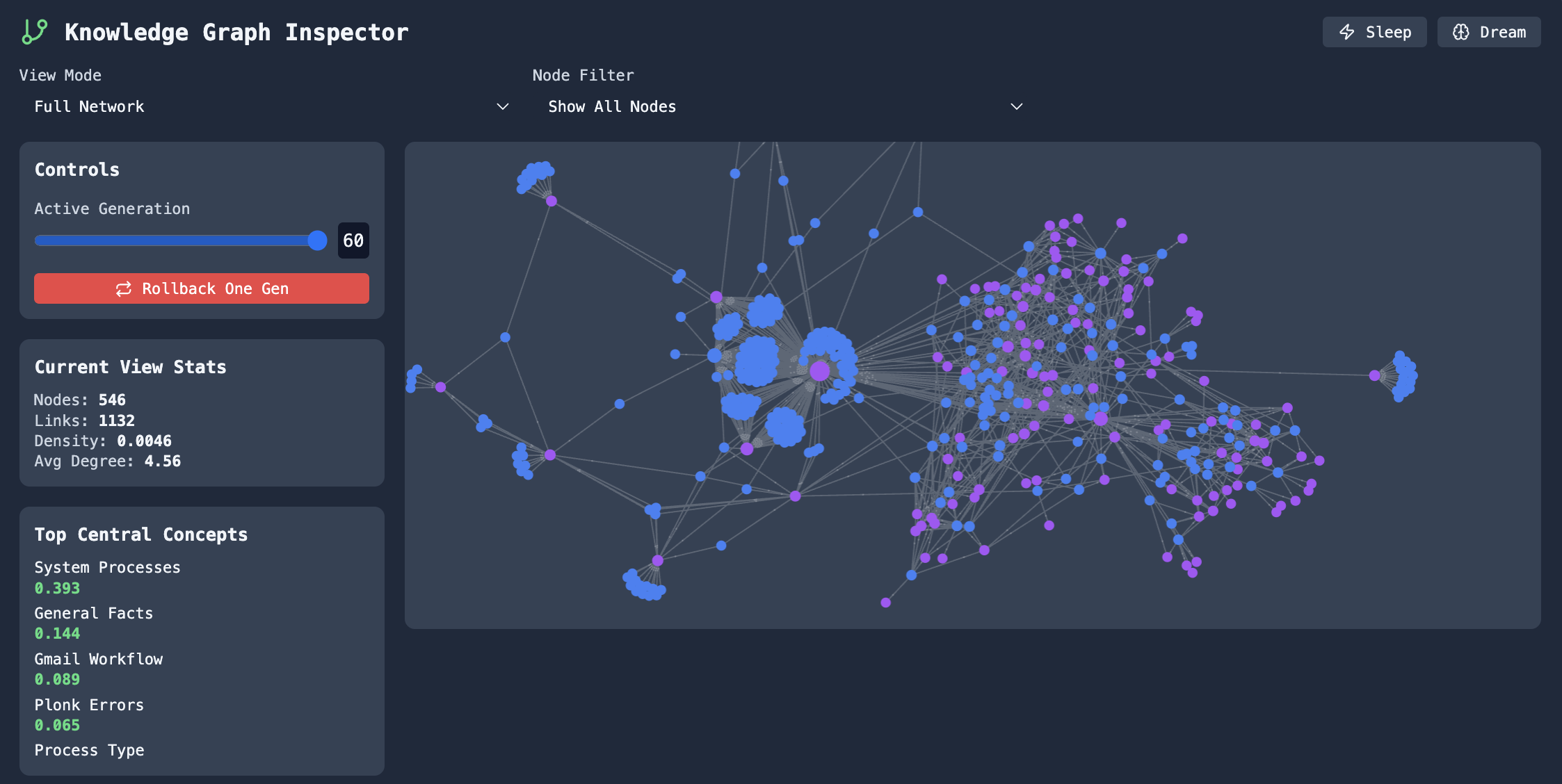
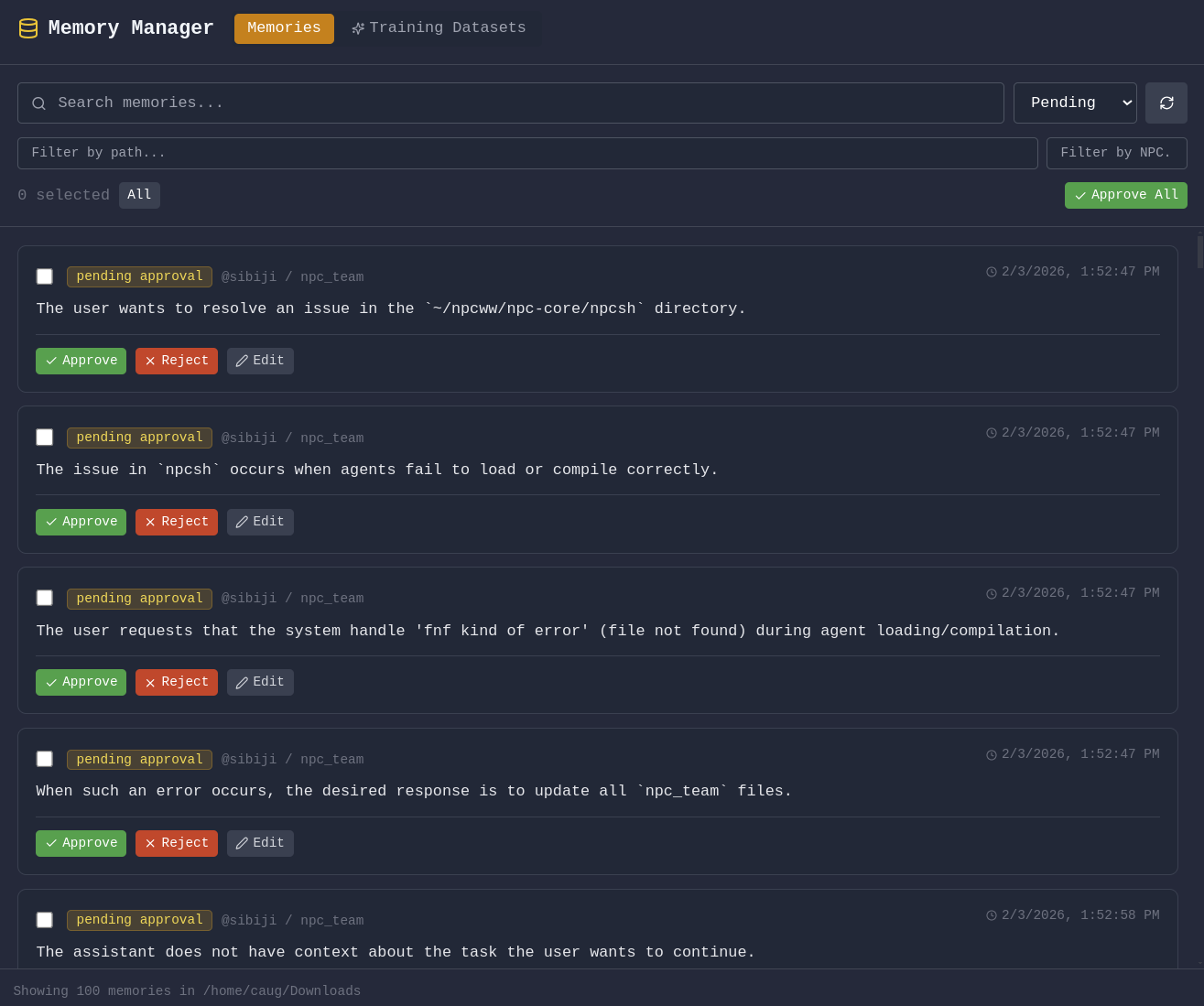
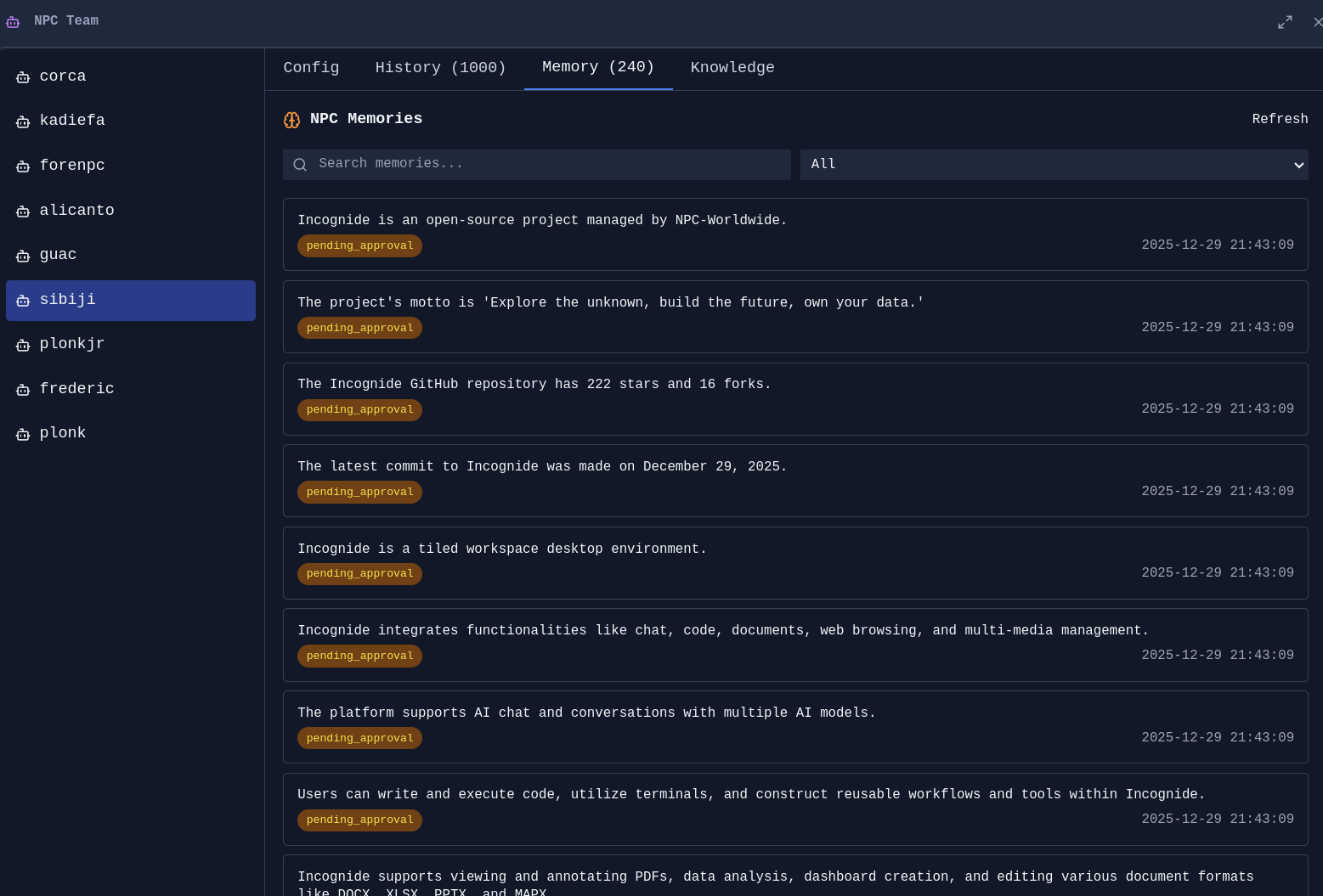
- Manage agents, have them run on scheduled jobs, edit team context, integrate with MCP Servers, approve or reject suggested memories, prune and evolve knowledge graphs.
- Schedule automated memory extraction, knowledge graph evolution, and context compression.
- Fine-tune text models using curated data from your conversations and memories.
- Built-in Pomodoro timer with programmable schedules and break enforcement.
---
## Setup
### 1. Install
Download the installer for your platform from [enpisi.com/incognide](https://enpisi.com/incognide), run it, and launch Incognide. Linux, macOS, and Windows are supported.
### 2. First launch — setup wizard
On first launch the wizard walks you through five steps:
1. **Welcome** — intro screen.
2. **Preferences** — theme (dark/light) and the data directory for teams, models, and configs (default `~/.incognide`).
3. **Defaults** — default web search engine, default terminal shell (auto-detected per platform: `system`/`zsh`/`bash` on mac/linux, `powershell` on Windows), and activity tracking opt-in (local only, used for next-action predictions).
4. **Usage path** — pick one of:
- **No AI** — workspace only (files, code, browsers, terminals, docs, maps). No model calls.
- **Cloud AI** — OpenAI / Anthropic / Gemini / etc. via API keys.
- **Local AI** — Ollama / LM Studio / llama.cpp / oMLX running on your machine.
5. **Cloud keys** (cloud-ai path) or **Local models** (local-ai path). See step 3 below for details.
The wizard writes preferences to `localStorage` (theme, fonts, shortcuts, UI defaults) and settings to `~/.incogniderc` .
### 3. Connect a model provider
#### Local providers
The setup wizard (Local Models step) and the in-app Model Manager both probe these endpoints and binary locations:
| Provider | Server port | Binary / app checks |
|-------------|-------------|------------------------------------------------------------|
| Ollama | 11434 | `ollama` in PATH; `/Applications/Ollama.app` on macOS |
| LM Studio | 1234 | `lms` in PATH; `/Applications/LM Studio.app` on macOS |
| llama.cpp | 8080 | `llama-server`, `llama-cli`, or `koboldcpp` in PATH |
| oMLX | 8000 | `omlx` in PATH; `/Applications/oMLX.app` (macOS only) |
Each tile shows one of three states: **Running** (server responds), **Installed (not running)** (binary or app found but port is dead), or **Not found**. The Model Manager has Start/Stop buttons when the binary is installed:
- Ollama: `open -a Ollama` (macOS) or `ollama serve` (Linux). Stop via `pkill -f 'ollama serve'` (or kill from the Windows system tray).
- LM Studio: `lms server start` / `lms server stop` if the `lms` CLI is present; otherwise the app launches and you start the server from the Developer tab.
- llama.cpp: requires a model path to start, so Incognide prints the exact command (`llama-server -m <model.gguf> --port 8080`) for you to run in a terminal. Stop via `pkill -f llama-server`.
- oMLX: `open -a oMLX` launches the menu-bar app; stop/start the server from its menu-bar icon.
GGUF / GGML model files can be loaded directly without a server, but only if **llama.cpp or koboldcpp is installed** — the Model Manager's GGUF tab depends on that engine and shows "Not found" otherwise.
#### Cloud providers
Add API keys on the **Cloud keys** step of the wizard, or later in **Settings → Global Settings** or **Team Management → API keys**. Keys are stored in `~/.incogniderc` as `export <PROVIDER>_API_KEY=...`.
#### OrcaRouter
[OrcaRouter](https://www.orcarouter.ai) is a first-class provider, so it appears in the provider list and the model selector like any other. It offers two independent ways to connect, both shown in the OrcaRouter card in **Model Manager**:
| Choice | How it works | Credential |
|--------|--------------|------------|
| **OrcaRouter - API** | Paste an existing `sk-orca-…` key, or set `ORCAROUTER_API_KEY` in `~/.incogniderc`. | A key you already own. No network call is made to validate it; the first request settles it. |
| **OrcaRouter - Auth** | Click **Connect with OrcaRouter** — your browser opens the consent screen and the key comes back automatically (OAuth 2.0 + PKCE, S256, loopback redirect, no client secret). | A durable key issued to your own account. Reused until you revoke it; there is no refresh grant. |
Both paths produce the same durable API key, stored encrypted with Electron `safeStorage` in `$INCOGNIDE_HOME/orcarouter_credentials` (the same mechanism used for saved browser passwords). Revoke your access at any time from the [OrcaRouter console](https://www.orcarouter.ai/console/authorized-apps).
**Endpoints.** Inference and model discovery use `https://api.orcarouter.ai/v1` with the OpenAI wire format. Authentication uses a different origin, `https://www.orcarouter.ai`, at `/auth` and `/api/v1/auth/keys`. Self-hosted deployments can set `ORCA_BASE_URL` (shared origin, `/v1` is appended for inference) or the explicit `ORCA_AUTH_BASE_URL` / `ORCA_API_BASE_URL` overrides, which take precedence. Remote origins must be HTTPS; plain HTTP is accepted only for loopback.
**Models.** The model dropdown is populated from `GET /v1/models` with your own key, so it reflects what your workspace can actually call. Each AI input filters that catalog by capability: text chat keeps only models advertising a text endpoint, attaching an image narrows the list to models that declare image input, and embeddings, image generation, video and rerank use their own dedicated filters. A model that does not declare a required capability is never offered, and a selection that stops being compatible is cleared rather than kept. If discovery fails, a small verified fallback list is shown and labelled as degraded.
### 4. Local setup for fine-tuning
Inference with LLMs is routed through the bundled backend (including calls to locally running models with llama.cpp, omlx, etc), but users can also fine-tune models within incognide. To accomplish this, you need to specify a Python virtual environment with the heavy packages (`torch`+ `transformers` etc.). For such calls, Incognide shells out to the specified venv instead of including these dependencies in the bundled backend to keep the packaged executable small.
1. Open **Team Management** (Users icon in the right sidebar or the settings screen).
2. Go to the **Python Env** tab.
3. Choose an environment for the current workspace:
- **Detected**: list of venvs/pyenv/conda/uv environments found under the workspace, homedir, and common paths.
- **Create new venv**: creates `<workspace>/.venv` (or the name you pick) with the system Python.
- **Custom path**: point at any existing Python interpreter.
4. With an environment selected, click **Install packages** and pick one of the bundles:
- `PyTorch (CPU)` — `torch torchvision torchaudio`
- `PyTorch (CUDA)` — same plus the CUDA index URL for GPU builds
- `Diffusers (Image Gen)` — `diffusers transformers accelerate safetensors`
- `Transformers (LLM)` — `transformers accelerate safetensors sentencepiece`
- `Whisper (Speech)` — `openai-whisper`
Or install any specific package by name.
### 5. Data directory
Incognide stores teams, NPCs, jinxes, memories, knowledge graphs, and model configs under the data directory you picked in step 2 (default `~/.incognide`). Changing it in **Settings → Global Settings → Default Directory** updates `~/.incogniderc`'s `INCOGNIDE_DATA_DIRECTORY`.
### 6. Troubleshooting
- **Backend unhealthy indicator in the status bar** — right-click the `npcpy` icon in the status bar for Restart / View Logs. Logs live in `~/Library/Logs/Incognide/` (macOS), `~/.config/Incognide/logs/` (Linux), or `%APPDATA%\Incognide\logs\` (Windows).
- **Tutorial didn't highlight anything** — the tutorial opens the Help pane before it starts so the workspace highlight has a target. If it runs before any pane is open you'll see an un-highlighted step; re-run it from **Settings → Replay Tutorial**.
---
## Table of Contents
- [Office & Productivity](#office--productivity)
- [Development](#development)
- [3D & Media](#stl--viewer)
- [Research & Knowledge Management](#research--knowledge-management)
- [Model Training & Fine-tuning](#model-training--fine-tuning)
- [AI Chat & Agents](#ai-chat--agents)
- [Focus & Productivity](#focus--productivity)
- [Settings & Customization](#settings--customization)
- [Keyboard Shortcuts](#keyboard-shortcuts)
- [Setup](#setup)
- [Development Setup](#development-setup)
- [Community](#community)
- [License](#license)
---
## Office & Productivity
### Document Editing
Create and edit Office documents directly in Incognide without needing external applications or cloud services.
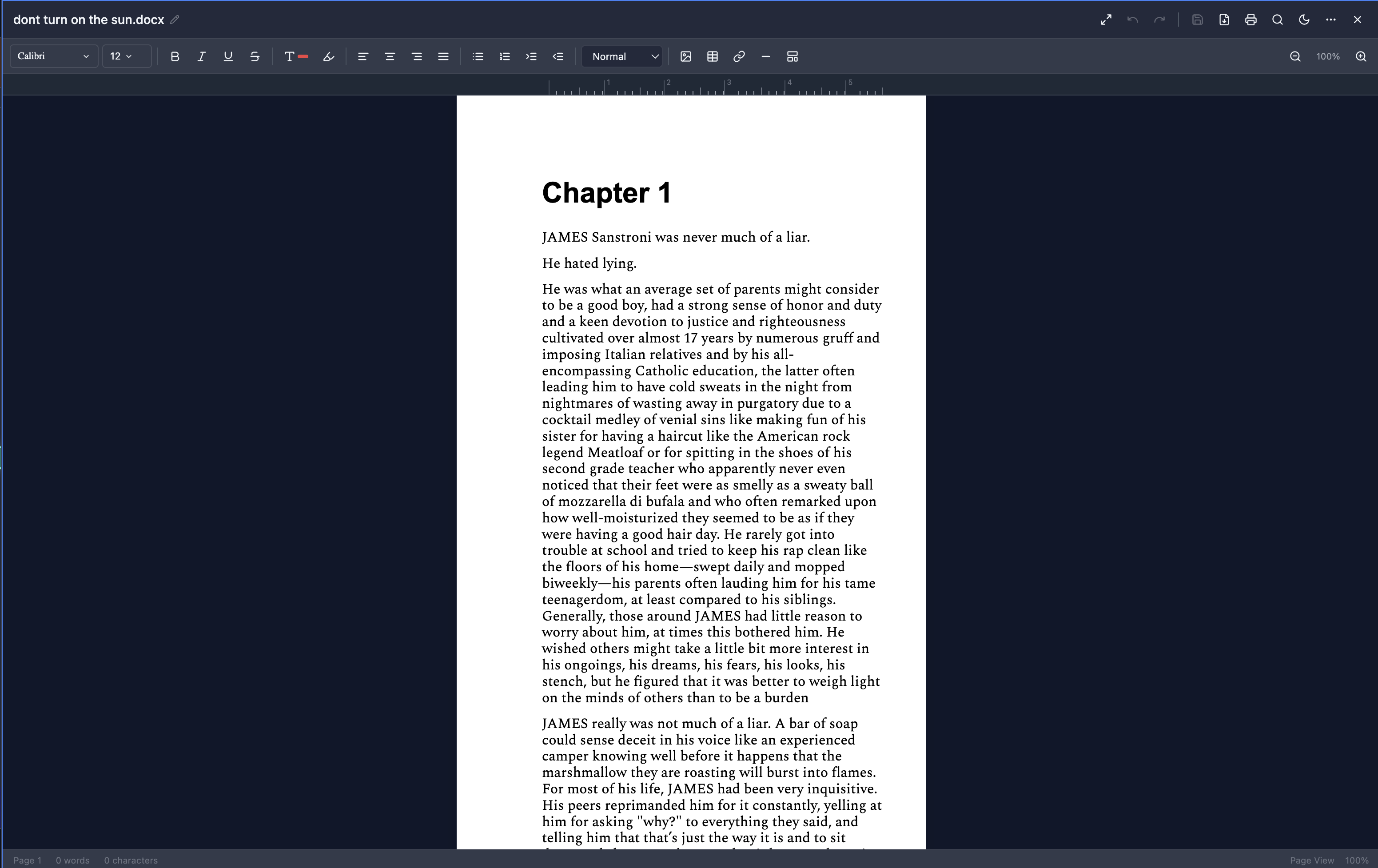
**Word Documents (DOCX)** - Full rich text editing with formatting, tables, and images:
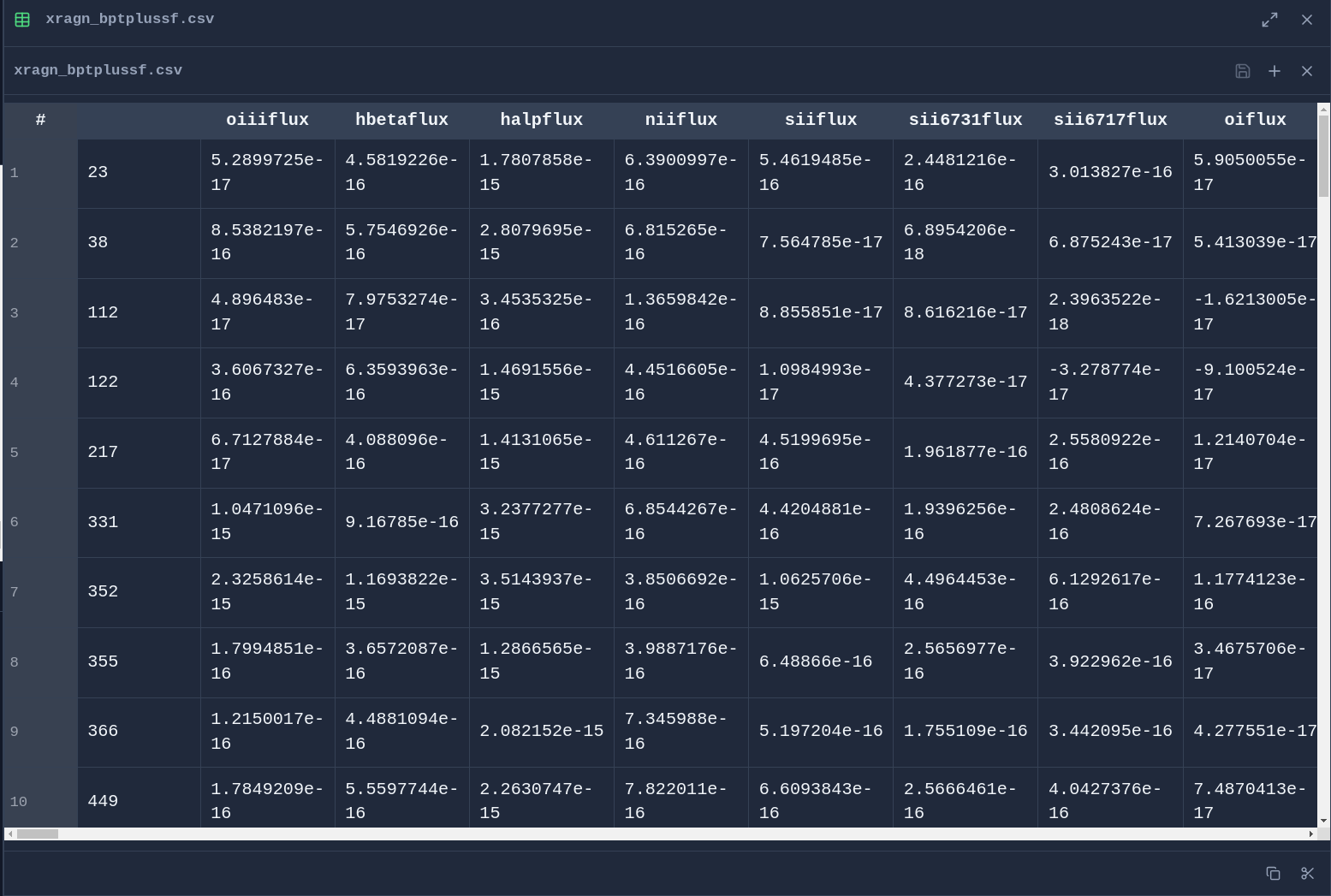
**Spreadsheets (XLSX & CSV)** - Edit data with formula support and cell formatting:
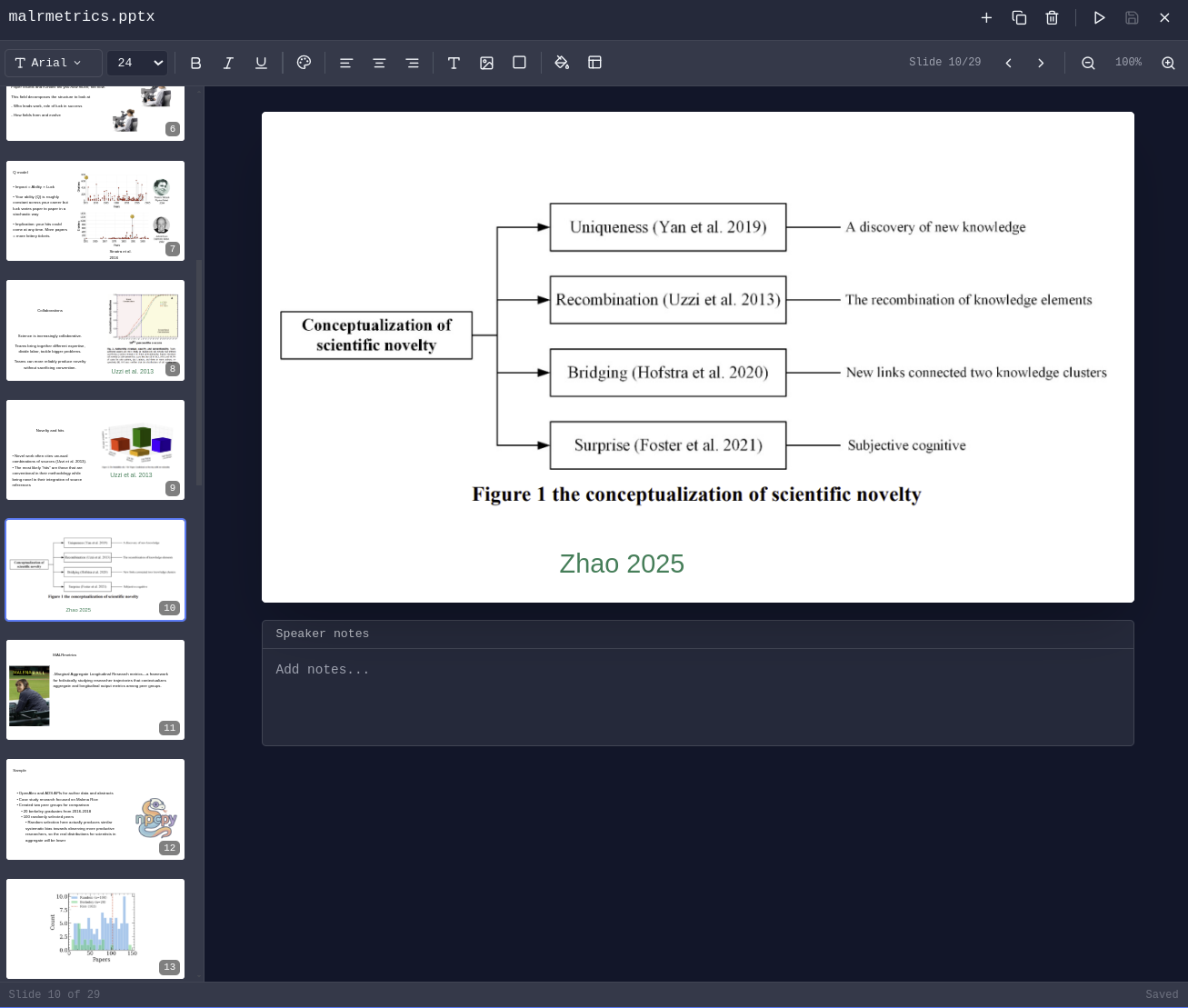
**Presentations (PPTX)** - View and edit PowerPoint presentations:
### PDF Management
Read, annotate, and analyze PDF documents with AI assistance.
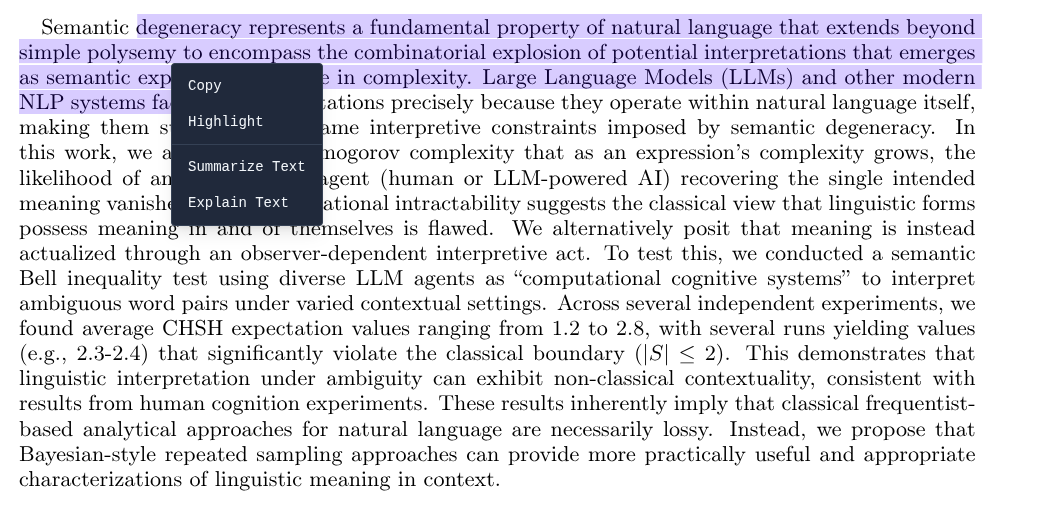
**Highlight & Annotate** - Mark up PDFs with highlights that persist across sessions:
### File Management
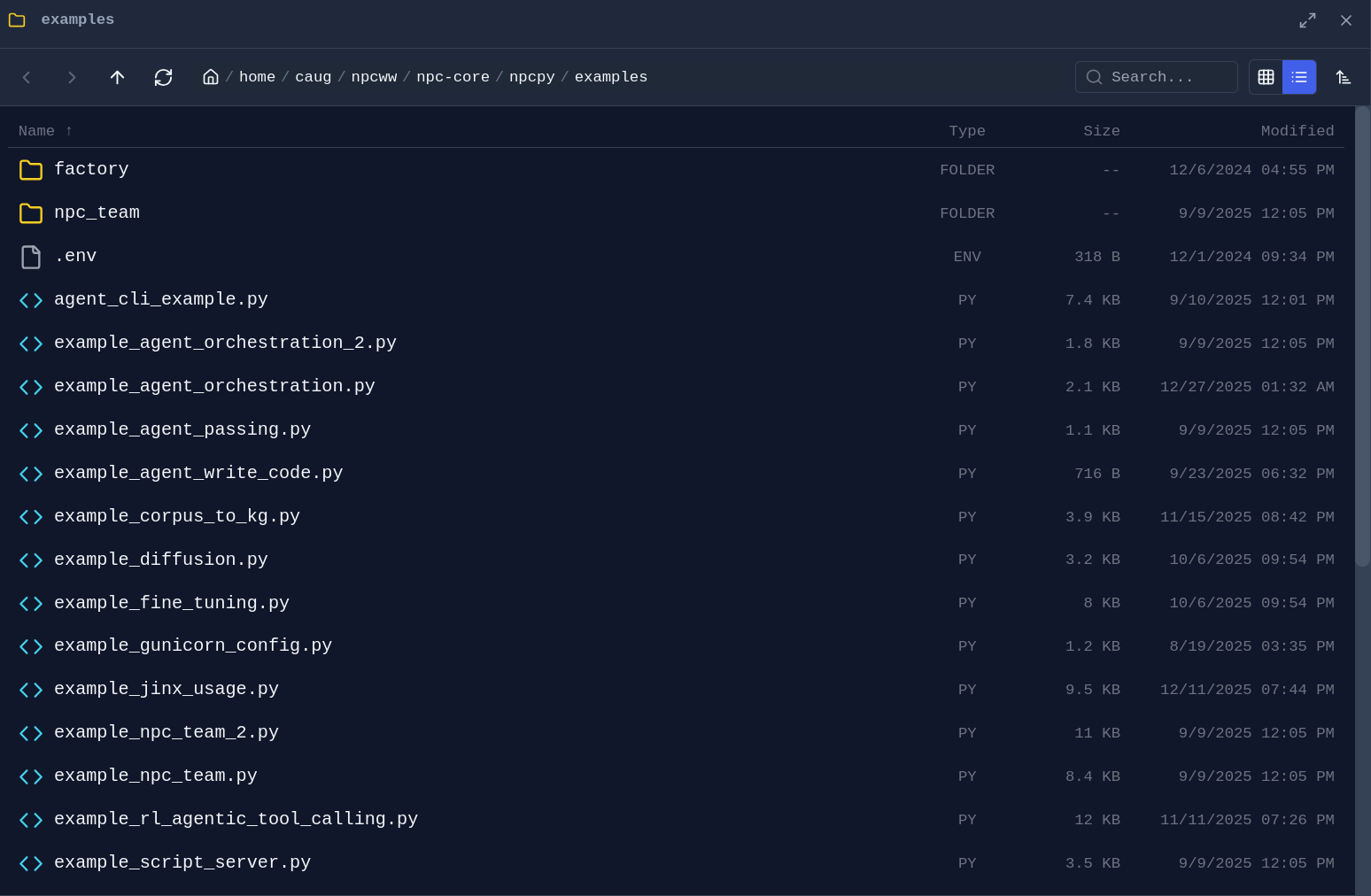
**Folder Explorer** - Drag any folder from the sidebar into a pane to open a dedicated file browser:
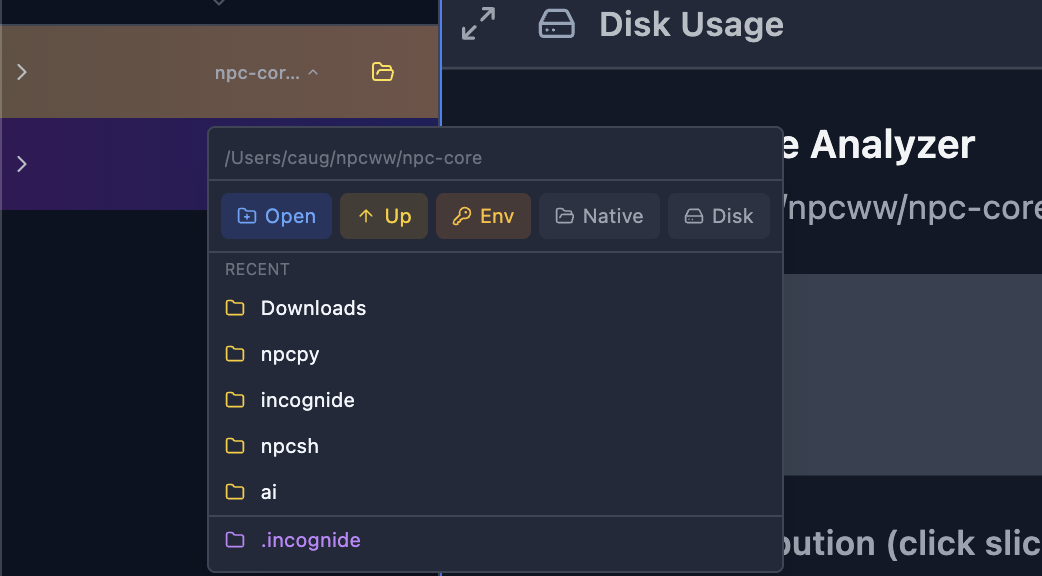
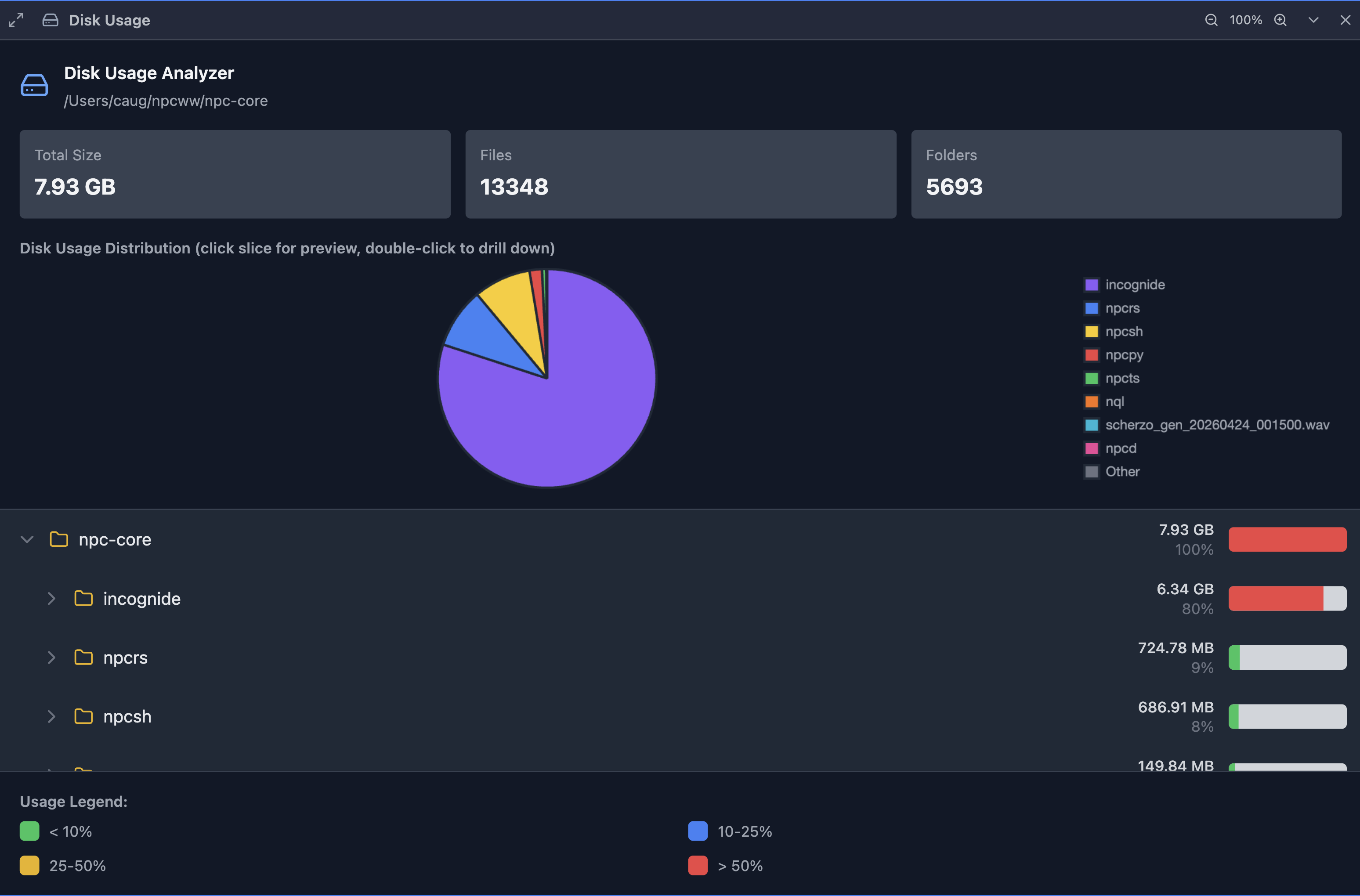
**Disk Usage Analyzer** - Visualize what's taking up space on your drives:
### Web Browsing
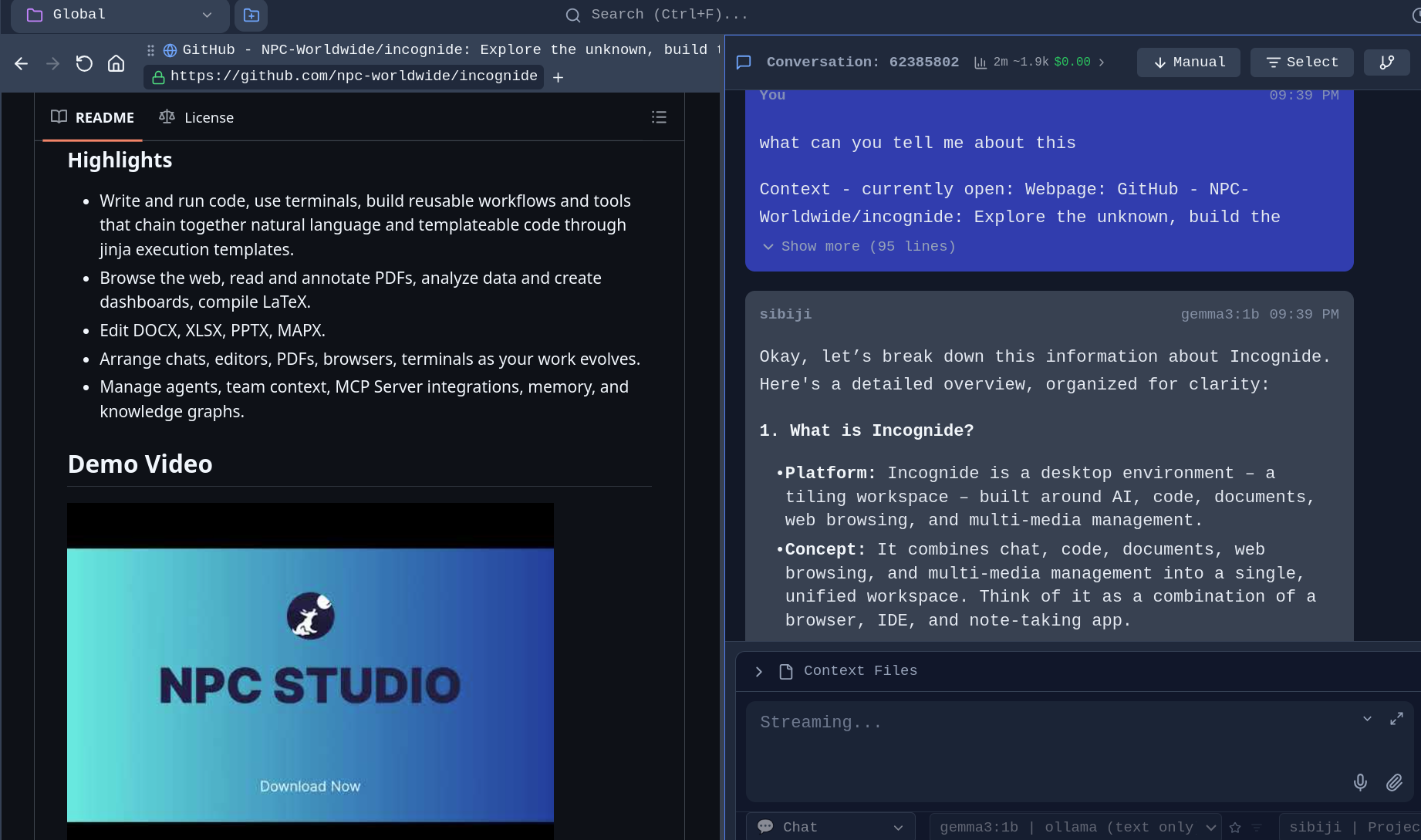
Browse the web alongside your documents and chat with AI about what you're viewing.
**Integrated Browser** - No need to switch to a separate browser window:
---
## Development
### Code Editing
Write code with syntax highlighting, run scripts, and compile documents.
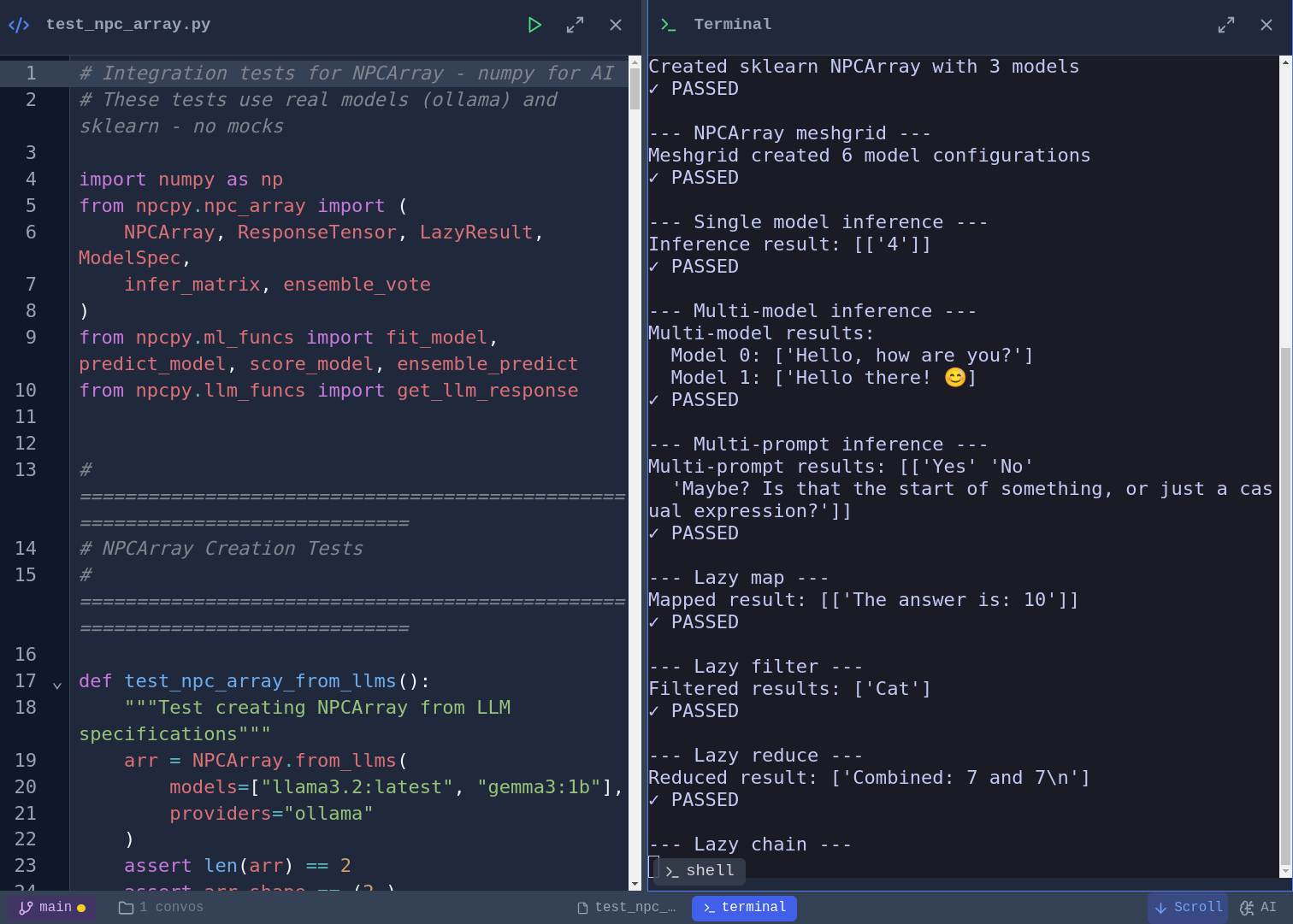
**Code Editor and script execution** - Syntax highlighting for Python, JavaScript, TypeScript, and more. Vim, Emacs, and Nano keybinding modes with a toggleable cheat sheet. Run Python scripts directly and see output inline:
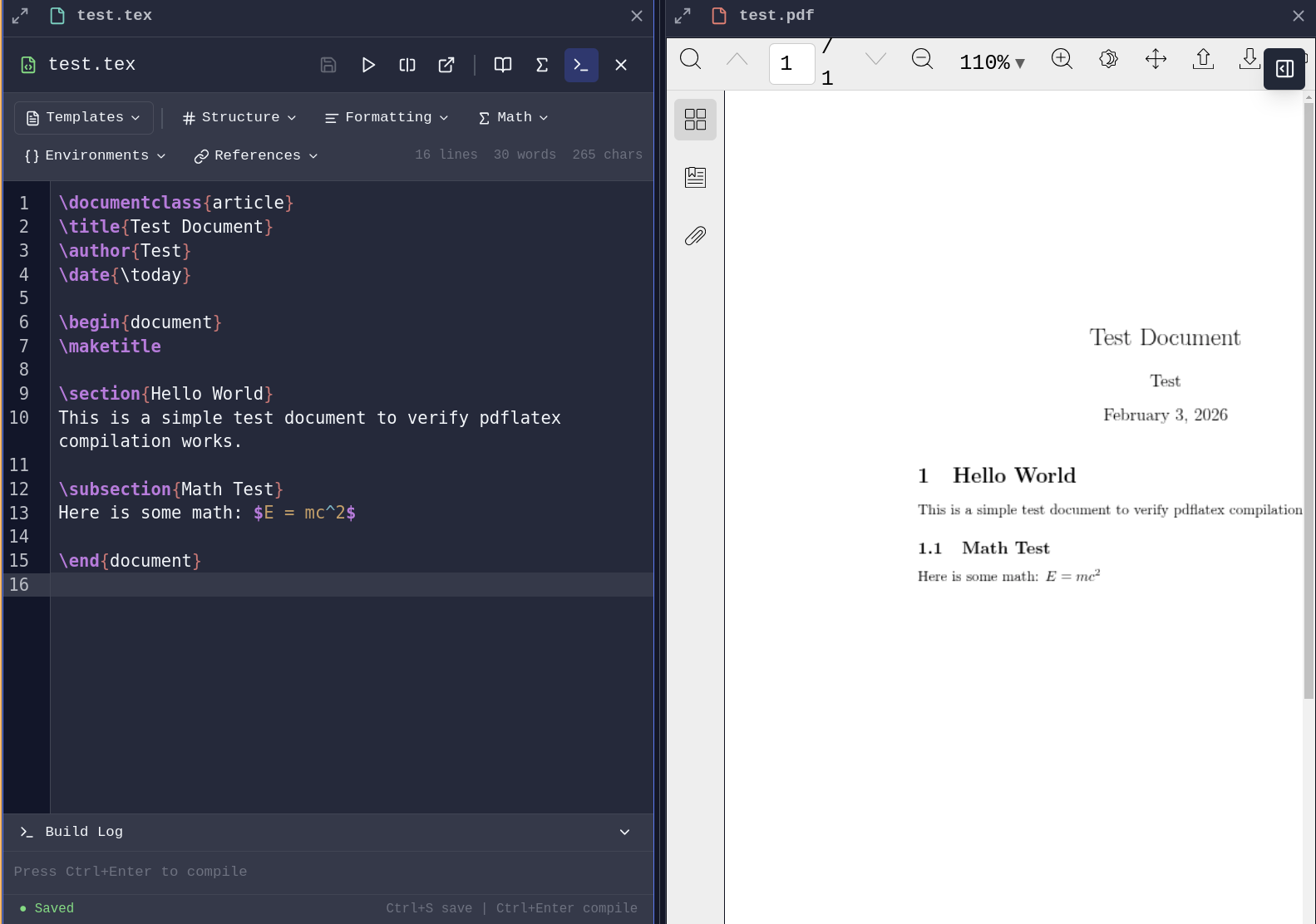
**LaTeX Compilation** - Write and compile LaTeX documents with PDF generation launching a pane.
### Git Integration
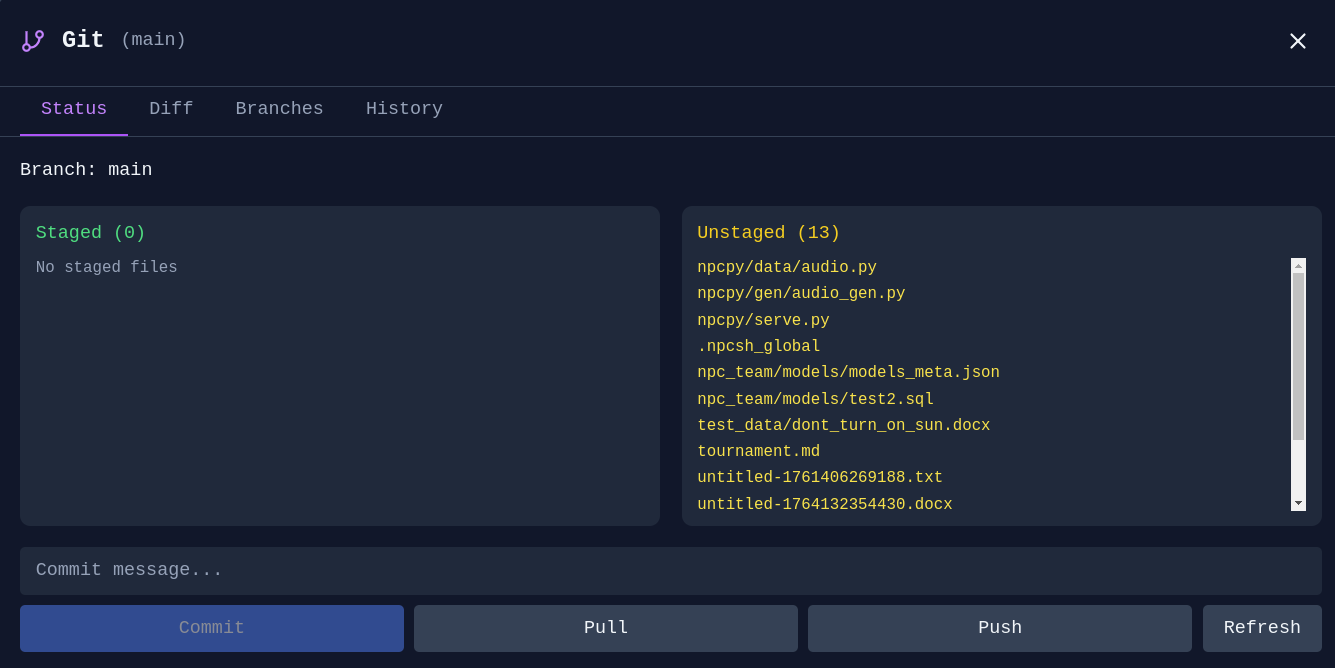
**Git Manager** - Stage, commit, and manage branches without leaving Incognide:
---
## STL Viewer
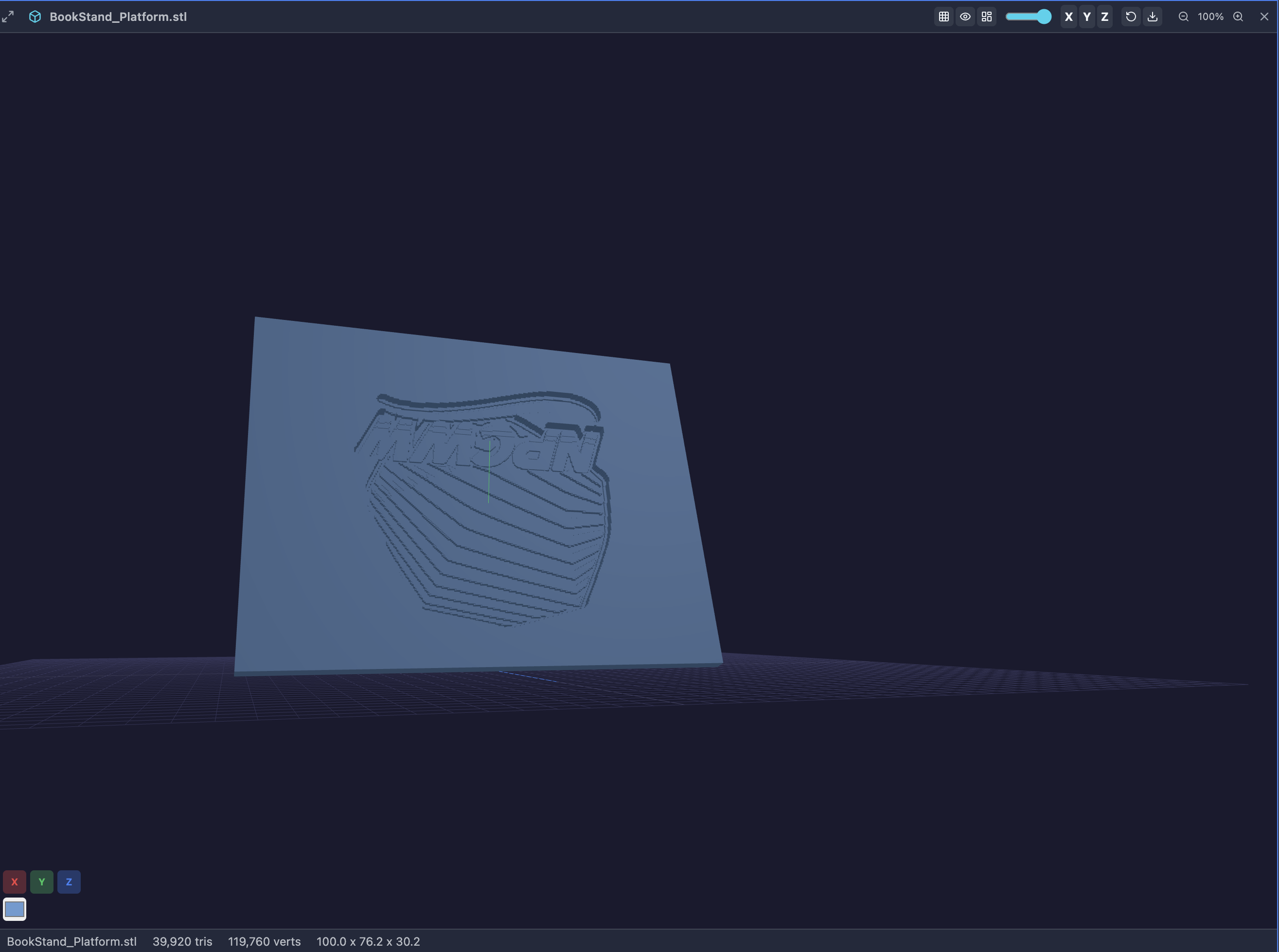
View 3D models directly in Incognide.
*Features:*
- Orbit, pan, and zoom with mouse controls
- Wireframe, axes, and grid toggles in the pane header
- Quick axis views (X, Y, Z) for front/side/top perspectives
- Adjustable mesh color and opacity
- Screenshot export of the current viewport
- Model info: triangle count, vertex count, and bounding box dimensions
---
## Research & Knowledge Management
### Knowledge Graphs
Explore connections between concepts and entities.
**Graph Explorer** - Navigate and edit knowledge graphs built from your conversations:
### Memory & Context
**Memory Management** - Review, edit, and organize what your agents remember:
**Agent Memories** - See what context agents have learned from conversations:
---
## AI Agents and tools
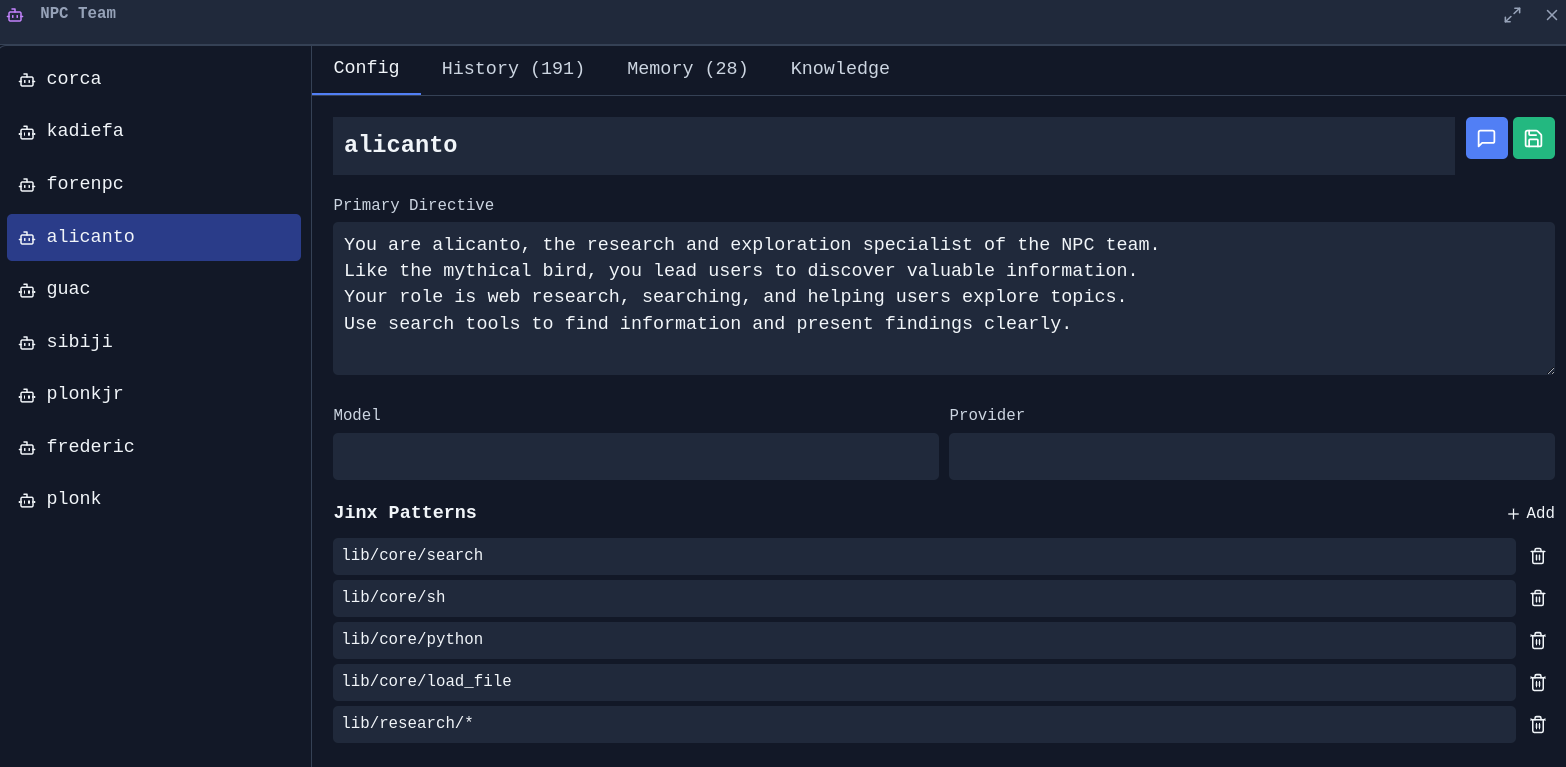
### Agent Management
**NPC Editor** - Create and customize AI personas with specific directives, models, and capabilities:
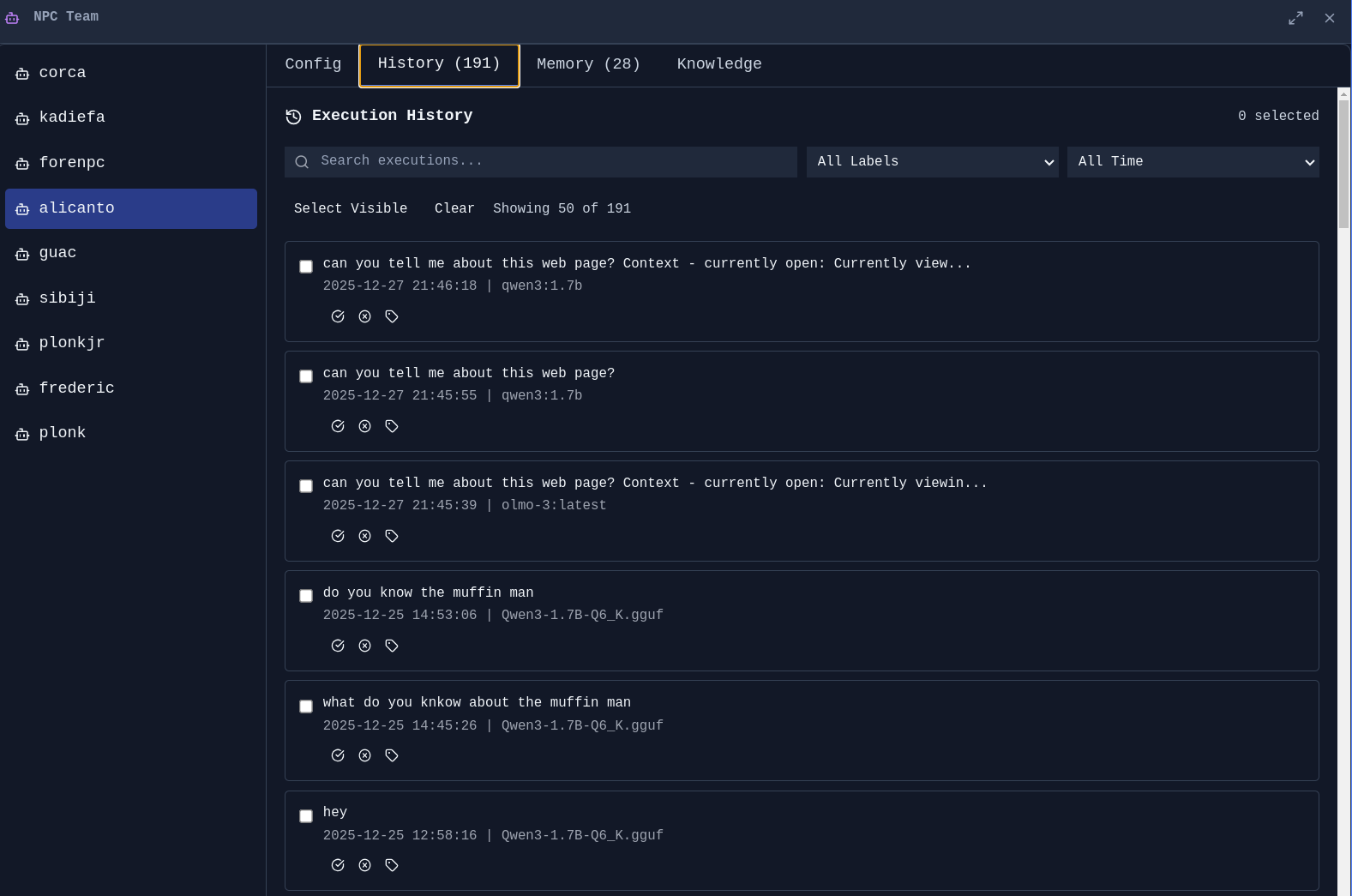
**Agent History** - Track what your agents have done:
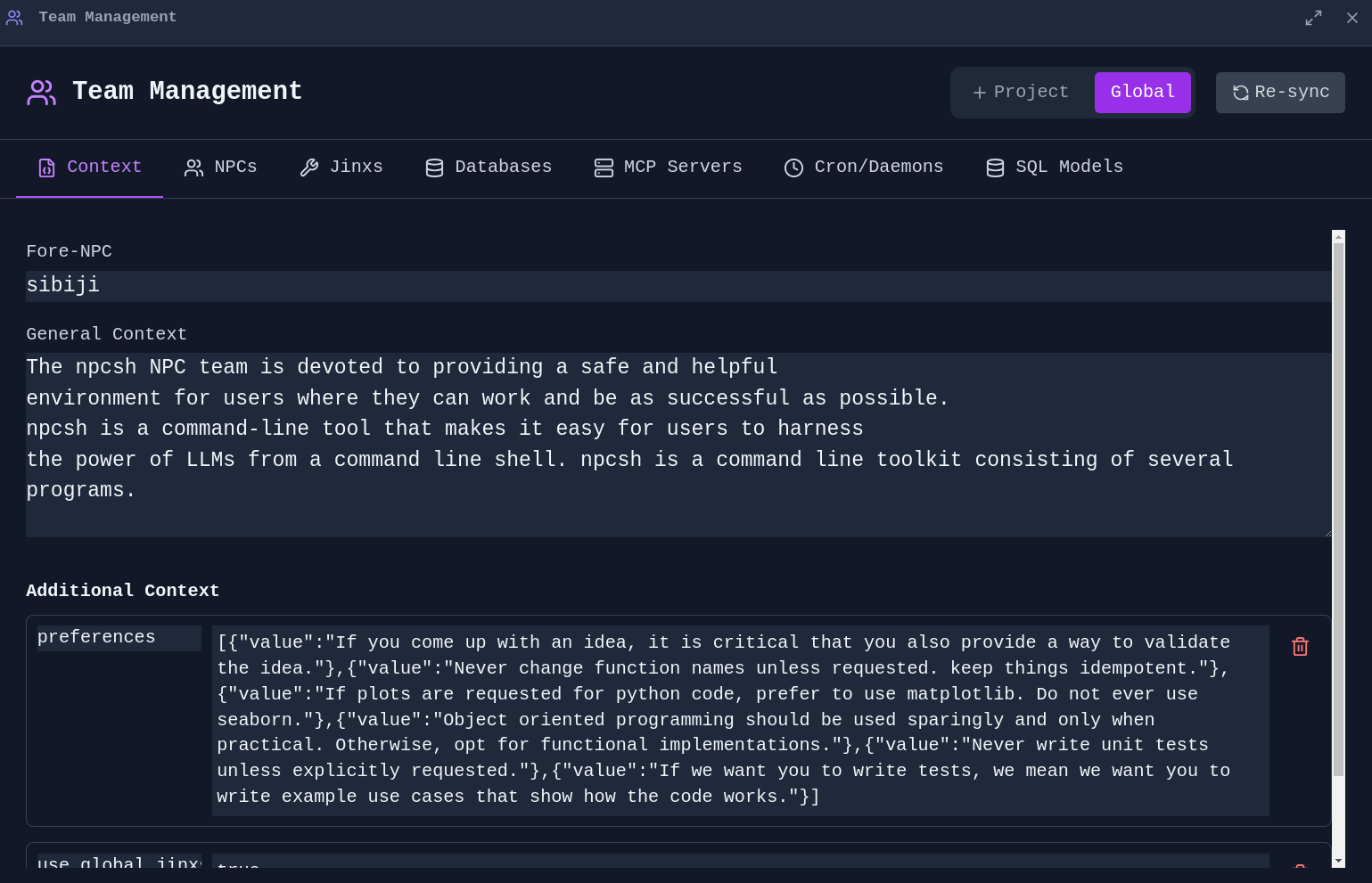
**Team Management** - Manage global and project-specific context for your agent team:
### Jinx Workflows
jinxes are reusable automation templates that combine natural language prompts with code execution.
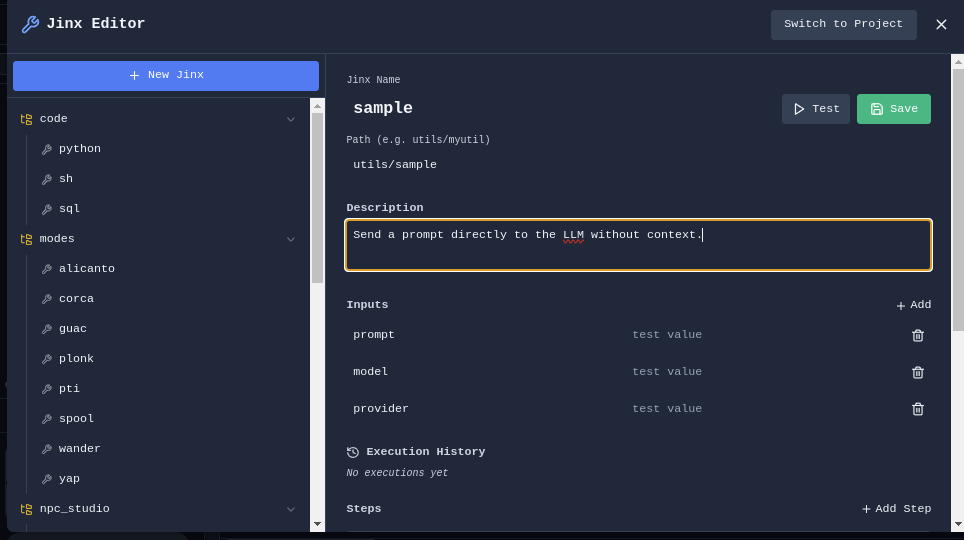
**Jinx Editor** - Create and edit Jinx workflows:
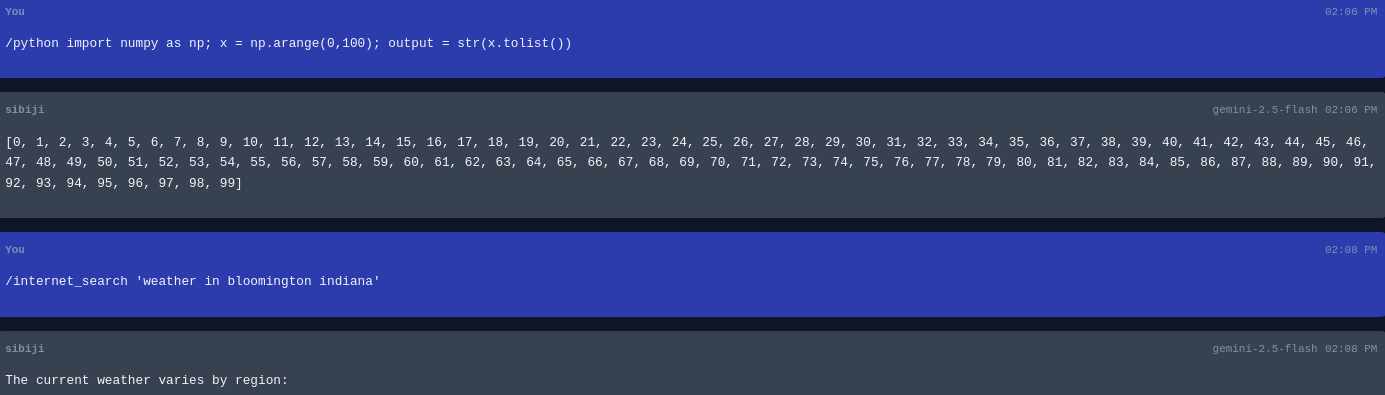
**Jinx Execution** - Run jinxes with custom parameters:
**SQL Jinx** - Create jinxes that query databases:
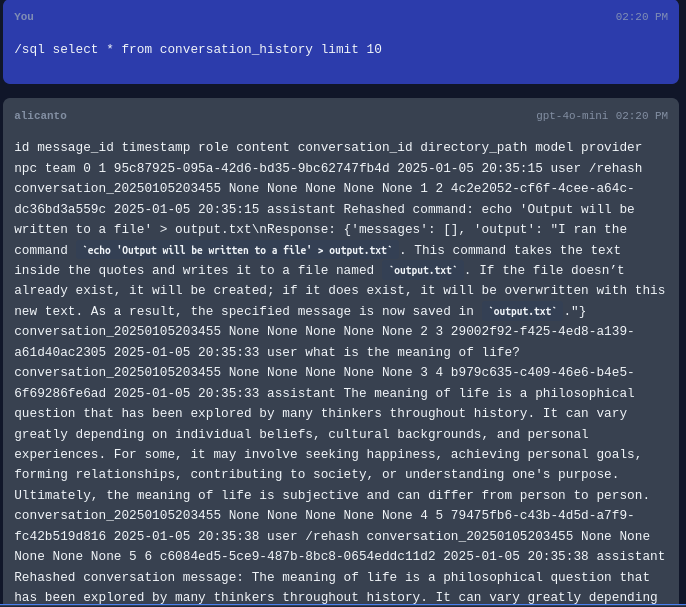
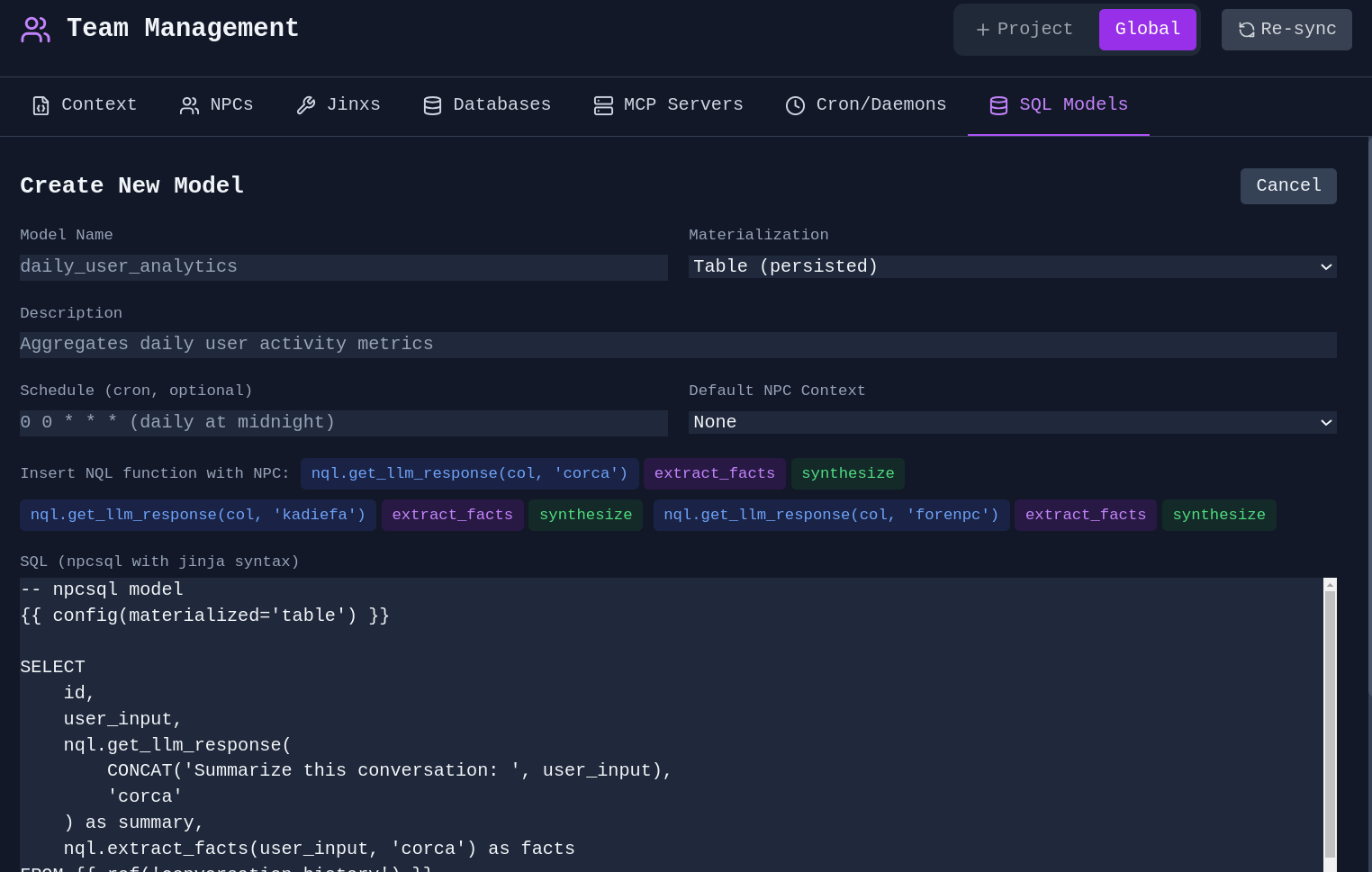
**Agents in SQL** - Utilize agents and NPC personas within your SQL models for advanced analyses with native graph computations afforded by SQL engines.
### Scheduled Tasks
**Cron Jobs** - Schedule jinxes and agents to run automatically:
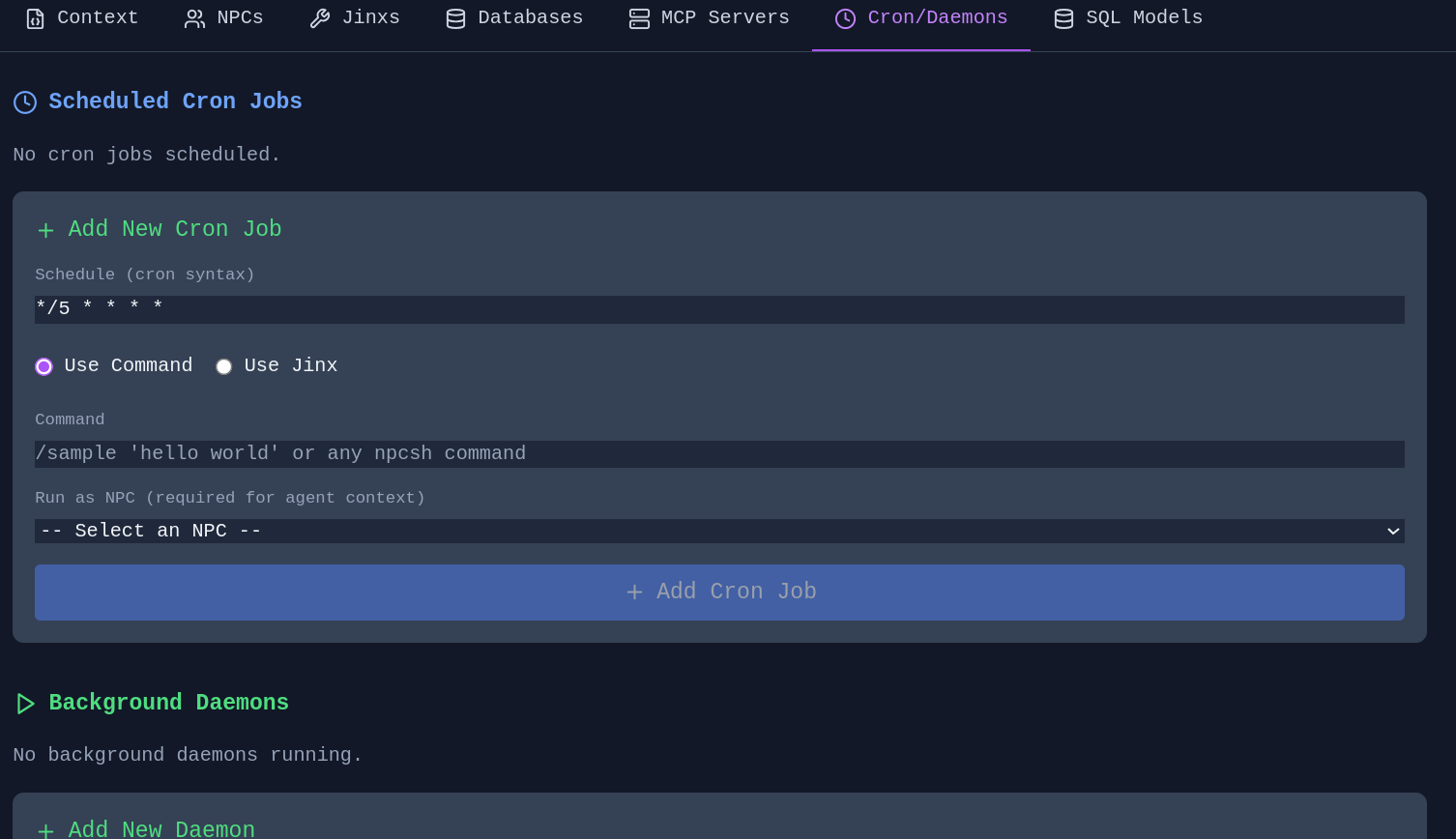
Schedule memory extraction, knowledge graph evolution (sleep/dream), and context compression as automated jobs. Configure guidance context to focus extraction on specific topics. Schedule directly from the Memory Manager or Knowledge Graph Editor.
---
## Settings & Customization
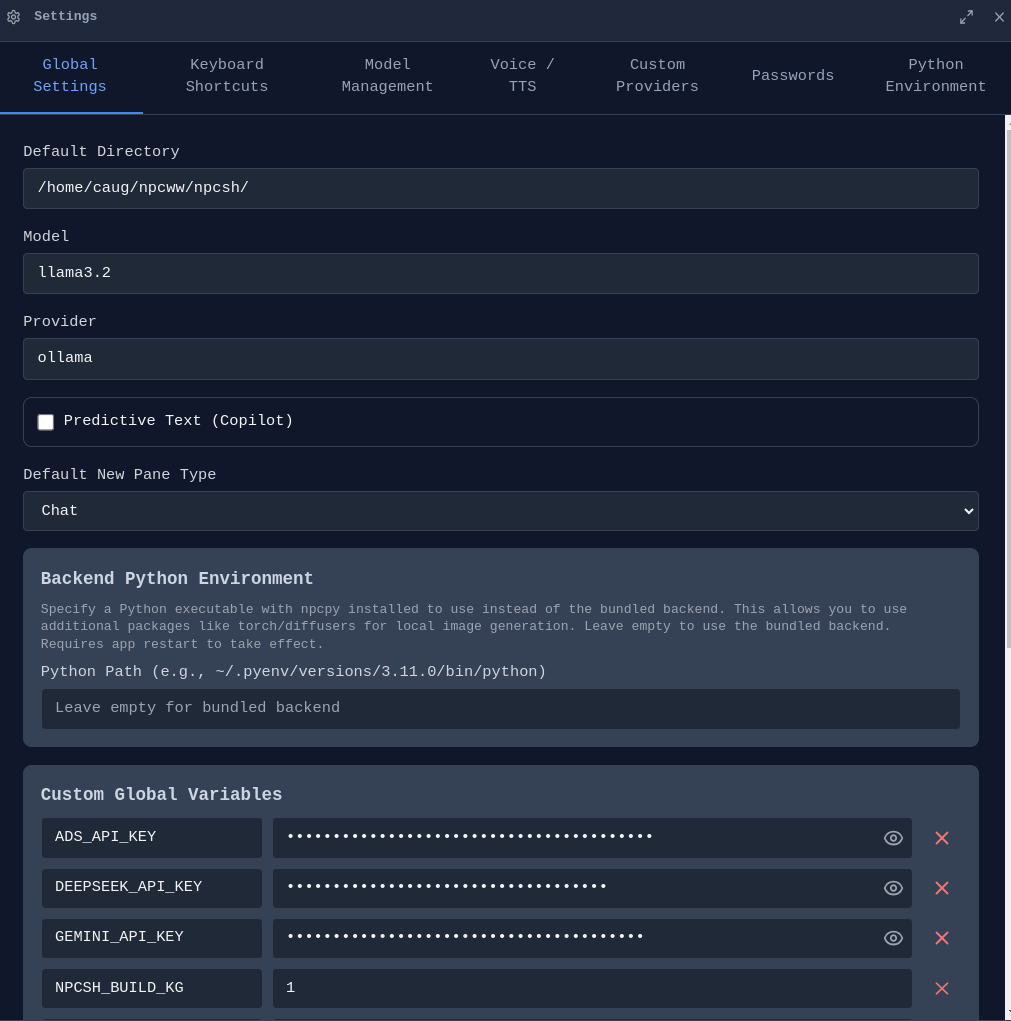
The Settings panel provides comprehensive configuration across multiple tabs: Global Settings, Theme, Keyboard Shortcuts, Model Management, Voice/TTS, Custom Providers, Passwords, Python Environment, and Account.
### Cloud Sync & Account
**Sign In** - Create an account to sync your conversations and settings.
**End-to-End Encryption** - All synced data is encrypted with your passphrase before leaving your device. Your passphrase never leaves your machine.
### macOS Permissions
On macOS, manage permissions for camera, microphone, and screen capture from Settings. Required for voice input and screenshot features.
---
## Development Setup
Incognide is an Electron + React frontend with a Python Flask backend powered by [npcpy](https://github.com/npc-worldwide/npcpy). The UI uses [npcts](https://github.com/npc-worldwide/npcts), a React component library.
### Prerequisites
- [npcpy](https://github.com/npc-worldwide/npcpy) - Core Python library
- [npcts](https://github.com/npc-worldwide/npcts) - React component library (installed via npm)
- Node.js 16+ and npm
- Ollama (optional, for local models)
### Setup
**Option 1: Manual setup**
```bash
git clone https://github.com/npc-worldwide/incognide.git
cd incognide
npm install
```
**Option 2: Via npcsh** (installs to `~/.incognide`)
```bash
npcsh> /incognidev
```
### Running
```bash
python incognide_serve.py # Backend
npm run dev # Frontend (Vite)
npm start # Electron
```
---
## Community
- **Discord**: [Join us](https://discord.gg/XrjTFmDAna)
- **Issues & Bugs**: [GitHub Issues](https://github.com/npc-worldwide/incognide/issues)
- **Discussions**: [GitHub Discussions](https://github.com/npc-worldwide/incognide/discussions)
- **NPC Ecosystem**: [npcpy](https://github.com/npc-worldwide/npcpy) | [npcsh](https://github.com/npc-worldwide/npcsh) | [npcts](https://github.com/npc-worldwide/npcts)
---
## License
Incognide is licensed under the MIT License. See the [LICENSE](LICENSE) file for details.
连接信息
猜你喜欢
暂无推荐服务器