Content
<!-- Badges -->


[](./LICENSE)  [](https://pypi.org/project/memory-plus/) [](https://pepy.tech/projects/memory-plus)
# Memory-Plus
A lightweight, local Retrieval-Augmented Generation (RAG) memory store for MCP agents. Memory-Plus lets your agent record, retrieve, update, and visualize persistent "memories"—notes, ideas, and session context—across runs.
> 🏆 **First Place** at the [Infosys Cambridge AI Centre Hackathon](https://infosys-cam-ai-centre.github.io/Infosys-Cambridge-Hackathon/)!
## Key Features
* **Record Memories**:Save user data, ideas, and important context.
* **Retrieve Memories**:Search by keywords or topics over past entries.
* **Recent Memories**:Fetch the last *N* items quickly.
* **Update Memories**:Append or modify existing entries seamlessly.
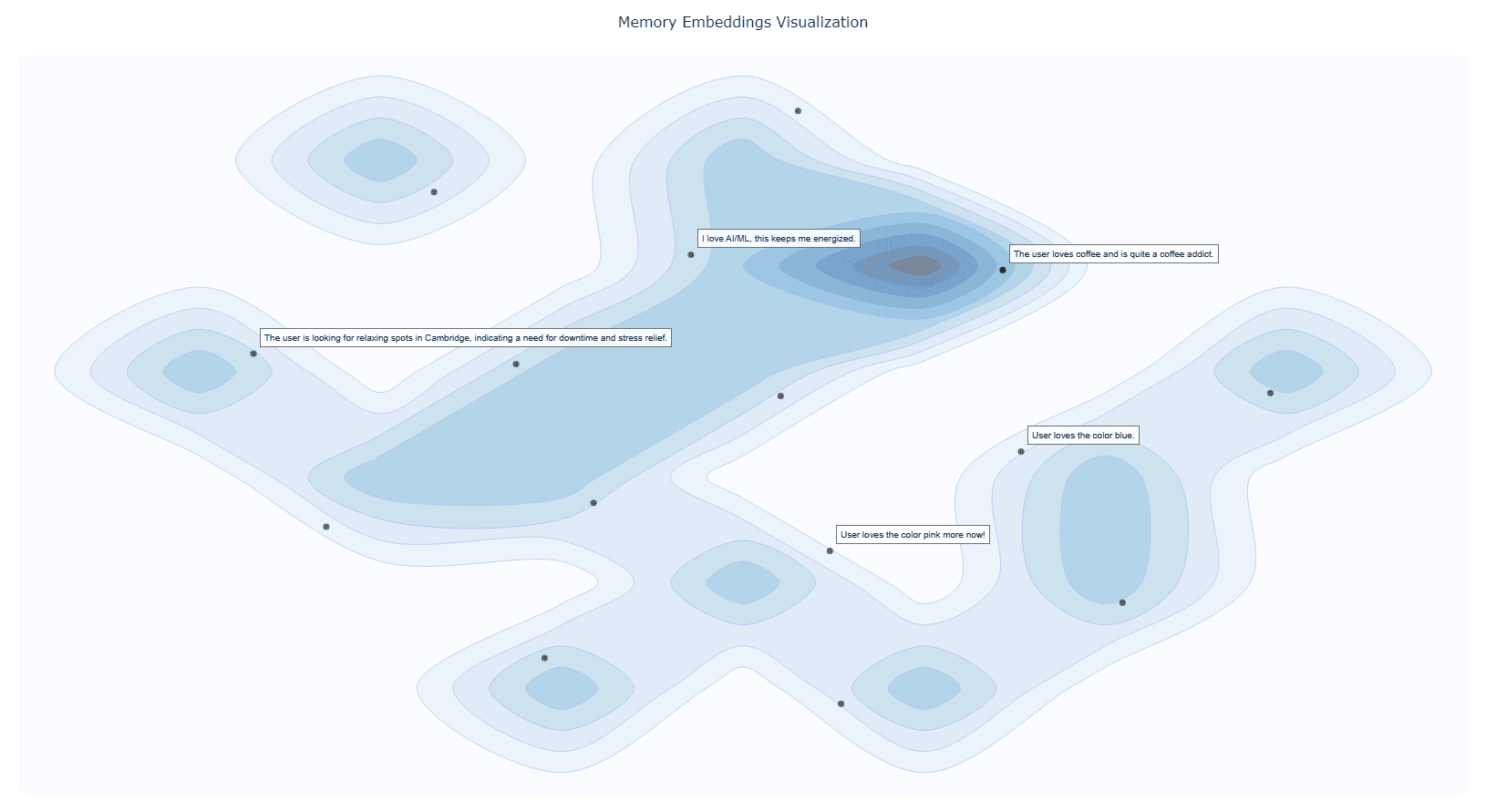
* **Visualize Memories**:Interactive graph clusters revealing relationships.
* **File Import** (*since v0.1.2*):Ingest documents directly into memory.
* **Delete Memories** (*since v0.1.2*):Remove unwanted entries.
* **Memory for Memories** (*since v0.1.4*):Now we use `resources` to teach your AI exactly when (and when not) to recall past interactions.
* **Memory Versioning** (*since v0.1.4*):When memories are updated, we keep the old versions to provide a full history.
---
## Installation
### 1. Prerequisites
**Google API Key**
Obtain from [Google AI Studio](https://aistudio.google.com/apikey) and set as `GOOGLE_API_KEY` in your environment.
> Note that we will only use the `Gemini Embedding API` with this API key, so it is **Entirely Free** for you to use!
<details>
<summary><b>Setup Google API Key Example</b></summary>
```bash
# macOS/Linux
export GOOGLE_API_KEY="<YOUR_API_KEY>"
# Windows (PowerShell)
setx GOOGLE_API_KEY "<YOUR_API_KEY>"
```
</details>
**UV Runtime**
Required to serve the MCP plugin.
<details>
<summary><b>Install UV Runtime</b></summary>
```bash
pip install uv
```
Or install via shell scripts:
```bash
# macOS/Linux
curl -LsSf https://astral.sh/uv/install.sh | sh
# Windows (PowerShell)
powershell -ExecutionPolicy ByPass -c "irm https://astral.sh/uv/install.ps1 | iex"
```
</details>
### VS Code One-Click Setup
Click the badge below to automatically install and configure Memory-Plus in VS Code:
[](https://insiders.vscode.dev/redirect/mcp/install?name=memory-plus&config=%7B%22command%22%3A%22uvx%22%2C%22args%22%3A%5B%22-q%22%2C%22memory-plus%40latest%22%5D%7D)
This will add the following to your `settings.json`:
```json
{
"mcpServers": {
//..., your other MCP servers
"memory-plus": {
"command": "uvx",
"args": [
"-q",
"memory-plus@latest"
],
}
}
}
```
For `cursor`, go to `file -> Preferences -> Cursor Settings -> MCP` and add the above config.
If you didn't add the `GOOGLE_API_KEY` to your secrets / environment variables, you can add it with:
```json
"env": {
"GOOGLE_API_KEY": "<YOUR_API_KEY>"
}
```
just after the `args` array with in the `memory-plus` dictionary.
For `Cline` add the following to your `cline_mcp_settings.json`:
```json
{
"mcpServers": {
//..., your other MCP servers
"memory-plus": {
"disabled": false,
"timeout": 300,
"command": "uvx",
"args": [
"-q",
"memory-plus@latest"
],
"env": {
"GOOGLE_API_KEY": "${{ secrets.GOOGLE_API_KEY }}"
},
"transportType": "stdio"
}
}
}
```
For other IDEs it should be mostly similar to the above.
## Local Testing and Development
Using MCP Inspector, you can test the memory-plus server locally.
```bash
git clone https://github.com/Yuchen20/Memory-Plus.git
cd Memory-Plus
npx @modelcontextprotocol/inspector fastmcp run run .\\memory_plus\\mcp.py
```
Or If you prefer using this MCP in an actual Chat Session. There is a template chatbot in `agent.py`.
```bash
# Clone the repository
git clone https://github.com/Yuchen20/Memory-Plus.git
cd Memory-Plus
# Install dependencies
pip install uv
uv pip install fast-agent-mcp
uv run fast-agent setup
```
setup the `fastagent.config.yaml` and `fastagent.secrets.yaml` with your own API keys.
```bash
# Run the agent
uv run agent_memory.py
```
## RoadMap
- [x] Memory Update
- [x] Improved prompt engineering for memory recording
- [x] Better Visualization of Memory Graph
- [x] File Import
- [ ] Remote backup!
- [ ] Web UI for Memory Management
> If you have any feature requests, please feel free to add them by adding a new issue or by adding a new entry in the [Feature Request](https://voltaic-shell-9af.notion.site/1f84e395c1d18059849ce844fcbba903?pvs=105)
## License
This project is licensed under the **Apache License 2.0**. See [LICENSE](./LICENSE) for details.
## FAQ
### 1. Why is memory-plus not working?
- Memory-plus has a few dependencies that can be slow to download the first time. It typically takes around 1 minute to fetch everything needed.
- Once dependencies are installed, subsequent usage will be much faster.
- If you experience other issues, please feel free to open a new issue on the repository.
### 2. How do I use memory-plus in a real chat session?
- Simply add the MCP JSON file to your MCP setup.
- Once added, memory-plus will automatically activate when needed.



