Content
# MCP Audit
[](https://opensource.org/licenses/MIT)
[](https://www.python.org/downloads/)
[](https://github.com/apisec-inc/mcp-audit/releases)
**See what your AI agents can access - before they go live.**
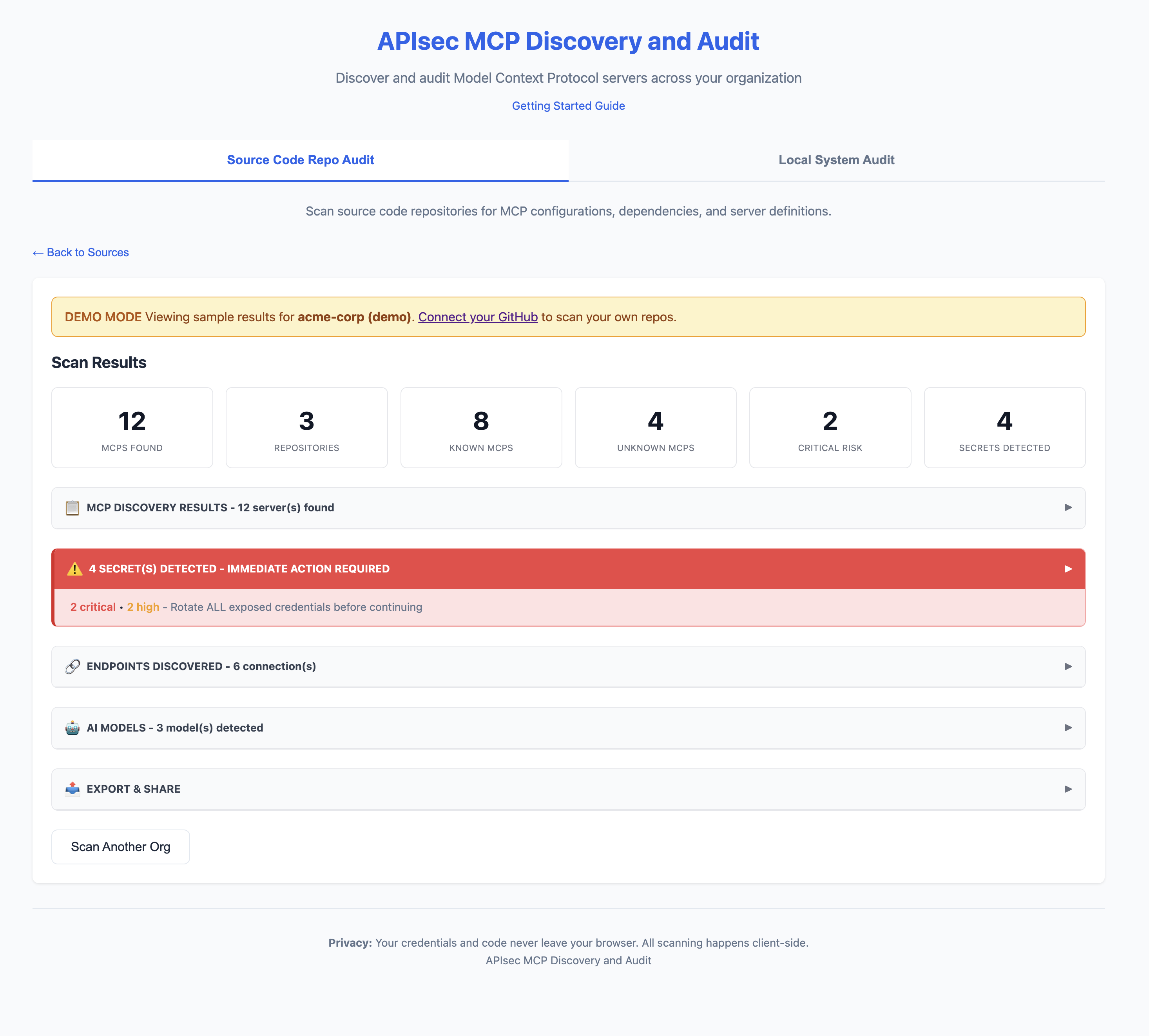
**Web App**
**CLI**
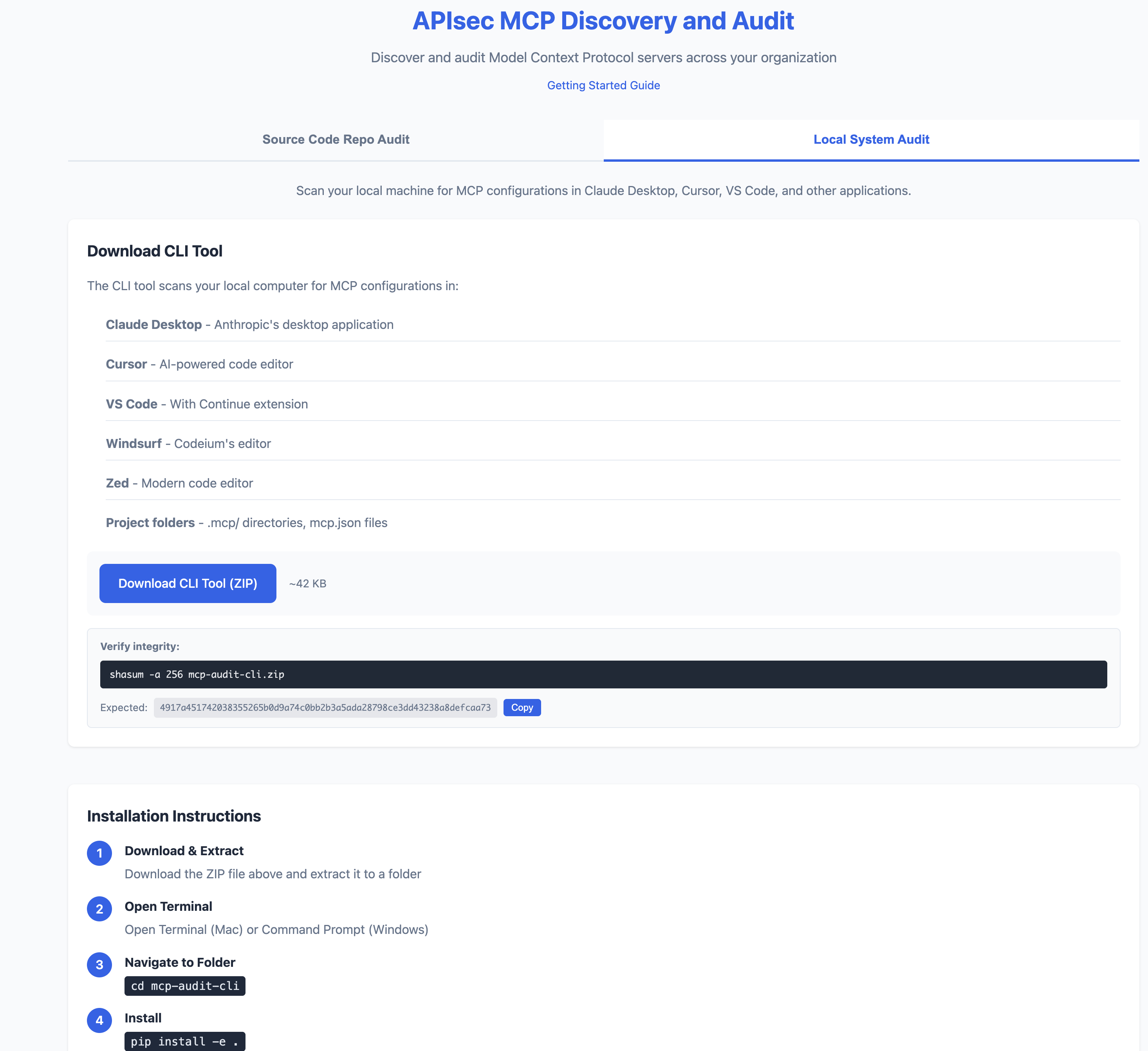
## Quick Start
```bash
# Install
pip install -e .
# Scan your machine
mcp-audit scan
# Or try the web app (no install)
# https://apisec-inc.github.io/mcp-audit/?demo=true
```
## What It Does
MCP Audit scans your AI development tools (Claude Desktop, Cursor, VS Code) and reveals:
- **Secrets** - Exposed API keys, tokens, database passwords
- **APIs** - Every endpoint your AI agents connect to
- **AI Models** - Which LLMs are configured (GPT-4, Claude, Llama)
- **Risk Flags** - Shell access, filesystem access, unverified sources
```
⚠️ 2 SECRET(S) DETECTED - IMMEDIATE ACTION REQUIRED
[CRITICAL] GitHub Personal Access Token
Location: github-tools → env.GITHUB_TOKEN
Remediation: https://github.com/settings/tokens → Delete → Recreate
[HIGH] Database Connection String
Location: postgres-mcp → env.DATABASE_URL
Remediation: Rotate credentials, use secrets manager
```
## Source-level Scanning (new in v1.1)
`mcp-audit scan` inventories MCP server **configurations**. The new `mcp-audit source-scan` command goes one level deeper — it reads the MCP server's own **source code** and flags code-level vulnerabilities the server author may have introduced.
Today it catches the **"Prompt In, Shell Out"** attack chain: an MCP server that pipes an LLM-controlled tool argument into a shell-spawning API (`child_process.exec`, `util.promisify(exec)`, `subprocess.run(shell=True)`, `os.system`, `os.popen`) without sanitization. An attacker controlling the LLM input can inject shell metacharacters and execute arbitrary code on the host running the MCP server.
```bash
$ mcp-audit source-scan ./packages/my-mcp-server
MCP source-scan: packages/my-mcp-server
1 critical · 0 high · 1 finding(s) total
Severity Conf File:Line API Snippet
CRITICAL high server.js:19 util.promisify(child_process.exec) ... const { stdout } = await execAsync(
```
Outputs:
- `--format table` (default, human-readable)
- `--format json` (CI integrations, jq pipelines)
- `--format sarif` (upload to GitHub code-scanning / GitLab / similar)
Gate merges on critical findings:
```bash
mcp-audit source-scan ./my-mcp --exit-code
```
The scanner is intentionally narrow — it only opens files that look like MCP server source (imports an MCP SDK). It won't try to find shell-injection bugs in random Node / Python code; that's not the job.
After running `mcp-audit scan`, you'll see a nudge in the summary suggesting `source-scan` against any in-house or unverified servers it discovers.
## What It Finds (and Doesn't Find)
### What It Finds
| Scan Type | Finds |
|-----------|-------|
| **GitHub Scan** | MCP configs committed to repositories (`mcp.json`, `.mcp/`, `claude_desktop_config.json`, etc.) |
| **Local Scan** | MCP configs on your machine (Claude Desktop, Cursor, VS Code, Windsurf, Zed) |
| **Source Scan** (v1.1) | Code-level vulnerabilities in MCP server source (JS/TS/Python): shell-injection sinks (`child_process.exec`, `util.promisify(exec)`, `subprocess.run(shell=True)`, `os.system`, `os.popen`) called with interpolated tool arguments |
### What It Won't Find
| Blind Spot | Why |
|------------|-----|
| **Secrets in environment variables at runtime** | We scan config files, not running processes |
| **Configs pulled from secrets managers** | Vault, AWS Secrets Manager, etc. are not scanned |
| **Dynamically generated configs** | Configs created at runtime aren't in files |
| **MCPs installed but not configured** | No config file = nothing to scan |
| **Private repos you don't have access to** | GitHub scan is limited by your PAT scope |
| **Encrypted or obfuscated secrets** | Pattern matching won't catch encoded values |
| **Non-standard config locations** | Custom paths outside known locations |
### Important
**A clean scan does not mean zero risk.**
- Developers may have MCPs configured on machines you haven't scanned
- Configs may exist in repos outside your GitHub org
- Runtime behavior may differ from static configuration
MCP Audit provides visibility, not guarantees. Use alongside runtime monitoring and security reviews.
## CI/CD Integration
Fail builds on critical risks:
```yaml
# .github/workflows/mcp-audit.yml
name: MCP Security Audit
on: [push, pull_request]
jobs:
audit:
runs-on: ubuntu-latest
steps:
- uses: actions/checkout@v4
- name: Install MCP Audit
run: pip install mcp-audit
- name: Run Security Scan
run: mcp-audit scan --path . --format json -o mcp-report.json
- name: Fail on Critical
run: |
CRITICAL=$(jq '[.mcps[] | select(.risk == "critical")] | length' mcp-report.json)
if [ "$CRITICAL" -gt 0 ]; then
echo "❌ Found $CRITICAL critical-risk MCPs"
exit 1
fi
- name: Upload AI-BOM
uses: actions/upload-artifact@v4
with:
name: ai-bom
path: mcp-report.json
```
### Source-level scan in CI (v1.1)
If you ship an in-house MCP server, gate merges on critical code-level findings:
```yaml
# .github/workflows/mcp-source-scan.yml
name: MCP Source Scan
on: [pull_request]
jobs:
source-scan:
runs-on: ubuntu-latest
steps:
- uses: actions/checkout@v4
- run: pip install mcp-audit
# Fail the PR if any critical shell-injection findings are detected.
- name: Source-scan in-house MCP server
run: mcp-audit source-scan ./packages/my-mcp-server --exit-code
# OR: upload findings to GitHub code-scanning instead of failing.
- name: Source-scan -> SARIF
run: mcp-audit source-scan ./packages/my-mcp-server --format sarif --output mcp.sarif
- uses: github/codeql-action/upload-sarif@v3
with:
sarif_file: mcp.sarif
```
## Export Formats
```bash
# JSON (for CI/CD)
mcp-audit scan --format json -o report.json
# AI-BOM (CycloneDX 1.6)
mcp-audit scan --format cyclonedx -o ai-bom.json
# SARIF (GitHub Security integration)
mcp-audit scan --format sarif -o results.sarif
# CSV / Markdown
mcp-audit scan --format csv -o report.csv
mcp-audit scan --format markdown -o report.md
# PDF Report via Email
mcp-audit scan --email security@company.com
```
---
## Key Features
| Feature | Description |
|---------|-------------|
| **MCP Discovery** | Find MCPs in Claude Desktop, Cursor, VS Code, Windsurf, Zed |
| **Secrets Detection** | 25+ secret patterns with provider-specific remediation |
| **API Inventory** | Database, REST, SSE, SaaS, Cloud endpoints |
| **AI Model Detection** | OpenAI, Anthropic, Google, Meta, Mistral, Ollama |
| **OWASP LLM Top 10** | Maps findings to OWASP LLM Top 10 (2025) framework |
| **AI-BOM Export** | CycloneDX 1.6 for supply chain compliance |
| **SARIF Output** | GitHub Security integration with OWASP tags |
| **Registry** | 50+ known MCPs with risk classifications |
## Two Ways to Use
| | **Web App** | **CLI Tool** |
|---|-------------|--------------|
| **Scans** | GitHub repositories | Local machine |
| **Install** | None (browser) | Python 3.9+ |
| **Best for** | Org-wide visibility | Deep local analysis |
| **Privacy** | Token stays in browser | 100% local |
**Web App:** [https://apisec-inc.github.io/mcp-audit/](https://apisec-inc.github.io/mcp-audit/)
---
## CLI Reference
### Scan Commands
```bash
mcp-audit scan # Full inventory scan
mcp-audit scan --secrets-only # Only secrets
mcp-audit scan --apis-only # Only API endpoints
mcp-audit scan --models-only # Only AI models
mcp-audit scan --verbose # Detailed output
mcp-audit scan --path ./project # Specific directory
```
### Source-level Scan Commands (new in v1.1)
`source-scan` is a separate command from `scan`. `scan` inventories MCP configurations; `source-scan` reads MCP server source code and flags code-level vulnerabilities. See [docs/SOURCE_SCAN.md](docs/SOURCE_SCAN.md) for the full guide.
```bash
mcp-audit source-scan ./my-mcp # Table output (default)
mcp-audit source-scan ./my-mcp --format json # JSON for jq pipelines
mcp-audit source-scan ./my-mcp --format sarif # SARIF for code-scanning
mcp-audit source-scan ./my-mcp --output mcp.sarif # Write to file
mcp-audit source-scan ./my-mcp --exit-code # CI gate (non-zero on critical)
mcp-audit source-scan ./my-mcp --explain # Inline remediation guidance
```
### Export Options
```bash
mcp-audit scan --format json -o report.json # JSON output
mcp-audit scan --format csv -o report.csv # CSV output
mcp-audit scan --format markdown -o report.md # Markdown output
mcp-audit scan --format cyclonedx -o ai-bom.json # CycloneDX 1.6 AI-BOM
mcp-audit scan --format sarif -o results.sarif # SARIF for GitHub Security
mcp-audit scan --email security@company.com # PDF report via email
```
### Registry Commands
```bash
mcp-audit registry # List all known MCPs
mcp-audit registry --risk critical # Filter by risk
mcp-audit registry lookup "stripe" # Search registry
```
### Explain a Risk Flag
```bash
mcp-audit explain shell-injection-in-source # Full remediation guidance
mcp-audit explain --list # All known risk flags
```
---
## Risk Levels
| Level | Meaning | Examples |
|-------|---------|----------|
| 🔴 **CRITICAL** | Full system access | Database admin, shell access, cloud IAM |
| 🟠 **HIGH** | Write access | Filesystem write, API mutations |
| 🟡 **MEDIUM** | Read + limited write | SaaS integrations, read-only DB |
| 🟢 **LOW** | Read-only | Public APIs, memory storage |
## Detected Secrets
| Severity | Types |
|----------|-------|
| 🔴 Critical | AWS Keys, GitHub PATs, Stripe Live Keys, DB Credentials |
| 🟠 High | Slack Tokens, OpenAI Keys, Anthropic Keys, SendGrid |
| 🟡 Medium | Webhooks, Generic API Keys |
---
## Privacy
- **Web App**: GitHub token never leaves your browser
- **CLI**: Runs 100% locally, no telemetry
- **PDF Reports**: Only summary data sent (no secrets)
---
## Installation
### Option 1: Python (pip)
```bash
# Clone and install
git clone https://github.com/apisec-inc/mcp-audit.git
cd mcp-audit
pip install -e .
# Verify
mcp-audit --help
```
Requires Python 3.9+
### Option 2: Docker
```bash
# Build image
docker build -t mcp-audit .
# Scan current directory
docker run -v $(pwd):/scan mcp-audit scan
# Scan with JSON output
docker run -v $(pwd):/scan mcp-audit scan --format json -o /scan/report.json
```
---
## Verify Download Integrity
All MCP Audit releases include SHA256 checksums.
### Verify CLI Download
```bash
# Download the checksum file
curl -O https://github.com/apisec-inc/mcp-audit/releases/latest/download/CHECKSUMS.txt
# Verify the zip file
shasum -a 256 -c CHECKSUMS.txt --ignore-missing
```
Expected output:
```
mcp-audit-cli.zip: OK
```
### Current Release Checksum
| File | SHA256 |
|------|--------|
| `mcp-audit-cli.zip` | `4917a451742038355265b0d9a74c0bb2b3a5ada28798ce3dd43238a8defcaa73` |
Full checksums: [CHECKSUMS.txt](CHECKSUMS.txt)
---
## Documentation
- **[Risk Scoring](docs/RISK_SCORING.md)** - How risk levels and flags are assigned
- **[Contributing](CONTRIBUTING.md)** - Guidelines for contributors
## License
MIT - see [LICENSE](LICENSE)
---
Built by [APIsec](https://apisec.ai)



