

内容
<div align="center">
<img src="Aethos Memory.svg" alt="Aethos Memory" width="220" />
<br/>
<br/>
# Aethos Memory
### 通用、跨工具的AI助手持久化内存
<br/>
[](https://github.com/nisargpatel1906/Aethos_Memory)
[](LICENSE)
[](https://python.org)
[](https://nextjs.org)
[](https://gofastmcp.com)
[](https://supabase.com)
[](https://youtu.be/rjjStwPlTk0)
<br/>
<br/>
### <svg width="22" height="22" viewBox="0 0 24 24" fill="#FF0000" style="vertical-align: middle; margin-right: 6px;"><path d="M23.498 6.186a3.016 3.016 0 0 0-2.122-2.136C19.505 3.545 12 3.545 12 3.545s-7.505 0-9.377.505A3.017 3.017 0 0 0 .502 6.186C0 8.07 0 12 0 12s0 3.93.502 5.814a3.016 3.016 0 0 0 2.122 2.136c1.871.505 9.376.505 9.376.505s7.505 0 9.377-.505a3.015 3.015 0 0 0 2.122-2.136C24 15.93 24 12 24 12s0-3.93-.502-5.814zM9.545 15.568V8.432L15.818 12l-6.273 3.568z"/></svg> 观看官方发布视频
[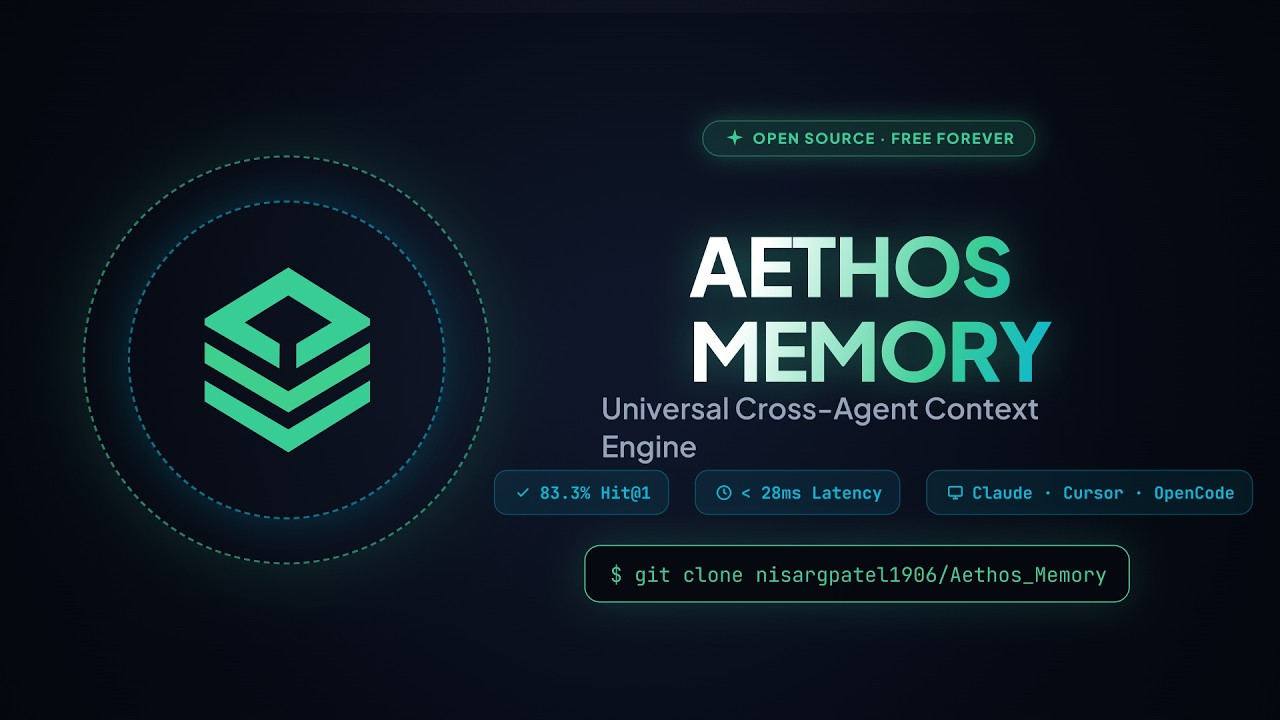](https://youtu.be/rjjStwPlTk0)
<br/>
<br/>
<img src="Aethos-Memory-Master-Workflow.svg" width="100%" alt="Aethos Memory 系统架构和动画工作流程"/>
<br/>
<table>
<tr>
<td align="center"><a href="#为什么选择Aethos-Memory"><b>为什么选择Aethos</b></a></td>
<td align="center"><a href="#工作原理"><b>工作原理</b></a></td>
<td align="center"><a href="#Windows安装指南"><b>Windows安装指南</b></a></td>
<td align="center"><a href="#macOS安装指南"><b>macOS安装指南</b></a></td>
<td align="center"><a href="#MCP工具"><b>MCP工具</b></a></td>
<td align="center"><a href="#隐私和安全"><b>隐私</b></a></td>
</tr>
</table>
</div>
<br/>
---
## 为什么选择Aethos Memory?
每次你开始一个新的聊天,你的AI助手都会忘记之前的所有信息——你的技术栈、偏好、项目决策和你的名字。你每次会话都不得不重复这些信息。
**Aethos Memory解决了这个问题。** 一个MCP服务器,一个数据库,每个AI助手都能记住所有信息——永远。
<table>
<tr>
<th align="left">没有Aethos</th>
<th align="left">使用Aethos Memory</th>
</tr>
<tr>
<td>每次新会话都要重复技术栈</td>
<td>AI已经从第1次会话中知道你的技术栈</td>
</tr>
<tr>
<td>每次使用AI工具都要从头开始</td>
<td>Claude Code、Cursor、OpenCode共享同一个记忆库</td>
</tr>
<tr>
<td>AI忘记你的名字和偏好</td>
<td>所有工具共享永久的身份和偏好存储</td>
</tr>
<tr>
<td>会话之间架构决策丢失</td>
<td>每个决策都被存储和自动检索</td>
</tr>
<tr>
<td>供应商锁定到一个AI工具</td>
<td>100%可移植——与任何MCP兼容的客户端一起工作</td>
</tr>
</table>
<br/>
---
## 工作原理
```
Claude Code OpenCode Cursor / Windsurf
| | |
| remember() | recall() | list_memories()
v v v
+---------------------------------------------------------------+
| Aethos Memory Server |
| FastMCP + Python + Gemini Embeddings |
| |
| +-----------------------------------------------------+ |
| | 3-Pass Agentic RAG Retrieval Engine | |
| | Pass 1: Vector Similarity Search (threshold 0.50) | |
| | Pass 2: LLM Query Expansion + Broader Retry | |
| | Pass 3: LLM Relevance Reranking and Filtering | |
| +-----------------------------------------------------+ |
+------------------------------+--------------------------------+
|
v
+---------------------------------------------------------------+
| Supabase Postgres + pgvector |
| Your Private Context Bank |
+---------------------------------------------------------------+
^
| View, Edit, Manage
+----------+----------+
| Next.js Web App UI |
| localhost:3000 |
+---------------------+
```
AI永远不会看到你的完整数据库。Aethos将查询转换为768维向量,搜索Supabase以查找最接近的匹配项,并仅返回相关事实——快速、私密和精确。
<br/>
---
## Windows安装指南
本指南涵盖了在**Windows 10或11**上从零到完全可用的Aethos Memory设置的每个步骤。
### 先决条件
开始前,请确保已安装以下内容:
| 工具 | 最低版本 | 如何检查 | 下载 |
|---|---|---|---|
| Python | 3.10或更高 | `python --version` | [python.org/downloads](https://www.python.org/downloads/) |
| Node.js | 18或更高 | `node --version` | [nodejs.org](https://nodejs.org) |
| Git | 任意 | `git --version` | [git-scm.com](https://git-scm.com) |
> **Windows提示:** 在安装Python时,在安装程序屏幕上勾选**"Add Python to PATH"**,否则`python`在PowerShell中无法找到。
<br/>
### 步骤1 - 创建免费的Supabase数据库
1. 访问 [supabase.com](https://supabase.com) 并点击 **Start your project** - 它是免费的。
2. 使用GitHub或电子邮件注册,然后点击 **New project**。
3. 选择一个名称(例如`aethos-memory`),设置数据库密码,然后点击 **Create new project**。等待约60秒完成。
4. 在左侧边栏中,点击 **SQL Editor**。
5. 从此存储库打开文件[`supabase/schema.sql`](supabase/schema.sql),复制其全部内容,粘贴到SQL编辑器中,然后点击 **Run**。
您将看到成功消息。这会创建`memories`表、pgvector索引和Aethos需要的语义搜索功能。
<br/>
### 步骤2 - 收集API密钥
您需要Supabase的三个值和Google的一个值。
**从Supabase仪表盘:**
1. 点击 **Project Settings**(左下角的齿轮图标)。
2. 在设置菜单中点击 **API**。
3. 复制并保存这三个值:
- **Project URL** - 看起来像`https://abcdefgh.supabase.co`
- **anon / public key** - 以`eyJhbGciOi...`开头
- **service_role key** - 也以`eyJhbGciOi...`开头(保持私密)
**从Google AI Studio(免费):**
1. 访问 [aistudio.google.com/app/apikey](https://aistudio.google.com/app/apikey)。
2. 使用您的Google帐户登录。
3. 点击 **Create API Key**,选择任意项目,然后复制密钥。
**可选 - Groq(用于更快的事实提取):**
1. 访问 [console.groq.com/keys](https://console.groq.com/keys) 并免费注册。
2. 点击 **Create API Key**并复制它。
<br/>
### 步骤3 - 克隆存储库
打开 **PowerShell** 并运行:
```powershell
git clone https://github.com/nisargpatel1906/Aethos_Memory.git
cd "Aethos_Memory"
```
<br/>
### 步骤4 - 设置Python MCP服务器
在同一个PowerShell窗口中,一次运行以下命令:
```powershell
# 移至服务器文件夹
cd server
# 创建Python虚拟环境
python -m venv .venv
# 激活虚拟环境
.venv\Scripts\Activate.ps1
# 如果看到执行策略错误,请先运行此命令:
# Set-ExecutionPolicy -ExecutionPolicy RemoteSigned -Scope CurrentUser
# 安装Aethos Memory和所有依赖项
pip install -e .
```
现在填写您的凭证:
```powershell
# 复制示例凭证文件
copy .env.example .env
```
打开文件 `server\.env` 使用记事本或编辑器并填写您的值:
```env
SUPABASE_URL=https://your-project-id.supabase.co
SUPABASE_SERVICE_ROLE_KEY=eyJhbGciOi...your-service-role-key...
GEMINI_API_KEY=AIza...your-gemini-key...
AETHOS_USER_ID=your-supabase-user-uuid
GROQ_API_KEY=gsk_...optional-but-recommended...
AETHOS_PROJECT=global
```
**查找您的用户ID:**
1. 在Supabase仪表盘中,点击 **Authentication** 在左侧边栏中。
2. 点击 **Users**。
3. 如果没有用户,请先前往Web仪表盘(步骤5),然后注册。您的UUID将在您连接后显示。
<br/>
### 步骤5 - 启动Web仪表盘(Windows)
从项目根目录,只需 **双击 `start.bat`**。
第一次运行它时,它将:
1. 自动安装Node.js依赖项(`npm install`)
2. 构建生产应用程序(`npm run build`)
3. 在`http://localhost:3000`启动服务器
第一次运行后,它将跳过构建步骤并立即启动。
或者,在PowerShell中手动运行:
```powershell
cd dashboard
npm install
npm run build
npm start
```
打开 [http://localhost:3000](http://localhost:3000) 在您的浏览器中。
<br/>
### 步骤6 - 将仪表盘连接到Supabase(Windows)
1. 打开仪表盘时,您将看到 **Connect Database**屏幕。
2. 粘贴您的 **Supabase Project URL** 和 **anon / public key**。
3. 点击 **Connect**。仪表盘将验证连接并重定向到内存馈送。
<br/>
### 步骤7 - 查找您的用户ID(Windows)
1. 在仪表盘中,导航到 **Settings** (左侧边栏底部)。
2. 您的 **Aethos User ID** 显示在设置页面 - 它是您的Supabase auth UUID。
3. 复制它并将其粘贴为 `AETHOS_USER_ID` 在 `server\.env`中。
<br/>
### 步骤8 - 将Aethos连接到您的AI工具(Windows)
前往 [http://localhost:3000/setup](http://localhost:3000/setup) 在仪表盘中。选择您的AI工具和操作系统。交互式设置向导将生成MCP配置和1-单击自动保存规则文件,用于您的工具。
> ⚡ **所有用户自动保存的工作原理:**
> 1. **内置MCP指令**:Aethos服务器在连接时自动将系统指令传递给MCP客户端。
> 2. **零触摸AI提示**:从 **[AI_SETUP_PROMPTS.md](AI_SETUP_PROMPTS.md)**直接复制单个提示到您的AI助手(Claude Code、Cursor、OpenCode、Windsurf、Antigravity等),它将自动处理100%的设置。
> 3. **设置向导**:访问 `http://localhost:3000/setup` 复制/下载1-单击自动保存规则文件(`CLAUDE.md`、`.cursorrules`、`.windsurfrules`、`opencode.jsonc`等),适用于您的特定AI工具。
<br/>
**Claude Code(Windows):**
将此添加到 `%APPDATA%\Claude\claude_desktop_config.json`:
```json
{
"mcpServers": {
"aethos-memory": {
"command": "C:\\Users\\YourName\\Documents\\Aethos_Memory\\server\\.venv\\Scripts\\python.exe",
"args": ["C:\\Users\\YourName\\Documents\\Aethos_Memory\\server\\run_mcp.py"],
"env": {
"AETHOS_SOURCE_TOOL": "Claude Desktop"
}
}
}
}
```
**OpenCode(Windows):**
将此添加到 `%USERPROFILE%\.config\opencode\opencode.jsonc`:
```jsonc
{
"instructions": [
"AUTOMATIC MEMORY PERSISTENCE: You are equipped with Aethos Memory (aethos-memory_remember). You MUST automatically and silently call remember() on EVERY turn whenever the user mentions identity facts, preferences, stack choices, decisions, or project goals. Do NOT wait for explicit user prompt commands to save."
],
"mcp": {
"aethos-memory": {
"type": "local",
"command": [
"C:\\Users\\YourName\\Documents\\Aethos_Memory\\server\\.venv\\Scripts\\python.exe",
"C:\\Users\\YourName\\Documents\\Aethos_Memory\\server\\run_mcp.py"
],
"environment": {
"AETHOS_SOURCE_TOOL": "OpenCode"
}
},
"mcp": {
"aethos-memory": {
"type": "local",
"command": [
"C:\\Users\\YourName\\Documents\\Aethos_Memory\\server\\.venv\\Scripts\\python.exe",
"C:\\Users\\YourName\\Documents\\Aethos_Memory\\server\\run_mcp.py"
],
"environment": {
"AETHOS_SOURCE_TOOL": "OpenCode"
}
}
}
}
```
**Cursor / Windsurf(Windows):**
在Cursor设置中,找到MCP部分并添加:
```json
{
"mcpServers": {
"aethos-memory": {
"command": "C:\\Users\\YourName\\Documents\\Aethos_Memory\\server\\.venv\\Scripts\\python.exe",
"args": ["C:\\Users\\YourName\\Documents\\Aethos_Memory\\server\\run_mcp.py"],
"env": {
"AETHOS_SOURCE_TOOL": "Cursor"
}
}
}
}
```
> 将 `YourName` 替换为您的实际Windows用户名。凭证将自动从 `server\.env` 加载 - 您不需要在配置中传递它们。
<br/>
### 步骤9 - 测试它是否有效(Windows)
重启您的AI工具(关闭并重新打开)。然后输入:
```
告诉我我的名字是什么。
```
AI将调用 `aethos-memory_recall` 并返回它找到的内容。然后尝试:
```
我的名字是[您的名字],我更喜欢TypeScript用于所有项目。
```
AI将默默调用 `aethos-memory_remember` 并存储它。打开一个全新的会话并再次询问 - 它将记住。
<br/>
---
## macOS安装指南
本指南涵盖了在**macOS 12 Monterey或更高版本**上从零到完全可用的Aethos Memory设置的每个步骤。
### 先决条件(macOS)
| 工具 | 最低版本 | 如何检查 | 安装 |
|---|---|---|---|
| Python | 3.10或更高 | `python3 --version` | `brew install python` 或 [python.org](https://python.org) |
| Node.js | 18或更高 | `node --version` | `brew install node` 或 [nodejs.org](https://nodejs.org) |
| Git | 任意 | `git --version` | macOS自带(或 `brew install git`)|
| Homebrew | 任意 | `brew --version` | [brew.sh](https://brew.sh) |
> **提示:** 打开 **终端** (应用程序 → 实用工具 → 终端)以运行以下所有命令。
<br/>
### 步骤1 - 创建免费的Supabase数据库(macOS)
与Windows相同。参见上面的 [Windows指南中的步骤1](#步骤1--创建免费的Supabase数据库) - 两个平台的Supabase Web仪表盘相同。
<br/>
### 步骤2 - 收集您的API密钥(macOS)
与Windows相同。参见上面的 [Windows指南中的步骤2](#步骤2--收集您的API密钥)。
<br/>
### 步骤3 - 克隆存储库(macOS)
打开 **终端** 并运行:
```bash
git clone https://github.com/nisargpatel1906/Aethos_Memory.git
cd Aethos_Memory
```
<br/>
### 步骤4 - 设置Python MCP服务器(macOS)
```bash
# 移至服务器文件夹
cd server
# 创建Python虚拟环境
python3 -m venv .venv
# 激活它
source .venv/bin/activate
# 安装Aethos Memory和所有依赖项
pip install -e .
```
填写您的凭证:
```bash
cp .env.example .env
open -e .env # 在TextEdit中打开.env
# 或使用:nano .env
```
在 `.env` 中设置这些值:
```env
SUPABASE_URL=https://your-project-id.supabase.co
SUPABASE_SERVICE_ROLE_KEY=eyJhbGciOi...your-service-role-key...
GEMINI_API_KEY=AIza...your-gemini-key...
AETHOS_USER_ID=your-supabase-user-uuid
GROQ_API_KEY=gsk_...optional-but-recommended...
AETHOS_PROJECT=global
```
<br/>
### 步骤5 - 启动Web仪表盘(macOS)
```bash
cd dashboard
npm install
npm run build && npm start
```
在Safari或Chrome中打开 [http://localhost:3000](http://localhost:3000)。
<br/>
### 步骤6 - 连接仪表盘并查找您的用户ID(macOS)
与Windows的步骤6和7相同。连接Supabase URL + anon密钥,然后从设置页面复制您的用户ID并粘贴为 `AETHOS_USER_ID` 在 `server/.env` 中。
<br/>
### 步骤7 - 将Aethos连接到您的AI工具(macOS)
**Claude Code(macOS):**
编辑 `~/Library/Application Support/Claude/claude_desktop_config.json`:
```json
{
"mcpServers": {
"aethos-memory": {
"command": "/Users/YourName/Documents/Aethos_Memory/server/.venv/bin/python",
"args": ["/Users/YourName/Documents/Aethos_Memory/server/run_mcp.py"]
}
}
}
```
**OpenCode(macOS):**
编辑 `~/.config/opencode/opencode.jsonc`:
```jsonc
{
"mcp": {
"aethos-memory": {
"type": "local",
"command": [
"/Users/YourName/Documents/Aethos_Memory/server/.venv/bin/python",
"/Users/YourName/Documents/Aethos_Memory/server/run_mcp.py"
]
}
}
}
```
**Cursor(macOS):**
在Cursor → 设置 → MCP:
```json
{
"mcpServers": {
"aethos-memory": {
"command": "/Users/YourName/Documents/Aethos_Memory/server/.venv/bin/python",
"args": ["/Users/YourName/Documents/Aethos_Memory/server/run_mcp.py"]
}
}
}
```
> 将 `YourName` 替换为您的macOS用户名。运行 `echo $USER` 在终端中查看如果不确定。
<br/>
### 步骤8 - 测试它是否有效(macOS)
与Windows的步骤9相同。重启您的AI工具并询问:
```
告诉我我的名字是什么。
```
然后存储一些内容:
```
我的名字是[您的名字],我更喜欢TypeScript用于所有项目。
```
打开一个新会话并再次询问 - 它将记住跨会话和工具。
<br/>
---
## MCP工具
Aethos Memory公开了 **4个核心工具** 和 **3个别名** 用于跨客户端兼容:
| 工具 | 别名 | 描述 |
|---|---|---|
| `remember` | `save_memory` | 从对话中提取原子事实并将其存储在矢量内存中 |
| `recall` | `search_memories` | 运行3-pass语义搜索以查找任何查询的最相关上下文 |
| `forget` | `delete_memory` | 通过ID或自然语言描述删除存储的内存 |
| `list_memories` | — | 返回给定项目标签的所有存储内存,未过滤 |
### 3-Pass Agentic RAG检索
| 步骤 | 策略 | 相似度阈值 |
|---|---|---|
| 1 — 直接向量匹配 | pgvector的余弦相似度搜索 | 0.50 |
| 2 — 查询扩展 | LLM改写查询,在较低阈值下全局搜索 | 0.40 |
| 3 — LLM重新排序 | LLM对所有候选进行评分并返回它们按相关性排序 | — |
<br/>
---
## 支持的 AI 工具
<div align="center">
<table>
<tr>
<td align="center" width="130"><b>Claude Code</b><br/><sub>命令行和桌面版</sub></td>
<td align="center" width="130"><b>OpenCode</b><br/><sub>Zen 和构建</sub></td>
<td align="center" width="130"><b>Cursor</b><br/><sub>IDE</sub></td>
<td align="center" width="130"><b>Windsurf</b><br/><sub>IDE</sub></td>
</tr>
<tr>
<td align="center" width="130"><b>Antigravity</b><br/><sub>AI IDE</sub></td>
<td align="center" width="130"><b>Goose</b><br/><sub>命令行</sub></td>
<td align="center" width="130"><b>Cline</b><br/><sub>VS Code 扩展</sub></td>
<td align="center" width="130"><b>Continue</b><br/><sub>VS Code 扩展</sub></td>
</tr>
</table>
</div>
任何支持 **模型上下文协议(MCP)** 的工具都无需任何更改即可使用。
<br/>
---
## 隐私与安全
| 属性 | 详情 |
|---|---|
| 100% 自托管 | 您的记忆仅存储在您自己的 Supabase 数据库中 |
| 零中央服务器 | 没有第三方代理会触及您的数据或查询 |
| 自带密钥 | 完全免费,零月度费用 |
| 行级安全 | 所有记忆都限定在您的 AETHOS_USER_ID 下 - 用户完全隔离 |
| 机密安全提取 | API 密钥和密码由提取提示过滤,永不存储 |
| 项目隔离 | 记忆按项目标记:全局、后端、仪表盘或任何自定义标记 |
<br/>
---
## 仓库结构
```
Aethos_Memory/
|
+-- Aethos Memory.svg 官方徽标
+-- Aethos-Memory-Master-Workflow.svg 架构图
+-- start.bat 适用于 Windows 的一键式 Web 应用启动器
+-- start_all.bat 适用于 Windows 的全栈启动器
|
+-- supabase/
| +-- schema.sql Postgres + pgvector 迁移(运行一次)
|
+-- server/ Python FastMCP 服务器
| +-- run_mcp.py 入口点,自动加载 .env
| +-- .env 您的凭证,永不提交到 Git
| +-- .env.example 新用户模板
| +-- src/aethos_memory/
| +-- server.py MCP 工具定义
| +-- retrieval.py 3 步 Agentic RAG 检索策略
| +-- prompts.py 提取和指令提示
| +-- providers.py Gemini 嵌入和 Groq/OpenRouter LLM
| +-- db.py Supabase pgvector 操作
| +-- config.py 环境变量加载器
|
+-- dashboard/ Next.js 14 Web 应用
+-- app/
| +-- feed/ 记忆馈送和卡片视图
| +-- add/ 手动添加新记忆
| +-- projects/ 项目标签管理
| +-- settings/ API 密钥和 Supabase 连接
| +-- setup/ MCP 配置代码片段生成器
| +-- login/ 身份验证和连接流程
+-- lib/
+-- supabaseClient.ts Supabase 客户端和凭证助手
```
<br/>
---
## 支持项目
Aethos Memory 是免费且开源的。如果它为您节省了时间并减少了上下文切换的痛苦:
- 给仓库点赞 - 它真的有助于提高可见性
- 在 [问题](https://github.com/nisargpatel1906/Aethos_Memory/issues) 中报告错误
- 在 [讨论](https://github.com/nisargpatel1906/Aethos_Memory/discussions) 中分享反馈
- 提交拉取请求 - 非常欢迎贡献
<br/>
<div align="center">
由 [Nisarg Patel](https://github.com/nisargpatel1906) 倾心打造
[](https://github.com/nisargpatel1906/Aethos_Memory)
</div>
MCP 配置
以下是此 MCP Server 的配置信息,可直接复制到 Cursor 或其他 MCP 客户端中使用。
mcp.json
连接信息
猜你喜欢
暂无推荐服务器