

内容
# Docora
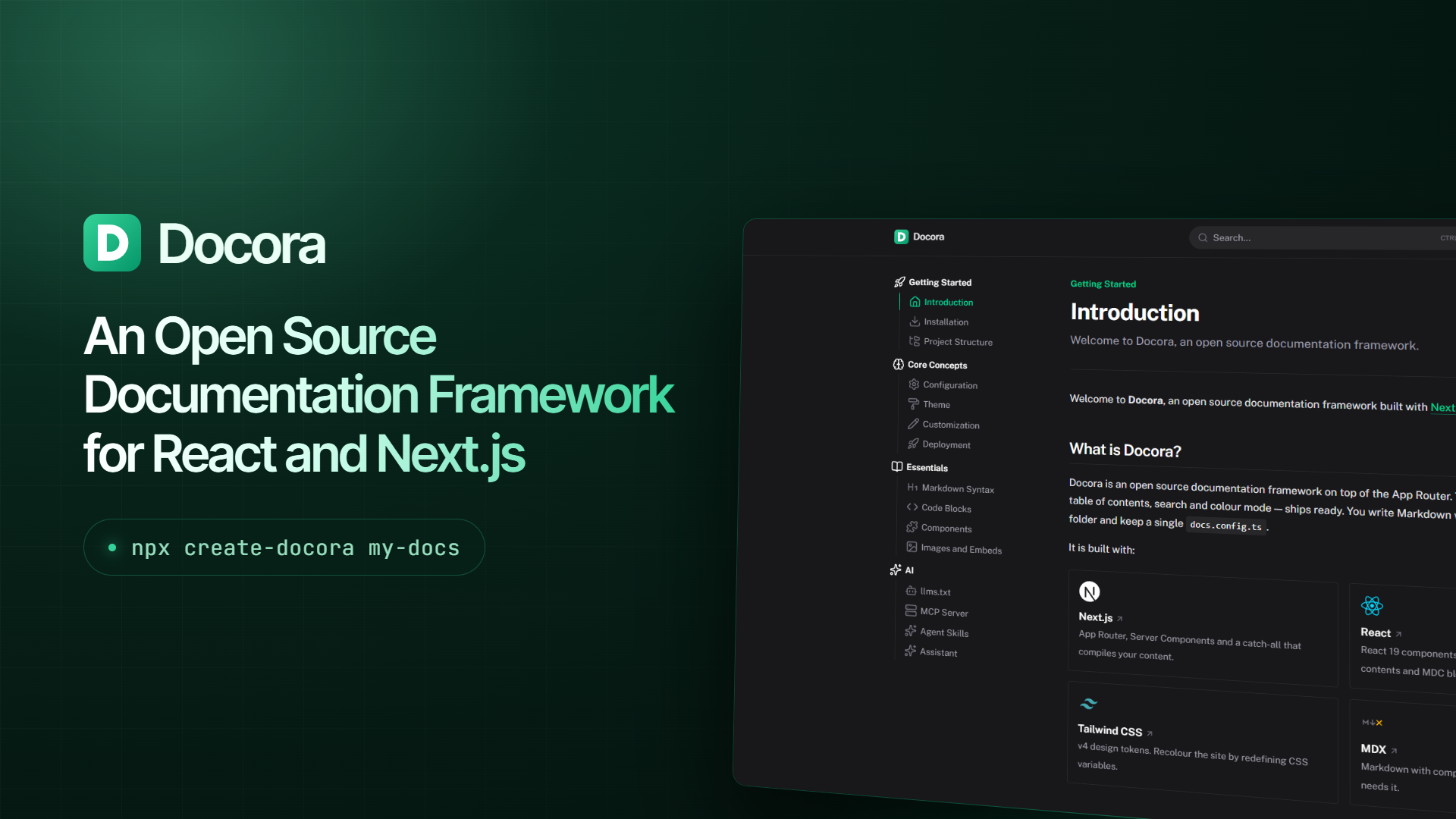
Create beautiful docs with Markdown & React components.
[](https://github.com/StaticMania/docora)
[](https://npmjs.com/package/docora)
[](https://npm.chart.dev/docora)
[](https://npmjs.com/package/docora)
## 🚀 Quick Start
### Local Development
Create a new documentation project in seconds:
```bash
# Create a new project
npx create-docora my-docs
# Or create with i18n template for multi-language docs
npx create-docora my-docs -t i18n
# Navigate to your project
cd my-docs
# Start development server
npm run dev
```
That's it! Your documentation site will be running at `http://localhost:3000`
### Online Development
Start by deploying the Docora template and create your git repository directly from Vercel:
[](https://vercel.com/new/clone?repository-url=https://github.com/StaticMania/docora/tree/main/.starters/default&project-name=My%20Docs&repository-name=my-docs&from=templates)
## 🎯 What it creates
The CLI scaffolds a complete documentation project with:
- ✨ **Beautiful Design** — Clean, modern documentation theme built on Next.js 16, React 19 & Tailwind CSS 4
- 📱 **Responsive** — Mobile-first responsive design
- 🌙 **Dark Mode** — Built-in dark/light mode with `next-themes`
- 🌍 **Internationalization** — Native i18n with locale-prefixed routes, per-locale sidebars and bundled UI strings
- 🔍 **Search** — Compile-time command palette (Cmd/Ctrl-K), no hosted index required
- 📝 **Markdown Enhanced** — MDX with [MDC syntax](https://content.nuxt.com/docs/files/markdown#mdc-syntax) so components need no imports
- 🎨 **Customizable** — Semantic CSS tokens, layout slots and custom MDX components
- ⚡ **Fast** — App Router, Server Components and statically prerendered pages
- 🔧 **TypeScript** — Published as source, with full TypeScript support
- 🤖 **AI Assistant** — Drop-in chat that answers from your docs, cites sources, and generates code
- 🔌 **Native MCP Server** — Built-in Model Context Protocol server for AI tool integration (Cursor, VS Code, Claude, etc.)
- 📚 **Agent Skills Discovery** — Publish skills from your docs site via `/.well-known/skills/`
- 📄 **LLM-Ready** — Automatic `llms.txt`, `llms-full.txt` and raw Markdown routes
- 🗺️ **SEO Optimized** — Sitemap, robots.txt, canonicals and OG image generation out of the box
Learn more in the [Docora documentation](https://docora-docs.vercel.app).
## 🤖 AI features
Docora ships with a full AI stack to help both your users and contributors:
### Assistant
Embed an AI-powered chat in your docs that answers questions, cites sources, and generates code examples. Powered by [Vercel AI Gateway](https://vercel.com/ai-gateway) — the UI is hidden until a credential is present. Set `AI_GATEWAY_API_KEY` locally, or rely on Vercel OIDC in production.
### MCP Server
Every Docora site exposes an MCP server at `/mcp` with `list-pages`, `search-docs` and `get-page`. Add it to Cursor, VS Code, Claude or any MCP client:
```
https://your-docs-domain.com/mcp
```
### Agent Skills
Drop skills into a `skills/` directory and Docora serves them at `/.well-known/skills/` following the [Agent Skills Discovery](https://github.com/cloudflare/agent-skills-discovery-rfc) RFC. Users install them with a single command:
```bash
npx skills add https://your-docs-domain.com
```
## 📁 Project Structure
### Generated project
```
my-docs/
├── content/ # Your markdown content
│ ├── index.mdx # Homepage
│ └── docs/ # Documentation pages
├── app/ # Next.js App Router
├── public/ # Static assets
├── lib/source.ts # Content source
├── docs.config.ts # Site configuration
├── next.config.ts # Next.js configuration
└── package.json # Dependencies and scripts
```
### Optional files and folders
Docora is a theme on top of the App Router, so you can use any feature of a classical Next.js project:
```
my-docs/
├── docs.config.ts # Site name, header, socials, footer, SEO
├── next.config.ts # Next.js configuration (wrap with withDocora)
├── app/ # App Router
│ ├── components/ # Components (add your own)
│ ├── about/page.tsx # Extra pages (alongside the catch-all)
│ └── api/ # API routes
├── middleware.ts # Route middleware
└── public/ # Static assets
```
### `/content` folder structure
**Single language structure:**
```
content/
├── index.mdx
├── docs/
│ ├── index.mdx
│ └── 1.getting-started/
│ ├── .navigation.yml
│ ├── 1.introduction.mdx
│ └── 2.installation.mdx
└── guide/
└── configuration.mdx
```
A numeric prefix sets sidebar order and is stripped from the URL. `1.introduction.mdx` is served at `/docs/getting-started/introduction`.
**Multi-language structure (with i18n):**
```
content/
├── en/
│ ├── index.mdx
│ └── docs/
│ └── 1.getting-started/
│ └── 1.introduction.mdx
└── fr/
├── index.mdx
└── docs/
└── 1.getting-started/
└── 1.introduction.mdx
```
Scaffold this layout with:
```bash
npx create-docora my-docs -t i18n
```
## ⚡ Built with
Your project comes pre-configured with the best of the Next.js ecosystem:
- [Next.js 16](https://nextjs.org) — App Router and Server Components
- [React 19](https://react.dev) — UI, layouts and MDC blocks
- [Tailwind CSS 4](https://tailwindcss.com) — Design tokens you can recolour
- [MDX](https://mdxjs.com) — Markdown with components
- [MDC](https://content.nuxt.com/docs/files/markdown#mdc-syntax) — Named components with no imports
- [Shiki](https://shiki.style) — Syntax highlighting
- [next-themes](https://github.com/pacocoursey/next-themes) — Dark mode
- [Vercel AI SDK](https://ai-sdk.dev) — AI assistant (optional)
## 📖 Documentation
For detailed documentation on customizing your Docora project, visit the [GitHub repository](https://github.com/StaticMania/docora).
## 🛠️ Development
This repository is a monorepo containing the theme, the CLI and the documentation site.
### Local Development
```bash
# Clone this repository
git clone https://github.com/StaticMania/docora
# Install dependencies
pnpm install
# Run the documentation site
pnpm run dev
```
### Package Structure
This is a monorepo containing:
- [`packages/docora`](https://github.com/StaticMania/docora/tree/main/packages/docora) — Theme package (`docora`)
- [`packages/create-docora`](https://github.com/StaticMania/docora/tree/main/packages/create-docora) — CLI (`create-docora`)
- [`apps/docs`](https://github.com/StaticMania/docora/tree/main/apps/docs) — Official documentation
- [`.starters`](https://github.com/StaticMania/docora/tree/main/.starters) — Starter templates
## 🤝 Contributing
We welcome contributions. Please read [CONTRIBUTING.md](CONTRIBUTING.md) and the [Code of Conduct](CODE_OF_CONDUCT.md) before opening a pull request.
- [Report a bug or request a feature](https://github.com/StaticMania/docora/issues/new/choose)
- [Support](SUPPORT.md)
- [Security policy](SECURITY.md)
- [Governance](GOVERNANCE.md)
## 📄 License
Published under the [MIT](LICENSE) license.
连接信息
猜你喜欢
暂无推荐服务器