

内容
<div align="center">
<img src="docs/assets/brand/levelrail-default.svg" alt="Levelrail logo" width="56" height="56">
<h1>Levelrail</h1>
<p><strong>The lightweight, self-hosted alternative to Vercel, Heroku, Railway, Coolify and Dokku.</strong><br>
Push to git. Get HTTPS, logs, metrics and one-click rollback on your own servers.<br>
One Go binary · Docker runtime · agents instead of SSH · observability built in · no Kubernetes</p>
<p>
<a href="https://github.com/glincker/levelrail/releases"><img src="https://img.shields.io/github/v/release/glincker/levelrail?include_prereleases&label=release" alt="Latest release"></a>
<a href="LICENSE"><img src="https://img.shields.io/github/license/glincker/levelrail" alt="License: Apache 2.0"></a>
<a href="https://github.com/glincker/levelrail/stargazers"><img src="https://img.shields.io/github/stars/glincker/levelrail?style=flat" alt="GitHub stars"></a>
<a href="https://github.com/glincker/levelrail/actions/workflows/ci.yml"><img src="https://github.com/glincker/levelrail/actions/workflows/ci.yml/badge.svg" alt="CI"></a>
<a href="https://discord.gg/Ar5pcaZB99"><img src="https://img.shields.io/discord/829168897080557579?style=flat&logo=discord&logoColor=white&label=discord&color=5865F2" alt="Discord"></a>
<br>
<a href="docs/feature-status.md"><img src="https://img.shields.io/badge/single%20server-production%20ready-brightgreen?style=flat" alt="Single server: production ready"></a>
<a href="https://github.com/glincker/levelrail/pkgs/container/levelrail"><img src="https://img.shields.io/badge/ghcr.io-multi--arch-2496ED?style=flat&logo=docker&logoColor=white" alt="Multi-arch container image on GHCR"></a>
<a href="go.mod"><img src="https://img.shields.io/github/go-mod/go-version/glincker/levelrail?style=flat" alt="Go version"></a>
<a href="docs/mcp.md"><img src="https://img.shields.io/badge/MCP-server-8A2BE2?style=flat" alt="MCP server"></a>
<a href="https://docs.levelrail.com"><img src="https://img.shields.io/badge/docs-docs.levelrail.com-blue?style=flat" alt="Documentation"></a>
<a href="https://github.com/glincker/levelrail/commits/main"><img src="https://img.shields.io/github/last-commit/glincker/levelrail?style=flat" alt="Last commit"></a>
<a href="CONTRIBUTING.md"><img src="https://img.shields.io/badge/PRs-welcome-brightgreen.svg" alt="PRs welcome"></a>
</p>
<p>
<a href="https://levelrail.com">Website</a> ·
<a href="https://docs.levelrail.com">Docs</a> ·
<a href="#install-in-one-command">Install</a> ·
<a href="#production-ready-with-receipts">Production ready</a> ·
<a href="#levelrail-vs-coolify-dokploy-caprover-and-dokku">Compare</a> ·
<a href="#guides">Guides</a> ·
<a href="docs/roadmap.md">Roadmap</a> ·
<a href="CHANGELOG.md">Changelog</a> ·
<a href="https://github.com/glincker/levelrail/discussions">Discussions</a> ·
<a href="https://discord.gg/Ar5pcaZB99">Discord</a>
</p>
<img src="docs/assets/brand/social/github-social-1280x640.jpg" alt="Levelrail: your own Vercel, on your server. The lightweight, self-hosted alternative to Vercel, Heroku and Coolify." width="880">
</div>
Levelrail is an open source (Apache 2.0) **self-hosted PaaS**: a Vercel and Heroku alternative that runs on any Linux server you own, from a $5 VPS to a rack. It turns plain servers into a private cloud with Git deploys, automatic HTTPS, databases with verified backups, metrics, logs and alerts, without Kubernetes and without the monitoring stack you would otherwise bolt on.
## Install in one command
Needs a Linux server (`amd64` or `arm64`) with systemd and root. Docker is installed for you if it is missing.
```bash
curl -fsSL https://levelrail.com/install.sh | sudo sh
```
Open the URL it prints, pick a password, and deploy your first app from the setup wizard or the CLI:
```bash
levelrail-cli import https://github.com/your-org/your-app --deploy
```
Prefer containers, a pinned version or a source build? See [Installing](docs/installing.md). Coming from another platform? `levelrail-cli migrate coolify|dokploy|caprover` plans the move and shows a dry-run diff first.
<table>
<tr>
<td width="50%" valign="top" align="center">
<img src="docs/assets/demos/install-deploy.gif" alt="Terminal recording: install Levelrail, then deploy an app that goes live over HTTPS" width="440"><br>
<sub><b>Install, then deploy</b></sub>
</td>
<td width="50%" valign="top" align="center">
<img src="docs/assets/demos/deploy-rollback.gif" alt="Terminal recording: deploy with a readiness gate, then roll back to the previous image" width="440"><br>
<sub><b>Gated deploy, one-step rollback</b></sub>
</td>
</tr>
</table>
## Why people pick Levelrail
- **Lightweight.** About 200 MB of RAM and roughly 2% of one CPU idle, measured on a real 2 vCPU server running three apps with the default feature set. [Numbers and method](docs/benchmarks.md).
- **Agents, not SSH.** Each node runs a small agent that dials out over mTLS and talks to Docker's Engine API directly. No inbound ports, no shelling out to the `docker` CLI, no polling loops.
- **Observability included.** Per-node metrics at 15 second resolution, searchable logs, deploy markers, traces, SLO burn, alert inbox and an idle-footprint health page. No Grafana stack to install.
- **Deploys that protect you.** Readiness-gated rollouts, pinned images so rollback always works, canary releases that roll back on errors, deploy diffs, approvals and freezes.
- **Secure by default.** Hash-chained audit log you can verify, SSRF-guarded outbound calls, envelope-encrypted secrets with key rotation, scoped tokens, passkeys and 2FA, signed releases.
- **Built for AI agents.** An MCP server with a small default tool list (about 2.4k tokens, more load on demand), a scoped-token permission model and an agent skill.
## Production ready, with receipts
Single-server deployments are production ready today. Multi-node and a handful of newer features are labelled beta, and every label links to its evidence.
| Claim | Evidence |
| --- | --- |
| Every feature is labelled stable or beta | [Feature status](docs/feature-status.md): the tests, live e2e runs and docs behind each label |
| Survives failures | [Resilience](docs/resilience.md): disk full, agent link loss, database damage with guided restore, safe-mode boot, reconcile storm protection |
| Safe upgrades and rollback | Tested upgrade matrix, downgrade refusal, one-click [rollback](docs/rollback.md) and clean shutdown |
| Measured, not promised | [Benchmarks](docs/benchmarks.md): idle footprint, ingress throughput, limits, with the method next to every number |
| Verified backups | Every backup is re-downloaded and checksummed, with scheduled restore drills |
| Tamper-evident security | Verifiable audit chain, [security policy](SECURITY.md), signed releases and SBOM scanning |
## Levelrail vs Coolify, Dokploy, CapRover and Dokku
Most self-hosted platforms in this category manage servers by SSHing in and shelling out to the `docker` CLI, then parsing text, which tends to force polling loops. Levelrail uses a reverse-dialed agent and a level-triggered reconciler instead.
| | Levelrail | Coolify | Dokploy | CapRover | Dokku |
| --- | --- | --- | --- | --- | --- |
| Node control | Reverse-dialed agent | SSH + CLI | SSH + Engine API | Swarm API | Local bash |
| Orchestration | Level-triggered reconciler | Compose | Swarm | Swarm | Bash scheduler |
| Built-in metrics and logs | Yes | Opt-in add-on | Separate binary | No | No |
| Rollback | Pinned images, readiness-gated | Health check off by default | Swarm rollback | Manual | Default scheduler: none |
| Backup verification | Automatic, all 8 engines | Non-empty check | None | None | No backups |
This is positioning, not a ranking, and every project here is worth using. Where Levelrail trails: Coolify's template catalog is larger, and Levelrail bets on a smaller curated one ([ADR 015](adr/015-service-template-catalog-reversal.md)). The full, sourced comparison is in [Comparison](docs/comparison.md).
## What you get
- **Deploys:** Git push (GitHub, GitLab, Bitbucket, Gitea), preview environments per pull request, framework presets (Next.js, Go, React, Spring Boot and more), Dockerfile, Compose or image deploys, canary and blue-green rollouts. [Deploying apps](docs/deploying-apps.md)
- **Domains and TLS:** Embedded Caddy ingress, automatic certificates, wildcard and custom certificates, per-app abuse protection. [Domains](docs/domains-and-ingress.md)
- **Databases:** Postgres, MySQL, MariaDB, MongoDB, Redis, KeyDB, Dragonfly and ClickHouse with scheduled backups, Postgres point-in-time recovery, restore, and password rotation. [Databases](docs/managing-databases.md)
- **One search for everything:** Cmd+K across apps, databases, nodes, templates and actions, filtered by what you may do. [Search](docs/search.md)
- **Servers:** Add nodes with a one-time token, WireGuard mesh, zones and failure-domain spreading, placement what-if. [Multi-node](docs/multi-node.md)
- **Templates:** 300+ one-click services, with a smoke test that brings up the top 50 (48 pass today, [status](docs/templates-status.md)). [Catalog](docs/template-catalog.md)
- **Plugins:** A signed plugin marketplace with one-click install, dashboard panels and first-party alert channels. [Plugins](docs/plugins.md)
- **Automation:** One HTTP API behind the dashboard, a CLI and an MCP server. AI never sits in the reconciliation path. [CLI](docs/cli-reference.md), [AI control](docs/ai-control.md)
- **Pipelines, previews, cost budgets, sleep when idle, status pages** and more. See [Product tour](https://docs.levelrail.com/product-tour).
<table>
<tr>
<td width="33%" valign="top"><a href="docs/deploying-apps.md"><picture><source media="(prefers-color-scheme: dark)" srcset="docs/assets/screenshots/deploy-live-log.png"><img src="docs/assets/screenshots/deploy-live-log-light.png" alt="Levelrail live deploy log" loading="lazy"></picture></a><br><sub><b>Live deploys</b></sub></td>
<td width="33%" valign="top"><a href="docs/search.md"><picture><source media="(prefers-color-scheme: dark)" srcset="docs/assets/screenshots/command-palette.png"><img src="docs/assets/screenshots/command-palette-light.png" alt="Levelrail command palette search" loading="lazy"></picture></a><br><sub><b>One search for everything</b></sub></td>
<td width="33%" valign="top"><a href="docs/control-plane-health.md"><picture><source media="(prefers-color-scheme: dark)" srcset="docs/assets/screenshots/control-plane-health.png"><img src="docs/assets/screenshots/control-plane-health-light.png" alt="Levelrail control plane health page" loading="lazy"></picture></a><br><sub><b>Health and footprint</b></sub></td>
</tr>
<tr>
<td width="33%" valign="top"><a href="docs/managing-databases.md"><picture><source media="(prefers-color-scheme: dark)" srcset="docs/assets/screenshots/database-backups.png"><img src="docs/assets/screenshots/database-backups-light.png" alt="Levelrail database backups" loading="lazy"></picture></a><br><sub><b>Verified backups</b></sub></td>
<td width="33%" valign="top"><a href="docs/plugins.md"><picture><source media="(prefers-color-scheme: dark)" srcset="docs/assets/screenshots/plugins-marketplace.png"><img src="docs/assets/screenshots/plugins-marketplace-light.png" alt="Levelrail plugin marketplace" loading="lazy"></picture></a><br><sub><b>Plugin marketplace</b></sub></td>
<td width="33%" valign="top"><a href="docs/security.md"><picture><source media="(prefers-color-scheme: dark)" srcset="docs/assets/screenshots/security-center.png"><img src="docs/assets/screenshots/security-center-light.png" alt="Levelrail security center" loading="lazy"></picture></a><br><sub><b>Security center</b></sub></td>
</tr>
</table>
<details>
<summary><b>More screenshots</b> (50 screens, shown in your GitHub theme, dark or light)</summary>
<br>
<table>
<tr>
<td width="50%" valign="top"><picture><source media="(prefers-color-scheme: dark)" srcset="docs/assets/screenshots/account-activity.png"><img src="docs/assets/screenshots/account-activity-light.png" alt="Levelrail dashboard: Account activity feed" title="See every sign-in and change made to your account" loading="lazy"></picture><br><sub><b>See every sign-in and change made to your account.</b></sub></td>
<td width="50%" valign="top"><picture><source media="(prefers-color-scheme: dark)" srcset="docs/assets/screenshots/account-danger-zone.png"><img src="docs/assets/screenshots/account-danger-zone-light.png" alt="Levelrail dashboard: Account danger zone" title="Export your data or delete your account safely" loading="lazy"></picture><br><sub><b>Export your data or delete your account safely.</b></sub></td>
</tr>
<tr>
<td width="50%" valign="top"><picture><source media="(prefers-color-scheme: dark)" srcset="docs/assets/screenshots/account-passkeys.png"><img src="docs/assets/screenshots/account-passkeys-light.png" alt="Levelrail dashboard: Passkey manager" title="Add, test and remove passkeys, synced or device-bound" loading="lazy"></picture><br><sub><b>Add, test and remove passkeys, synced or device-bound.</b></sub></td>
<td width="50%" valign="top"><picture><source media="(prefers-color-scheme: dark)" srcset="docs/assets/screenshots/app-deploy-settings.png"><img src="docs/assets/screenshots/app-deploy-settings-light.png" alt="Levelrail dashboard: Deploy strategy and health settings" title="Deploy strategy, health checks, and rollout behavior" loading="lazy"></picture><br><sub><b>Deploy strategy, health checks, and rollout behavior.</b></sub></td>
</tr>
<tr>
<td width="50%" valign="top"><picture><source media="(prefers-color-scheme: dark)" srcset="docs/assets/screenshots/app-environment.png"><img src="docs/assets/screenshots/app-environment-light.png" alt="Levelrail dashboard: Environment editor with masked secret values" title="Environment variables, with secrets masked" loading="lazy"></picture><br><sub><b>Environment variables, with secrets masked.</b></sub></td>
<td width="50%" valign="top"><picture><source media="(prefers-color-scheme: dark)" srcset="docs/assets/screenshots/app-overview.png"><img src="docs/assets/screenshots/app-overview-light.png" alt="Levelrail dashboard: App metrics: CPU, memory, network, disk charts with deploy markers" title="Per-app metrics, with deploy markers on every chart" loading="lazy"></picture><br><sub><b>Per-app metrics, with deploy markers on every chart.</b></sub></td>
</tr>
<tr>
<td width="50%" valign="top"><picture><source media="(prefers-color-scheme: dark)" srcset="docs/assets/screenshots/app-overview-page.png"><img src="docs/assets/screenshots/app-overview-page-light.png" alt="Levelrail dashboard: App overview: health, URLs, deploys, metrics summary" title="Each app's overview in one place" loading="lazy"></picture><br><sub><b>Each app's overview in one place.</b></sub></td>
<td width="50%" valign="top"><picture><source media="(prefers-color-scheme: dark)" srcset="docs/assets/screenshots/app-resources.png"><img src="docs/assets/screenshots/app-resources-light.png" alt="Levelrail dashboard: CPU and memory limits for an app" title="Resource limits per app" loading="lazy"></picture><br><sub><b>Resource limits per app.</b></sub></td>
</tr>
<tr>
<td width="50%" valign="top"><picture><source media="(prefers-color-scheme: dark)" srcset="docs/assets/screenshots/app-source.png"><img src="docs/assets/screenshots/app-source-light.png" alt="Levelrail dashboard: App source and repository connection" title="Where an app's code comes from" loading="lazy"></picture><br><sub><b>Where an app's code comes from.</b></sub></td>
<td width="50%" valign="top"><picture><source media="(prefers-color-scheme: dark)" srcset="docs/assets/screenshots/apps-list.png"><img src="docs/assets/screenshots/apps-list-light.png" alt="Levelrail dashboard: All apps with status and last deploy" title="Every app, its health, and its last deploy" loading="lazy"></picture><br><sub><b>Every app, its health, and its last deploy.</b></sub></td>
</tr>
<tr>
<td width="50%" valign="top"><picture><source media="(prefers-color-scheme: dark)" srcset="docs/assets/screenshots/archives.png"><img src="docs/assets/screenshots/archives-light.png" alt="Levelrail dashboard: Storage page showing the log archive and build cache sections" title="Archive logs to a bucket on a schedule" loading="lazy"></picture><br><sub><b>Archive logs to a bucket on a schedule.</b></sub></td>
<td width="50%" valign="top"><picture><source media="(prefers-color-scheme: dark)" srcset="docs/assets/screenshots/backups.png"><img src="docs/assets/screenshots/backups-light.png" alt="Levelrail dashboard: Backups: targets and history" title="Backups with a history you can restore from" loading="lazy"></picture><br><sub><b>Backups with a history you can restore from.</b></sub></td>
</tr>
<tr>
<td width="50%" valign="top"><picture><source media="(prefers-color-scheme: dark)" srcset="docs/assets/screenshots/beta-features.png"><img src="docs/assets/screenshots/beta-features-light.png" alt="Levelrail dashboard: Beta features list" title="Opt in to beta features one at a time" loading="lazy"></picture><br><sub><b>Opt in to beta features one at a time.</b></sub></td>
<td width="50%" valign="top"><picture><source media="(prefers-color-scheme: dark)" srcset="docs/assets/screenshots/build-cache.png"><img src="docs/assets/screenshots/build-cache-light.png" alt="Levelrail dashboard: Build cache panel for an app" title="Build cache: rebuilds reuse unchanged layers" loading="lazy"></picture><br><sub><b>Build cache: rebuilds reuse unchanged layers.</b></sub></td>
</tr>
<tr>
<td width="50%" valign="top"><picture><source media="(prefers-color-scheme: dark)" srcset="docs/assets/screenshots/build-performance.png"><img src="docs/assets/screenshots/build-performance-light.png" alt="Levelrail dashboard: Build performance settings" title="Build speed: how long builds take and what they cost" loading="lazy"></picture><br><sub><b>Build speed: how long builds take and what they cost.</b></sub></td>
<td width="50%" valign="top"><picture><source media="(prefers-color-scheme: dark)" srcset="docs/assets/screenshots/ci-deploy-github-actions.png"><img src="docs/assets/screenshots/ci-deploy-github-actions-light.png" alt="Levelrail dashboard: Deploys page with the GitHub Actions reporting card (tall capture)" title="Report deploys back to GitHub Actions" loading="lazy"></picture><br><sub><b>Report deploys back to GitHub Actions.</b></sub></td>
</tr>
<tr>
<td width="50%" valign="top"><picture><source media="(prefers-color-scheme: dark)" srcset="docs/assets/screenshots/cli-access.png"><img src="docs/assets/screenshots/cli-access-light.png" alt="Levelrail dashboard: CLI access: this server, tokens, pending logins" title="Sign in the CLI from your own machine, with tokens you can revoke" loading="lazy"></picture><br><sub><b>Sign in the CLI from your own machine, with tokens you can revoke.</b></sub></td>
<td width="50%" valign="top"><picture><source media="(prefers-color-scheme: dark)" srcset="docs/assets/screenshots/command-palette.png"><img src="docs/assets/screenshots/command-palette-light.png" alt="Levelrail dashboard: Command palette (Cmd+K) open over the app overview" title="Jump to any app or action with Cmd+K" loading="lazy"></picture><br><sub><b>Jump to any app or action with Cmd+K.</b></sub></td>
</tr>
<tr>
<td width="50%" valign="top"><picture><source media="(prefers-color-scheme: dark)" srcset="docs/assets/screenshots/command-palette-search.png"><img src="docs/assets/screenshots/command-palette-search-light.png" alt="Levelrail dashboard: Command palette search results" title="One search across apps, databases, nodes and actions" loading="lazy"></picture><br><sub><b>One search across apps, databases, nodes and actions.</b></sub></td>
<td width="50%" valign="top"><picture><source media="(prefers-color-scheme: dark)" srcset="docs/assets/screenshots/control-plane-health.png"><img src="docs/assets/screenshots/control-plane-health-light.png" alt="Levelrail dashboard: Control plane health: goroutines, DB latency, reconcile pass" title="Live health of the control plane itself" loading="lazy"></picture><br><sub><b>Live health of the control plane itself.</b></sub></td>
</tr>
<tr>
<td width="50%" valign="top"><picture><source media="(prefers-color-scheme: dark)" srcset="docs/assets/screenshots/dashboard-home.png"><img src="docs/assets/screenshots/dashboard-home-light.png" alt="Levelrail dashboard: Dashboard home" title="The control plane at a glance" loading="lazy"></picture><br><sub><b>The control plane at a glance.</b></sub></td>
<td width="50%" valign="top"><picture><source media="(prefers-color-scheme: dark)" srcset="docs/assets/screenshots/database-access.png"><img src="docs/assets/screenshots/database-access-light.png" alt="Levelrail dashboard: Database access and credentials" title="Connection details and password rotation for a database" loading="lazy"></picture><br><sub><b>Connection details and password rotation for a database.</b></sub></td>
</tr>
<tr>
<td width="50%" valign="top"><picture><source media="(prefers-color-scheme: dark)" srcset="docs/assets/screenshots/database-backups.png"><img src="docs/assets/screenshots/database-backups-light.png" alt="Levelrail dashboard: Database overview scrolled to backups and placement" title="Database backups and placement, on the database's own page" loading="lazy"></picture><br><sub><b>Database backups and placement, on the database's own page.</b></sub></td>
<td width="50%" valign="top"><picture><source media="(prefers-color-scheme: dark)" srcset="docs/assets/screenshots/database-overview.png"><img src="docs/assets/screenshots/database-overview-light.png" alt="Levelrail dashboard: Database overview: connection, status, resources" title="One database, its connection details, and its state" loading="lazy"></picture><br><sub><b>One database, its connection details, and its state.</b></sub></td>
</tr>
<tr>
<td width="50%" valign="top"><picture><source media="(prefers-color-scheme: dark)" srcset="docs/assets/screenshots/databases-list.png"><img src="docs/assets/screenshots/databases-list-light.png" alt="Levelrail dashboard: Managed databases list" title="Managed Postgres and friends, next to your apps" loading="lazy"></picture><br><sub><b>Managed Postgres and friends, next to your apps.</b></sub></td>
<td width="50%" valign="top"><picture><source media="(prefers-color-scheme: dark)" srcset="docs/assets/screenshots/deploy-history.png"><img src="docs/assets/screenshots/deploy-history-light.png" alt="Levelrail dashboard: Deploy history for one app (Current, Visit, Logs, Promote)" title="Deploy history, with promote and logs for each release" loading="lazy"></picture><br><sub><b>Deploy history, with promote and logs for each release.</b></sub></td>
</tr>
<tr>
<td width="50%" valign="top"><picture><source media="(prefers-color-scheme: dark)" srcset="docs/assets/screenshots/deploy-live-log.png"><img src="docs/assets/screenshots/deploy-live-log-light.png" alt="Levelrail dashboard: One deploy, Roll out tab (live timeline)" title="Watch a deploy roll out, step by step, as it happens" loading="lazy"></picture><br><sub><b>Watch a deploy roll out, step by step, as it happens.</b></sub></td>
<td width="50%" valign="top"><picture><source media="(prefers-color-scheme: dark)" srcset="docs/assets/screenshots/deployments-all.png"><img src="docs/assets/screenshots/deployments-all-light.png" alt="Levelrail dashboard: Deployments across all apps" title="Deployments across the whole control plane" loading="lazy"></picture><br><sub><b>Deployments across the whole control plane.</b></sub></td>
</tr>
<tr>
<td width="50%" valign="top"><picture><source media="(prefers-color-scheme: dark)" srcset="docs/assets/screenshots/domains-list.png"><img src="docs/assets/screenshots/domains-list-light.png" alt="Levelrail dashboard: Domains with TLS status and routing" title="Domains, certificates, and where each one routes" loading="lazy"></picture><br><sub><b>Domains, certificates, and where each one routes.</b></sub></td>
<td width="50%" valign="top"><picture><source media="(prefers-color-scheme: dark)" srcset="docs/assets/screenshots/encryption-keys.png"><img src="docs/assets/screenshots/encryption-keys-light.png" alt="Levelrail dashboard: Encryption keys" title="Master and per-app encryption key status and rotation" loading="lazy"></picture><br><sub><b>Master and per-app encryption key status and rotation.</b></sub></td>
</tr>
<tr>
<td width="50%" valign="top"><picture><source media="(prefers-color-scheme: dark)" srcset="docs/assets/screenshots/framework-preset-picker.png"><img src="docs/assets/screenshots/framework-preset-picker-light.png" alt="Levelrail dashboard: New app page with the framework preset picker" title="Pick a framework preset and the build settings fill in for you" loading="lazy"></picture><br><sub><b>Pick a framework preset and the build settings fill in for you.</b></sub></td>
<td width="50%" valign="top"><picture><source media="(prefers-color-scheme: dark)" srcset="docs/assets/screenshots/get-started.png"><img src="docs/assets/screenshots/get-started-light.png" alt="Levelrail dashboard: Get started checklist" title="A guided checklist from install to your first deploy" loading="lazy"></picture><br><sub><b>A guided checklist from install to your first deploy.</b></sub></td>
</tr>
<tr>
<td width="50%" valign="top"><picture><source media="(prefers-color-scheme: dark)" srcset="docs/assets/screenshots/janitor-settings.png"><img src="docs/assets/screenshots/janitor-settings-light.png" alt="Levelrail dashboard: Automatic cleanup (janitor) settings" title="Automatic cleanup of old images, containers, and logs" loading="lazy"></picture><br><sub><b>Automatic cleanup of old images, containers, and logs.</b></sub></td>
<td width="50%" valign="top"><picture><source media="(prefers-color-scheme: dark)" srcset="docs/assets/screenshots/load-balancer.png"><img src="docs/assets/screenshots/load-balancer-light.png" alt="Levelrail dashboard: Load balancer upstreams and health checks" title="Load balance an app across replicas with health checks" loading="lazy"></picture><br><sub><b>Load balance an app across replicas with health checks.</b></sub></td>
</tr>
<tr>
<td width="50%" valign="top"><picture><source media="(prefers-color-scheme: dark)" srcset="docs/assets/screenshots/logs.png"><img src="docs/assets/screenshots/logs-light.png" alt="Levelrail dashboard: App log viewer with search and filters" title="Search and tail container logs without installing anything" loading="lazy"></picture><br><sub><b>Search and tail container logs without installing anything.</b></sub></td>
<td width="50%" valign="top"><picture><source media="(prefers-color-scheme: dark)" srcset="docs/assets/screenshots/mesh-network.png"><img src="docs/assets/screenshots/mesh-network-light.png" alt="Levelrail dashboard: Private networks: which apps may talk to each other" title="Private networks decide which apps can reach each other" loading="lazy"></picture><br><sub><b>Private networks decide which apps can reach each other.</b></sub></td>
</tr>
<tr>
<td width="50%" valign="top"><picture><source media="(prefers-color-scheme: dark)" srcset="docs/assets/screenshots/node-providers.png"><img src="docs/assets/screenshots/node-providers-light.png" alt="Levelrail dashboard: Node provider settings" title="Add a server from a cloud provider" loading="lazy"></picture><br><sub><b>Add a server from a cloud provider.</b></sub></td>
<td width="50%" valign="top"><picture><source media="(prefers-color-scheme: dark)" srcset="docs/assets/screenshots/nodes.png"><img src="docs/assets/screenshots/nodes-light.png" alt="Levelrail dashboard: Node list: primary server, online, builds only" title="Nodes the control plane places apps and databases on" loading="lazy"></picture><br><sub><b>Nodes the control plane places apps and databases on.</b></sub></td>
</tr>
<tr>
<td width="50%" valign="top"><picture><source media="(prefers-color-scheme: dark)" srcset="docs/assets/screenshots/pipeline-run.png"><img src="docs/assets/screenshots/pipeline-run-light.png" alt="Levelrail dashboard: Pipeline run: stages, jobs, live job log" title="A pipeline run with its stages, jobs, and live log" loading="lazy"></picture><br><sub><b>A pipeline run with its stages, jobs, and live log.</b></sub></td>
<td width="50%" valign="top"><picture><source media="(prefers-color-scheme: dark)" srcset="docs/assets/screenshots/pipelines.png"><img src="docs/assets/screenshots/pipelines-light.png" alt="Levelrail dashboard: Pipelines across apps" title="Pipelines: CI-style jobs that run on the control plane" loading="lazy"></picture><br><sub><b>Pipelines: CI-style jobs that run on the control plane.</b></sub></td>
</tr>
<tr>
<td width="50%" valign="top"><picture><source media="(prefers-color-scheme: dark)" srcset="docs/assets/screenshots/plugins.png"><img src="docs/assets/screenshots/plugins-light.png" alt="Levelrail dashboard: Installed plugins" title="Manage the plugins you have installed and their permissions" loading="lazy"></picture><br><sub><b>Manage the plugins you have installed and their permissions.</b></sub></td>
<td width="50%" valign="top"><picture><source media="(prefers-color-scheme: dark)" srcset="docs/assets/screenshots/plugins-marketplace.png"><img src="docs/assets/screenshots/plugins-marketplace-light.png" alt="Levelrail dashboard: Plugin marketplace" title="Install signed plugins in one click" loading="lazy"></picture><br><sub><b>Install signed plugins in one click.</b></sub></td>
</tr>
<tr>
<td width="50%" valign="top"><picture><source media="(prefers-color-scheme: dark)" srcset="docs/assets/screenshots/security-center.png"><img src="docs/assets/screenshots/security-center-light.png" alt="Levelrail dashboard: Security center: score, checklist, affected items" title="A security score with the checks that need attention" loading="lazy"></picture><br><sub><b>A security score with the checks that need attention.</b></sub></td>
<td width="50%" valign="top"><picture><source media="(prefers-color-scheme: dark)" srcset="docs/assets/screenshots/settings-account.png"><img src="docs/assets/screenshots/settings-account-light.png" alt="Levelrail dashboard: Account settings: profile and password" title="Your account, your password, your sessions" loading="lazy"></picture><br><sub><b>Your account, your password, your sessions.</b></sub></td>
</tr>
<tr>
<td width="50%" valign="top"><picture><source media="(prefers-color-scheme: dark)" srcset="docs/assets/screenshots/settings-general.png"><img src="docs/assets/screenshots/settings-general-light.png" alt="Levelrail dashboard: General settings" title="Instance name, dashboard URL and defaults" loading="lazy"></picture><br><sub><b>Instance name, dashboard URL and defaults.</b></sub></td>
<td width="50%" valign="top"><picture><source media="(prefers-color-scheme: dark)" srcset="docs/assets/screenshots/settings-health.png"><img src="docs/assets/screenshots/settings-health-light.png" alt="Levelrail dashboard: Settings health" title="Spot misconfigured settings and fix them with one click" loading="lazy"></picture><br><sub><b>Spot misconfigured settings and fix them with one click.</b></sub></td>
</tr>
<tr>
<td width="50%" valign="top"><picture><source media="(prefers-color-scheme: dark)" srcset="docs/assets/screenshots/setup-wizard.png"><img src="docs/assets/screenshots/setup-wizard-light.png" alt="Levelrail dashboard: First-run setup checklist" title="First-run setup, step by step" loading="lazy"></picture><br><sub><b>First-run setup, step by step.</b></sub></td>
<td width="50%" valign="top"><picture><source media="(prefers-color-scheme: dark)" srcset="docs/assets/screenshots/status-page-settings.png"><img src="docs/assets/screenshots/status-page-settings-light.png" alt="Levelrail dashboard: Public status page settings" title="A public status page for your apps" loading="lazy"></picture><br><sub><b>A public status page for your apps.</b></sub></td>
</tr>
<tr>
<td width="50%" valign="top"><picture><source media="(prefers-color-scheme: dark)" srcset="docs/assets/screenshots/storage-destinations.png"><img src="docs/assets/screenshots/storage-destinations-light.png" alt="Levelrail dashboard: Storage destinations: empty state with next steps" title="Connect an S3-compatible bucket for backups and archives" loading="lazy"></picture><br><sub><b>Connect an S3-compatible bucket for backups and archives.</b></sub></td>
<td width="50%" valign="top"><picture><source media="(prefers-color-scheme: dark)" srcset="docs/assets/screenshots/templates-catalog.png"><img src="docs/assets/screenshots/templates-catalog-light.png" alt="Levelrail dashboard: Template catalog" title="Install a known service from the template catalog" loading="lazy"></picture><br><sub><b>Install a known service from the template catalog.</b></sub></td>
</tr>
</table>
</details>
All captured from a real running control plane. Walk through them in the [Product tour](https://docs.levelrail.com/product-tour).
## Guides
Step by step walkthroughs, each tested against a real install:
| Guide | What you learn |
| --- | --- |
| [Deploy a Next.js app with Postgres](https://github.com/glincker/levelrail/discussions/1239) | Repo to HTTPS in about ten minutes |
| [Deploy a Django app with Postgres](https://github.com/glincker/levelrail/discussions/1243) | Plus the four errors everyone hits |
| [Push to deploy with GitHub](https://github.com/glincker/levelrail/discussions/1244) | Webhooks, previews and the delivery log |
| [How deploys stay safe](https://github.com/glincker/levelrail/discussions/1246) | Health gates, blue-green cutover, rollback |
| [Logs, traces and errors without a stack](https://github.com/glincker/levelrail/discussions/1240) | Observability and Grafana |
| [Scale to zero on a small VPS](https://github.com/glincker/levelrail/discussions/1242) | Run many projects on one box |
| [Levelrail vs Coolify, Dokploy, CapRover, Dokku and Kamal](https://github.com/glincker/levelrail/discussions/1235) | Where each one fits |
## For AI agents and crawlers
- **Agent skill:** [`skills/levelrail/SKILL.md`](skills/levelrail/SKILL.md) teaches a coding agent to deploy, wait, diagnose and roll back safely.
- **MCP server:** `levelrail-mcp` exposes the same API and permission model. Start in `read-only` mode. See [MCP](docs/mcp.md) and [AI control](docs/ai-control.md).
- **Repo guide:** [`AGENTS.md`](AGENTS.md) for working in this codebase, and [`llms.txt`](llms.txt) as the index. Docs for LLMs: [llms.txt](https://docs.levelrail.com/llms.txt) and [llms-full.txt](https://docs.levelrail.com/llms-full.txt).
## Community and support
- [GitHub Discussions](https://github.com/glincker/levelrail/discussions) for questions, ideas and show and tell, and [Issues](https://github.com/glincker/levelrail/issues) for bugs.
- [GLINR Discord](https://discord.gg/Ar5pcaZB99): live chat with the maintainers, in the `#levelrail` forum channel.
- [support@levelrail.com](mailto:support@levelrail.com) for direct help, and the [Security policy](SECURITY.md) to report a vulnerability privately.
- [Contributing](CONTRIBUTING.md): dev loop, tests and commit conventions. Build from source needs Go 1.26 or newer and Docker: see [Installing](docs/installing.md#option-3-build-from-source).
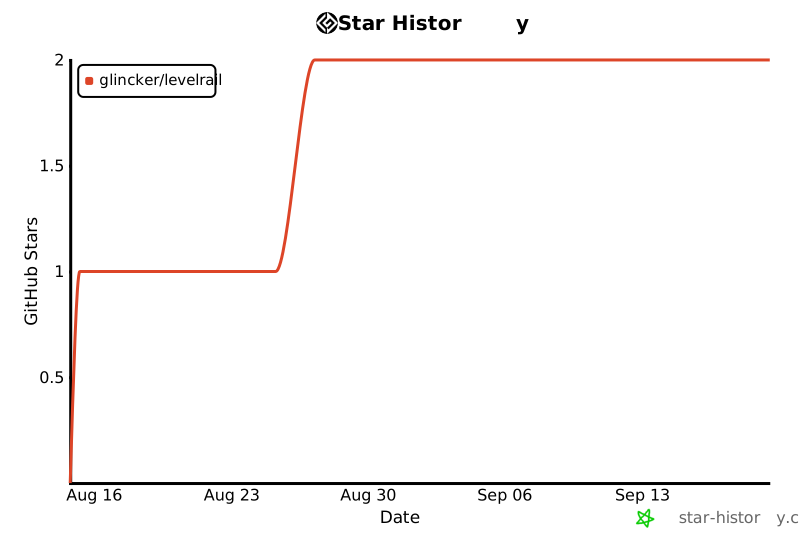
## Star the repo
If Levelrail saves you a weekend, a [star on GitHub](https://github.com/glincker/levelrail) helps other self-hosters find it. Bug reports and honest feedback help even more.
[](https://star-history.com/#glincker/levelrail&Date)
<a href="https://github.com/glincker/levelrail/graphs/contributors"><img src="https://contrib.rocks/image?repo=glincker/levelrail" alt="Levelrail contributors"></a>
## License
Apache 2.0, see [LICENSE](LICENSE).
## Built by
Levelrail is built by Gagan Deep Singh, founder of [GLINR STUDIOS](https://glinr.com) and [theSVG](https://thesvg.org). Sister projects: [theSVG](https://thesvg.org) (brand icon library), [theauth](https://github.com/glincker/theauth) (open-source auth for AI agents and humans) and [AskVerdict AI](https://askverdict.ai). Say hello at [thegdsks.com](https://thegdsks.com).
<div align="center">
<a href="https://glinr.com">
<picture>
<source media="(prefers-color-scheme: dark)" srcset="docs/assets/brand/glincker-light.svg">
<img src="docs/assets/brand/glincker-dark.svg" alt="GLINR STUDIOS" width="56">
</picture>
</a>
<sub>Powered by <a href="https://glinr.com"><b>GLINR STUDIOS</b></a> · icon from <a href="https://thesvg.org/icon/glincker">theSVG</a></sub>
</div>
连接信息
猜你喜欢
暂无推荐服务器